Many website owners fall into the trap of the “publish and pray” cycle: spending hours crafting a perfect blog post, hitting publish, sharing it once on social media, and then moving on to the next piece of content. However, the secret to sustainable growth isn’t just creating more content, but mastering content repurposing WordPress strategies. By transforming a single high-quality article into a multi-channel marketing campaign, you can maximize your blog content and reach audiences who prefer different formats, all without starting from scratch every time.
Key Takeaways:
- Repurposing turns one blog post into multiple assets (emails, social posts, videos), increasing ROI.
- AI tools automate the adaptation of tone and format for different platforms.
- A structured content distribution strategy ensures consistent visibility across all digital touchpoints.
The Strategic Value of Content Repurposing in WordPress
Content repurposing is the process of taking an existing piece of content and changing its format or medium to reach a new audience or engage an existing one in a different way. For WordPress users, this is particularly powerful because the CMS serves as a centralized hub for all original intellectual property.
When you focus on a content distribution strategy, you stop viewing your blog as a destination and start viewing it as a source of raw material. A 2,000-word guide is not just an article; it is a script for a video, a series of LinkedIn posts, a detailed email sequence, and an infographic.
The primary benefit is efficiency. Researching and writing original content is the most time-consuming part of digital marketing. By leveraging AI content repurposing, you can reduce the time spent on promotion by up to 80% while simultaneously increasing the number of touchpoints your brand has with potential customers.
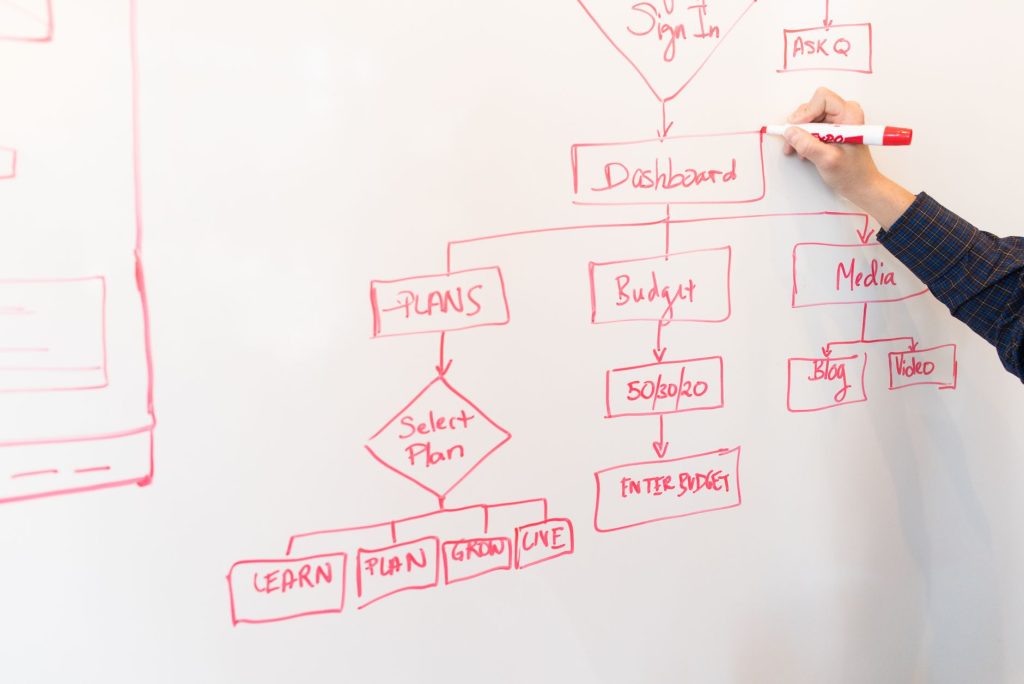
How to Repurpose Blog Content into 5+ High-Value Assets
To truly maximize your efforts, you need a systematic approach to breaking down your long-form content. Here is a comprehensive framework for transforming one WordPress post into a full-scale marketing engine.
1. The Micro-Blog Series for Social Media
A long-form guide often contains several distinct points or “golden nuggets.” Instead of sharing a link to the post with a generic caption, extract these individual points. Create a “carousel” for Instagram or a “thread” for X (Twitter) where each slide or post focuses on one specific insight from your article.
This approach provides immediate value to the user without requiring them to leave the platform, which social media algorithms reward. You can then link back to the original WordPress post for those who want the full, in-depth explanation.
2. The High-Conversion Email Newsletter
Converting a blog to email newsletter format is one of the fastest ways to drive traffic back to your site. Rather than simply saying “New post on the blog,” rewrite the introduction to be more personal and conversational. Summarize the key takeaways in a bulleted list and use a strong call-to-action (CTA) to invite readers to finish the piece on your website.
3. Short-Form Video Scripts (TikTok, Reels, Shorts)
Take the most controversial or surprising point from your blog post and turn it into a 60-second script. Video is currently the highest-performing medium across almost all platforms. Because the research is already done in your blog post, you simply need to adapt the language for a spoken format.
4. Infographics and Visual Summaries
Many users are visual learners. If your WordPress post includes a process, a list, or a comparison, turn that data into an infographic. Tools like Canva make this easy, but the content comes directly from your original writing. Visual assets are also highly shareable on Pinterest, which can drive long-term organic traffic.
5. Guest Posts and Syndicated Content
You can rewrite the core thesis of your blog post into a shorter, punchier guest article for an industry publication. By changing the angle and updating a few examples, you create a “new” piece of content that introduces your brand to a completely different audience while maintaining the same core message.
Using AI Marketing Expert to Automate Content Repurposing
Manually rewriting content for five different platforms is exhausting. This is where the AI Marketing Expert plugin becomes an indispensable part of your WordPress toolkit. Instead of spending hours massaging text, this tool allows you to connect your content creation directly to your distribution channels.
The AI Marketing Expert plugin integrates advanced LLMs directly into your WordPress dashboard, allowing you to generate social media snippets, email summaries, and SEO-optimized meta descriptions instantly from your existing posts. It removes the “blank page syndrome” and ensures that your brand voice remains consistent across every channel.
Key features of the plugin include:
- Automatic Social Post Generation: Turn your blog headings and summaries into engaging posts for LinkedIn, Facebook, and X.
- SEO Optimization: Instantly create meta tags and descriptions that improve click-through rates from search engines.
- Multi-Channel Adaptation: Adjust the tone of your content to be professional for LinkedIn or casual for Instagram with a single click.
- Workflow Integration: Keep all your marketing assets within your WordPress environment, eliminating the need to jump between multiple third-party apps.
By leveraging these features, you can move from a single-channel approach to a comprehensive content amplification WordPress strategy in a fraction of the time.
Free Download | View Pro Version
Advanced Content Distribution Strategy for WordPress Users
Repurposing the content is only half the battle; the other half is distribution. To maximize the impact of your content repurposing WordPress efforts, you must implement a staggered distribution schedule.
If you publish everything on the same day, you exhaust your topic too quickly. Instead, follow a “Content Decay Prevention” schedule:
- Day 1: Publish the main long-form guide on WordPress.
- Day 3: Send the summarized email newsletter to your list.
- Day 7: Post the first visual infographic on Pinterest and Instagram.
- Day 14: Share a “deep dive” thread on LinkedIn based on the second half of the article.
- Day 30: Update the post with new data and re-share it as a “refreshed” guide.
This method keeps your content relevant for a month or more, rather than just 24 hours. It also allows you to test which format performs best for your specific audience, allowing you to double down on the most effective channels.
Measuring the ROI of Your Repurposing Efforts
To know if your strategy is working, you must track metrics beyond just page views. While total traffic to your WordPress site is important, repurposing success is measured by reach and engagement across the ecosystem.
Focus on these key performance indicators (KPIs):
- Referral Traffic: Use Google Analytics to see which repurposed assets (e.g., LinkedIn posts or Pinterest pins) are driving the most traffic back to your site.
- Social Engagement: Track likes, shares, and comments on your micro-content. High engagement on a specific snippet indicates that the topic should be expanded into a full post in the future.
- Email Click-Through Rate (CTR): Measure how many people moved from your newsletter to the full blog post.
- Backlink Growth: Infographics and data-driven summaries are far more likely to be linked to by other websites than a standard blog post.
By analyzing this data, you can refine your AI content repurposing prompts to generate better performing assets over time.
Integrating AI into Your Content Workflow
The bridge between a great idea and a successful campaign is the workflow. Integrating AI into your WordPress site allows you to automate the tedious parts of content marketing. For instance, instead of manually summarizing a 2,000-word post, you can use an AI assistant to identify the top three most impactful quotes and turn them into image captions.
Effective AI usage involves a “Human-in-the-Loop” approach. The AI provides the first draft based on your existing high-quality content, and you provide the final polish to ensure the brand voice is perfect. This synergy allows a single content marketer to do the work of an entire agency.
For those looking to scale, consider exploring topics like content auditing to identify which old posts are worth repurposing first. Focusing on “evergreen” content—posts that remain relevant over time—provides the highest return on investment for your repurposing efforts.
Frequently Asked Questions
What is the best content to repurpose first?
Start with your “top-performing” evergreen posts. Use your analytics to find articles that consistently drive traffic over several months. Since these topics are already proven to resonate with your audience, they are the safest and most profitable candidates for repurposing.
Does repurposing content hurt my SEO?
No, as long as you are not duplicating the exact same text on multiple web pages. Repurposing involves changing the format (e.g., text to video) or rewriting the content for a different platform (e.g., blog to social post). This actually helps SEO by driving more diverse referral traffic back to your primary source.
How often should I repurpose an old blog post?
High-value evergreen content can be repurposed indefinitely. A good rule of thumb is to revisit your top 10% of content every six months, update the facts, and run it through a new distribution cycle to capture new followers who didn’t see it the first time.
Can AI handle the tone shift between a blog and social media?
Yes, modern AI tools like the AI Marketing Expert plugin are designed to adjust tone and style based on the target platform. By providing the AI with the context of the platform (e.g., “Write this for a professional LinkedIn audience”), it can shift from a detailed instructional tone to a punchy, networking-oriented style.
Final Takeaways for Maximum Impact
To successfully implement a content repurposing WordPress strategy, keep these three principles in mind:
- Think “Source First”: Every blog post should be viewed as a primary source of data that can be sliced into a dozen different formats.
- Automate the Mundane: Use tools like AI Marketing Expert to handle the heavy lifting of formatting and summarizing, freeing you up for high-level strategy.
- Distribute Methodically: Don’t dump all your assets at once. Spread your repurposed content over weeks to maximize visibility and prevent audience fatigue.
By shifting your mindset from content creation to content amplification, you can stop the endless treadmill of writing and start seeing your existing work drive real, measurable business growth.
Measuring Success: KPIs for AI‑Powered Content Repurposing
After you’ve set your content distribution strategy in motion, the next step is to track the right metrics. The most telling KPIs for a content repurposing WordPress workflow include:
- Reach & Impressions: How many unique users saw the repurposed asset on each platform?
- Engagement Rate: Likes, comments, shares, and click‑throughs relative to total impressions.
- Lead Generation: Number of new email subscribers captured via a blog to email newsletter conversion form.
- Referral Traffic: Sessions to the original WordPress post coming from the repurposed formats.
- Conversion Value: Revenue or goal completions attributed to the repurposed content, measured through UTM parameters.
Integrate these data points into your WordPress analytics dashboard—many AI Marketing Expert plugins can auto‑populate a custom report, letting you see at a glance which formats deliver the highest ROI and where to double‑down.
Step‑by‑Step Checklist for AI Content Repurposing
- Identify Evergreen Assets: Flag blog posts that have performed well over the past six months and contain timeless insights.
- Generate AI Summaries: Use the AI content repurposing tool to produce 150‑word LinkedIn snippets, 60‑second TikTok scripts, and carousel outlines for Instagram.
- Create a Newsletter Hook: Convert the core message into a blog to email newsletter teaser, adding a clear CTA to read the full post.
- Schedule with WordPress Social Media Automation: Queue each piece on its native platform, staggering releases by 2–3 days to avoid audience fatigue.
- Tag & Categorize: Apply consistent taxonomy in WordPress so the AI can later retrieve and re‑package the content for new campaigns.
- Analyze & Iterate: Review KPI dashboards weekly, refine prompts for the AI Marketing Expert content repurposing engine, and update underperforming assets.
Scaling Your Efforts Without Scaling Your Workload
Because AI handles the heavy lifting of rewriting, formatting, and even basic design, you can expand your WordPress content marketing footprint without hiring additional staff. Set up a recurring monthly run:
- Export a list of newly published posts.
- Run the list through the AI content repurposing pipeline.
- Automatically populate a content calendar that includes blog, social, email, and paid‑ad variations.
- Monitor performance and let the AI suggest the next round of topics based on audience interest.
This loop creates a self‑sustaining engine where each piece of content is continuously maximized and amplified across channels.
Conclusion
Effective content repurposing WordPress isn’t about churning out more articles; it’s about turning every valuable post into a multi‑channel asset that fuels growth. By leveraging AI content repurposing, automating distribution with WordPress social media automation, and adhering to a disciplined content distribution strategy, you can maximize blog content reach, nurture leads through seamless blog‑to‑newsletter pathways, and achieve measurable ROI. Start with the checklist above, let the AI Marketing Expert handle the grunt work, and watch your existing library become a perpetual engine for audience expansion and revenue generation.