Every WordPress site owner eventually asks the same question: “What’s the best WordPress AI plugin free I can actually rely on?” With over 60,000 plugins in the repository and new AI tools launching every month, sorting the genuinely useful from the gimmicky is harder than it should be.
As someone who spends most days inside wp-admin testing plugins and evaluating AI tools, I wanted to cut through the noise. So instead of another generic “50 plugins” roundup, this article covers just three — each one new, each one free to install, and each one solving a completely different problem: marketing automation, AI-agent site management, and SEO.
Why “Free” WordPress AI Plugins Are Finally Worth Using
A couple of years ago, a “free WordPress AI plugin” usually meant a locked demo — five free credits, then a hard paywall. That’s changed. The plugins below give you real, usable functionality on their free tiers, and two of them let you bring your own AI provider key, so you’re not locked into one model or one company’s pricing.
Here’s the short version before we go deep on each one:
- AI Marketing Expert — best all-in-one AI marketing suite (email, content, SEO, social, chatbot, automation)
- WPVibe (Vibe AI) — best for connecting Claude, ChatGPT, or Cursor directly to your WordPress site as an AI agent
- Xagio SEO & AEO — best free AI plugin for SEO, keyword clustering, and AI-search visibility
Now let’s look at what each one actually does, where it’s strongest, and who it’s built for.
1. AI Marketing Expert — Best All-in-One Free WordPress AI Plugin

If you only install one plugin from this list, this is the one to start with. AI Marketing Expert is a newer entry on WordPress.org, and instead of doing one thing well, it bundles six marketing tools that most sites would otherwise pay for separately — email marketing, AI content generation, SEO analysis, social scheduling, an AI chatbot, and workflow automation — into a single WordPress-native dashboard.
What stands out is that the free tier is genuinely usable, not a teaser:
- Email Marketing: unlimited subscribers, 30 campaigns a month, 2 automation funnels, list and tag segmentation, multi-SMTP sending (Gmail, SES, SendGrid, and more)
- AI Content Generator: 20 AI-written articles a month, up to 2,000 words, with per-section SEO scoring and one-click WordPress publishing
- SEO Analyzer: 10 keyword searches a month, a 50-keyword vault, and 5 on-page audits a month
- Social Media Scheduler: 2 connected accounts across Facebook, Instagram, and X, with AI-written captions and hashtags
- AI Chatbot: 1 chatbot, 100 conversations a month, with lead capture that feeds directly into the email module
- Workflow Automation: 2 active workflows connecting actions across every module above
Every AI-powered module runs on a provider you choose — OpenAI, Anthropic Claude, Google Gemini, or OpenRouter — and API keys are encrypted at rest with AES-256-GCM. If you don’t already have an AI subscription, Google AI Studio’s free tier is enough to get every module working at zero cost.
Best for: bloggers, small businesses, freelancers, and WooCommerce stores that want one plugin instead of juggling Mailchimp, Jasper, Semrush, Hootsuite, and Intercom subscriptions separately.
2. WPVibe (Vibe AI) — Best WordPress AI Plugin Free for Connecting Claude & ChatGPT
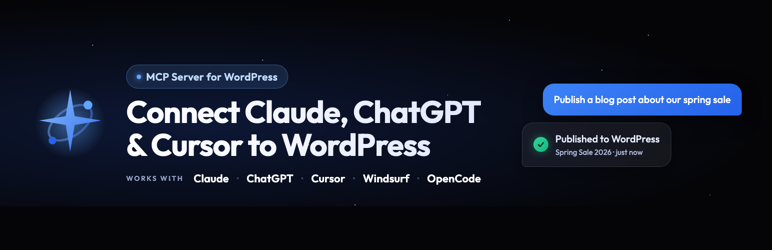
WPVibe (listed on WordPress.org as Vibe AI) takes a completely different approach than most AI plugins. Instead of embedding one AI model into your site, it turns your WordPress install into something any AI assistant can operate directly — through the Model Context Protocol (MCP), the open standard that lets tools like Claude, ChatGPT, and Cursor discover and run actions on connected services.
In plain terms: once installed, you can ask Claude or ChatGPT to draft and publish a blog post, reorganize your categories, bulk-edit WooCommerce product prices, or even edit theme files — and it happens on your live site, without you touching wp-admin.
Notable free-tier capabilities include:
- One-click, OAuth-based authorization — no copying API keys or application passwords by hand
- Full content management: posts, pages, media, categories, and tags through natural conversation
- Page builder support for Elementor, Bricks, Breakdance, Beaver Builder, and Divi, each using the builder’s own save pipeline
- WooCommerce product and pricing management
- A safe draft-preview-publish workflow for theme file edits, so nothing touches your live site until you approve it
- Human-in-the-loop approvals for destructive actions (deletes, database changes) with a dry-run preview before anything runs
- Unlimited connected sites, even on the free plan
Security is clearly a design priority here: credentials are encrypted with AES-256-GCM, every sensitive action is logged in an append-only approval log, and deletions move to trash rather than being permanently removed. It’s a plugin built for people who want to hand off busywork to an AI without handing over blind trust.
Best for: WordPress users who already work inside Claude, ChatGPT, or Cursor daily and want their AI assistant to act on their site directly, plus agencies managing several client sites at once.
3. Xagio SEO & AEO — Best Free WordPress AI Plugin for SEO
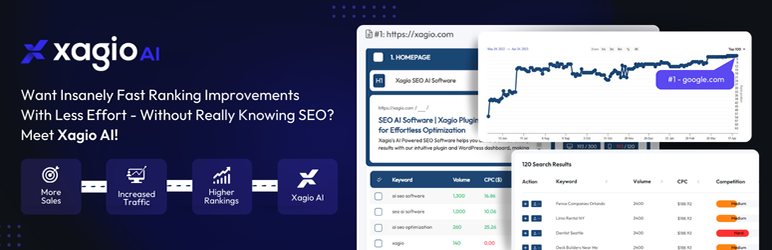
SEO plugins traditionally hand you a checklist and leave the actual work to you. Xagio SEO & AEO flips that model: its AI generates the titles, meta descriptions, content, and schema markup itself, while a built-in Project Planner organizes your keywords, rankings, and competition data for your entire site from one dashboard.
What makes Xagio worth watching in 2026 specifically is its focus on AEO — Answer Engine Optimization — for the growing share of searches happening inside AI tools rather than Google. Its free feature set includes:
- AI-generated titles, meta descriptions, headers, content, and schema markup
- Keyword research, import, and AI-powered clustering
- Per-page rank tracking with competition and CPC data
- LLMs.txt generation and an OKF (Open Knowledge Format) knowledge bundle, so AI engines like ChatGPT, Perplexity, and Google AI Overviews can read and cite your content
- Robots.txt management, XML sitemaps, and unlimited 301 redirects
- A front-end AI assistant that lets you rewrite copy or swap images by simply describing the change
- Backup, restore, and a “Rescue Center” for fixing broken plugins or themes
Its more ambitious feature, Agent X, is a full AI website builder that can generate a launch-ready, SEO-structured site from a niche description (this runs on credits), but the core SEO toolkit — the part most people install Xagio for — is free with no artificial usage cap on the essentials.
Best for: site owners, affiliates, and agencies who want one plugin to replace their SEO checklist entirely, especially anyone thinking about visibility in AI search tools, not just Google.
How to Choose the Right Free WordPress AI Plugin for Your Site
These three plugins solve genuinely different problems, so the right pick depends on what’s actually eating your time:
- If you’re juggling separate tools for email, content, social, and support, start with AI Marketing Expert — it consolidates all of it into one dashboard.
- If you already think and work inside an AI chat window and want it to act directly on your WordPress site, install WPVibe.
- If your priority is ranking higher and getting cited by AI search tools, Xagio SEO & AEO is the more specialized, purpose-built option.
None of these are mutually exclusive, either. It’s common to run an SEO-focused plugin alongside a marketing suite, since they touch different parts of your workflow. What matters more than stacking plugins is picking tools that are actively maintained — all three here have shipped updates recently, which is the clearest signal that a “free” plugin will keep working (and keep being secure) six months from now.
Frequently Asked Questions About Free WordPress AI Plugins
Is it safe to use a free WordPress AI plugin?
Generally, yes, as long as you stick to plugins listed on the official WordPress.org repository, which requires a security review before listing. All three plugins covered here encrypt API keys and credentials at rest, and none of them send your subscriber data, content, or credentials to third parties beyond the AI provider you explicitly connect. Still, it’s worth checking a plugin’s active installs, last update date, and support responsiveness before trusting it with a live site.
Do free WordPress AI plugins require an API key?
It depends on the plugin. AI Marketing Expert and WPVibe both require you to connect an AI provider (OpenAI, Anthropic Claude, Google Gemini, or OpenRouter) to unlock AI-powered features, though non-AI features like subscriber management or content editing still work without one. Google AI Studio offers a free API tier with no credit card required, which is enough to get either plugin running at zero cost. Xagio SEO, by contrast, runs its core AI SEO features through its own service, so there’s nothing extra to connect.
Can I use more than one AI plugin on the same WordPress site?
Yes. These three plugins rarely overlap in what they do, so running two or even all three together is common. A typical setup might pair AI Marketing Expert for content and email with Xagio for deeper SEO work, or add WPVibe on top so an AI assistant can manage both from a single conversation. The one thing to watch for is redundant SEO meta fields (for example, running two separate title/description generators), which can occasionally conflict — check each plugin’s settings for a way to disable overlapping modules.
Final Thoughts
The “wordpress ai plugin free” search used to turn up a lot of half-finished tools chasing a trend. That’s shifting. The three plugins above represent where free AI tooling for WordPress is actually headed: real functionality on the free tier, the option to bring your own AI provider, and a clear specialty rather than a vague “AI-powered” label slapped on an old plugin.
If you’re only going to try one thing this week, install AI Marketing Expert, connect a free AI provider key, and see how much of your weekly marketing checklist it can take off your plate in the first hour.