AIME

AI Marketing Expert Docs v1.2.7

Official User Manual, Technical Guides & Micro-Video Tutorials

Ctrl K
⚡ 100% Self-Hosted • Zero Monthly SaaS Fees • On-Premise WordPress Suite

Escale seu Negócio com Marketing Autônomo por IA

Replace 7 expensive subscriptions (Mailchimp, Apollo, Zapier, Jasper, Intercom, CartBounty & Semrush) with a single powerhouse plugin running directly inside your WordPress site. Free forever tier available with unlimited subscribers.

✓ Unlimited Contacts & Lists ✓ Multi-SMTP Free Relay Stacking ✓ Free Google Gemini & OpenAI Keys ✓ 100% Data Privacy (GDPR Ready)
All-in-One Autonomous Marketing Suite

Introduction to AI Marketing Expert (AIME)

AI Marketing Expert (v1.2.7) transforms your WordPress website into a self-driving, AI-powered marketing headquarters. Instead of spending thousands of dollars every year on disparate SaaS subscriptions (such as Mailchimp, Apollo, Zapier, Jasper, CartBounty, Semrush, or Intercom), you get an all-in-one ecosystem that runs directly inside your WordPress dashboard with zero monthly per-contact penalties.

Autonomous Cold Outreach

Find verified B2B leads by job title and industry, validate DNS MX deliverability, and enroll them into cold email nurture funnels.

Visual Automation Canvas

Build branching multi-step workflows with drag-and-drop nodes, delay timers (hours/days), or generate full graphs with natural language prompts.

Recuperação de Carrinho WooCommerce

Capture guest shopper emails live during checkout before order submission and recover lost revenue with 1-click single-item & single-qty deep links.
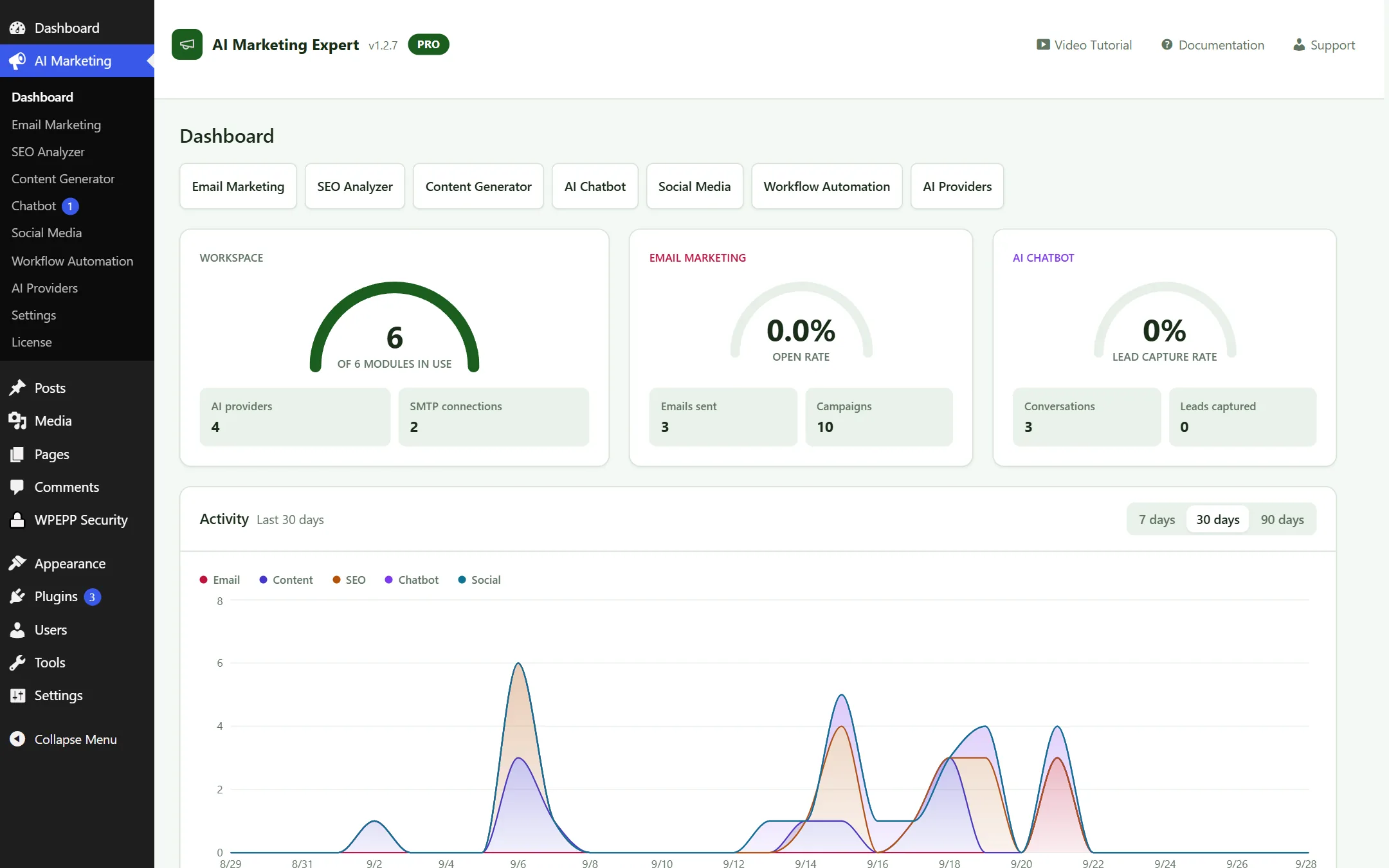
AI Marketing Expert Unified Dashboard
Figure 1.1: AI Marketing Expert v1.2.7 Unified Dashboard — Real-time KPI metrics, module shortcuts, and trend analysis

Key Advantages & Architecture

  • Zero Tool Switching: Email campaigns, SEO audits, blog creation, chatbots, and social posts all live inside your WordPress admin.
  • Your AI, Your Keys: Connect Google AI Studio (Free Gemini tier), OpenAI, Anthropic Claude, or OpenRouter with AES-256-GCM encryption.
  • No Monthly Per-Subscriber Penalties: Unlike Mailchimp or Klaviyo, the free plan includes unlimited email contacts.
  • E-Commerce Revenue Multiplier: Automate WooCommerce post-purchase review funnels, re-engagement offers, and cart recovery.

Free Tier vs Pro License

  • Free Tier (Lifetime Free): Unlimited contacts, 30 campaigns/month, 2 active automations, 20 generated articles/month, 10 keyword searches, 1 chatbot, real-time cart tracking.
  • Pro License (Power Users): Unlimited campaigns, unlimited visual workflows, B2B Autopilot pipeline, Rank Tracking, Knowledge Base URL/WooCommerce scraping, Human Chatbot Takeover, dynamic coupons, and A/B split testing.

Installation & Setup Guide

System Requirements

  • WordPress: 6.2 or higher (tested up to WP 7.x).
  • PHP: 8.0 or higher (PHP 8.2 or 8.3 recommended for optimal performance).
  • MySQL / MariaDB: MySQL 5.7+ or MariaDB 10.3+.
  • PHP Extensions: curl, openssl, mbstring, json.
  • Optional (E-commerce): WooCommerce 7.0+ for abandoned cart recovery and product knowledge sync.

Step-by-Step Installation

  1. Log in to your WordPress Admin dashboard and navigate to Plugins → Add New.
  2. Click Upload Plugin at the top and select the ai-marketing-expert.zip file.
  3. Click Install Now and then click Activate Plugin.
  4. A new top-level menu item named AI Marketing will appear in your WordPress sidebar.
  5. If you have purchased a Pro license, enter and verify your key under Settings → License.

Security Notice: AES-256-GCM Encryption at Rest

All sensitive credentials (AI provider API keys, SMTP passwords, OAuth access tokens) are automatically encrypted at rest in your MySQL database using AES-256-GCM with keys derived from your WordPress security salts (wp-config.php). No plain text secrets are ever logged or exposed.

Quick Start (5-Minute Launch Plan)

1

Connect Free AI ($0 Cost)

Go to AI Providers, paste your free Gemini API key from Google AI Studio, and click Test Connection.

2

Configure SMTP

In Email Marketing → SMTP, enter your Gmail App Password, Brevo, SendGrid, or host SMTP credentials and send a test email.

3

Activate Cart Recovery

Under Workflow Automation, activate the pre-built "WooCommerce Abandoned Cart Recovery" template.

4

Discover Cold Leads

Under Email Marketing → Lead Finder, search for your target niche (e.g. "Marketing Director, United States").

🔥 Hot Items & Killer Features Spotlight

Here are the four highest-demand, game-changing features in AI Marketing Expert that deliver immediate ROI for agency owners, store managers, and marketers:

Killer Feature 1

B2B Lead Finder & Autopilot Pipeline

Find thousands of verified B2B prospects by job title, industry, and country without any external Apollo subscription. Real-time DNS MX validation filters out invalid domains and enrolls verified leads directly into cold nurture sequences.

Explore Lead Finder →
Killer Feature 2

WooCommerce 1-Click Cart Recovery

Captures guest shopper emails live during checkout as they type. Automatically sends recovery emails with single-item & single-quantity deep links so customers never accidentally purchase duplicate items upon returning.

View Cart Recovery Guide →
Killer Feature 3

Text-to-Workflow AI Canvas

Describe your marketing flow in plain natural language (e.g., "Send a 15% discount email 1 hour after cart abandonment, and follow up in 2 days if unopened"). AI automatically generates all nodes, timers, conditions, and email copies onto the canvas.

See AI Canvas Maker →
Killer Feature 4

Deep Humanize Article Studio

Generates long-form 2,000+ word SEO articles that bypass AI detectors while strictly preserving headers, formatted comparison tables, key takeaways, and FAQ schema.

Open Humanize Studio →

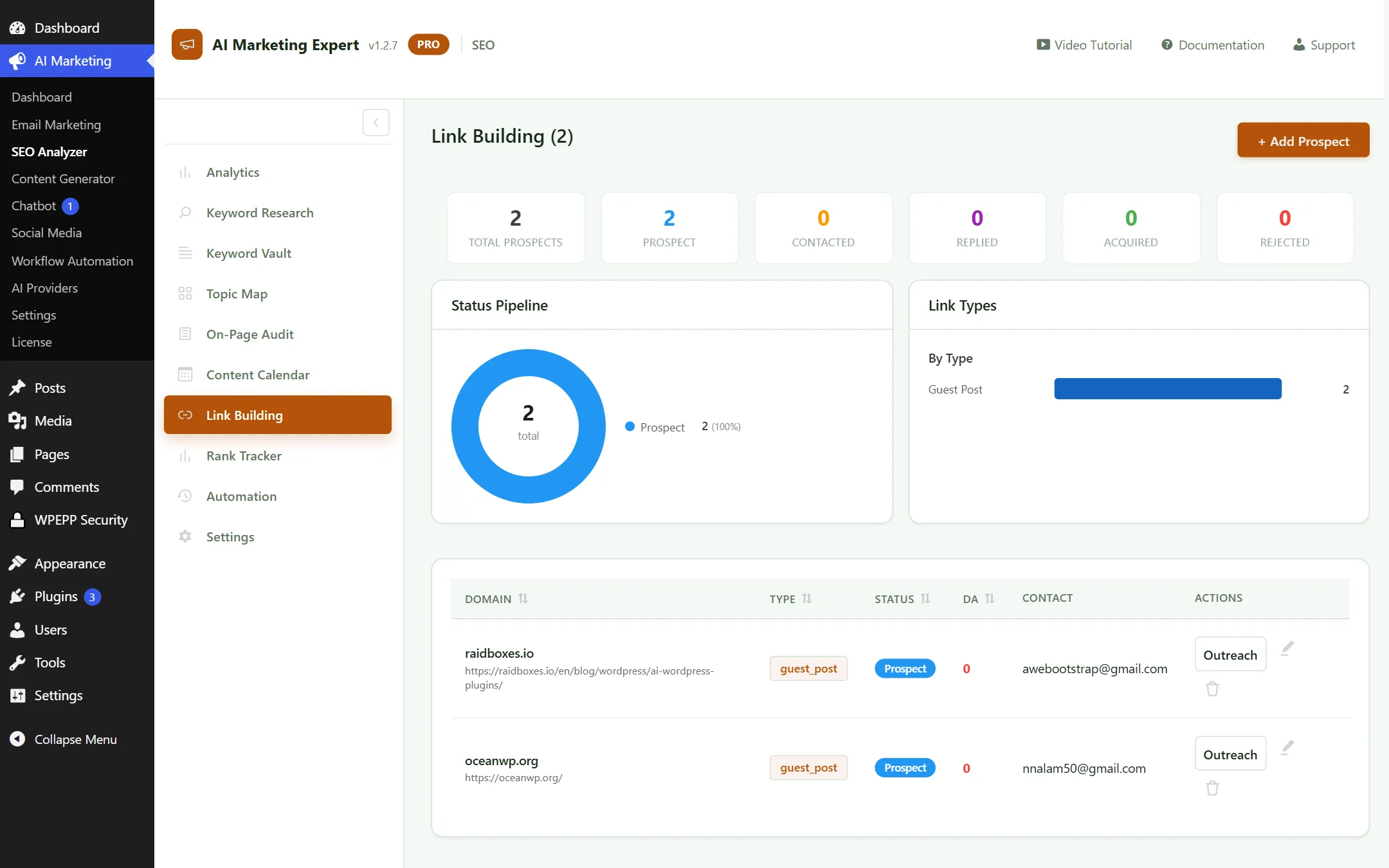
1. Dashboard Overview (Central Command)

The main plugin dashboard serves as your mission control center, aggregating real-time performance indicators and operational health across all active modules.

AI Marketing Expert Main Dashboard
Figure 1.1: Unified Dashboard with real-time KPI metrics, module shortcuts, and trend charts

Dashboard Key Elements

  • Top KPI Cards: Total active subscribers, average email open rate (CTR), active automated workflows, and estimated monthly cost savings.
  • Quick Action Shortcuts: One-click launchers to draft a new campaign, generate an AI blog post, schedule social media, or review cart recovery.
  • System Health Monitor: Green/Red indicators verifying that background cron workers are firing on schedule without delays.

How to Use the Dashboard

  1. Review the daily deliverability score and campaign open rates.
  2. Monitor the WooCommerce recovered revenue counter to gauge automation ROI.
  3. Check the AI Provider token meter to ensure your API quota remains healthy.

2. Email Marketing & CRM (12 Dedicated Submenus)

AIME includes a complete native email marketing platform and CRM inside WordPress. Below is the comprehensive breakdown of all 12 submenus:

2.1 Email Analytics

Delivers real-time analytics across all broadcast campaigns and automated sequences, including open rate, click-through rate (CTR), bounce rate, and unsubscribe percentage.
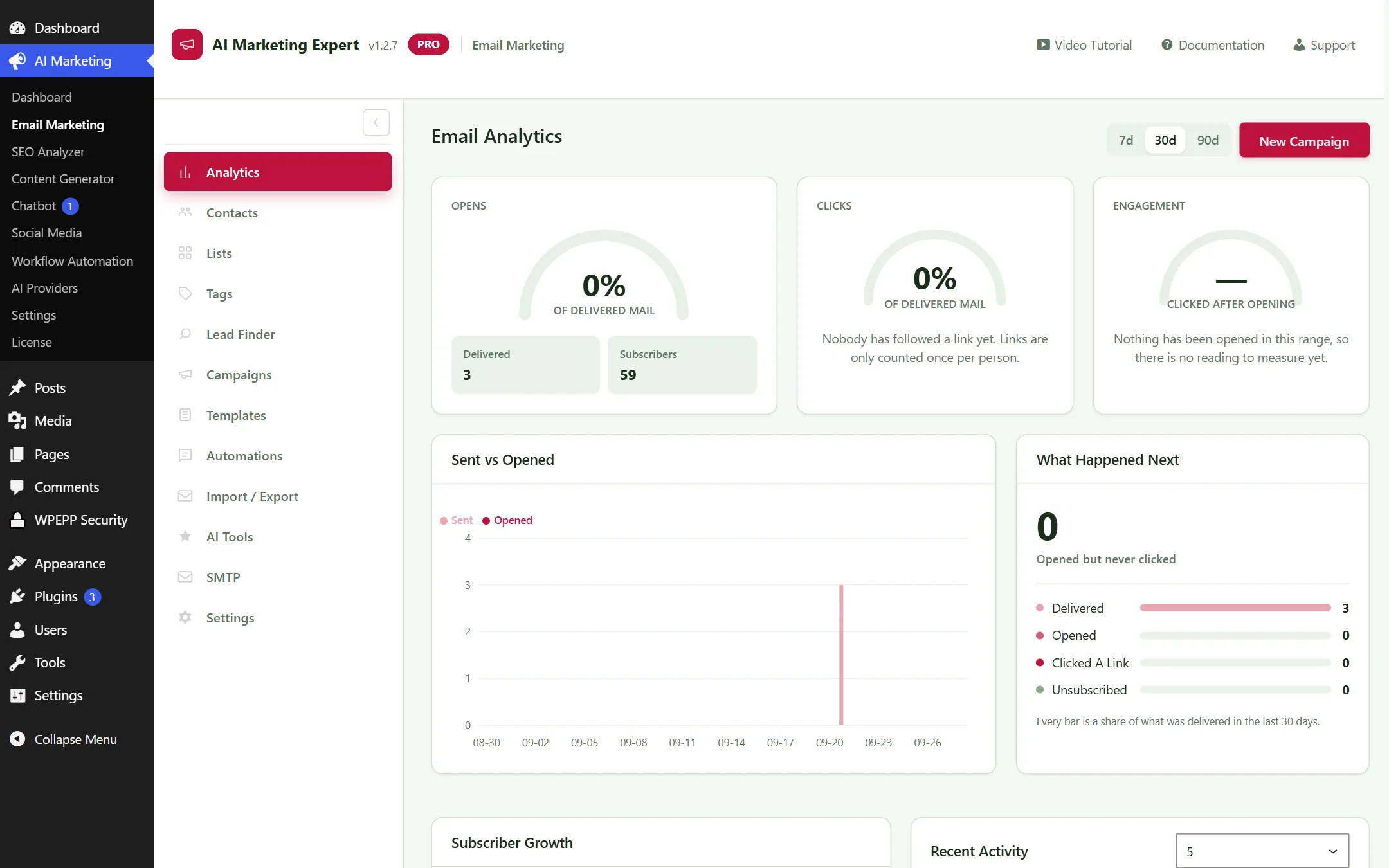
Email Marketing Analytics Screen
Figure 2.1: Email Analytics view — Performance graphs and subscriber engagement tracking

Pro Tip: If your open rate falls below 20%, use the built-in AI Tools to re-score your subject line and test an alternate sending schedule.

2.2 Contacts Directory (Central CRM & Lead Profiles)

The Contacts Directory serves as your self-hosted CRM, recording granular behavioral data, lifetime purchases, and communication history for every individual subscriber across your store.
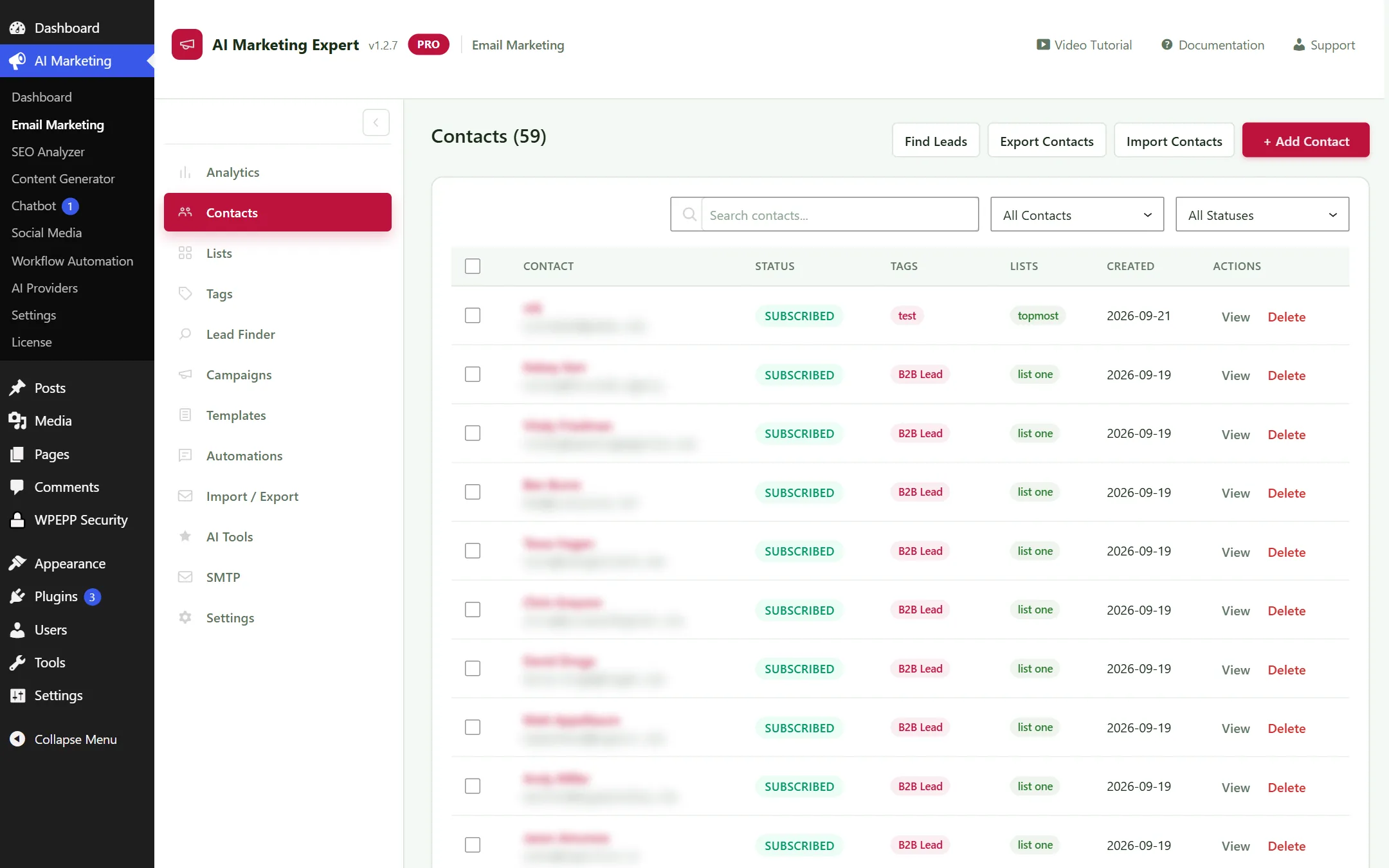
Contacts and Subscribers List Screen
Figure 2.2: Contacts Directory — Paginated table with bulk tag/list actions (Customer emails masked for privacy)

Comprehensive Customer Dossiers

Clicking any contact row reveals an interactive customer dossier containing:

  • Activity Timeline: Chronological log of every marketing broadcast sent, email opened, link clicked, cart abandoned, and completed checkout.
  • E-Commerce Metrics: Lifetime value (LTV), total orders placed, average order value (AOV), and date of last purchase.
  • Dynamic Segmentation Tags: View and toggle behavioral tags (e.g. b2b-lead, cart-abandoner, vip-buyer).
  • GDPR & Privacy Controls: 1-click export of customer profile data and instant permanent anonymization to comply with international privacy laws.

Bulk Actions & Segmentation Power

Efficiently manage tens of thousands of contacts without performance lags:

  • Bulk Operations: Select multiple contacts to assign tags, enroll into automated drip sequences, or transfer between lists in bulk.
  • Multi-Field Search & Filter: Instantly filter by status (Subscribed, Bounced, Unsubscribed), list affiliation, tag combinations, or date enrolled.
  • CSV Smart Importer: Import external lists from Mailchimp or Klaviyo with automatic CSV header detection and custom field mapping.

2.3 Lists Management

Segment your audience into targeted mailing lists (e.g., "VIP Customers", "Newsletter Subscribers", "Cold B2B Prospects").
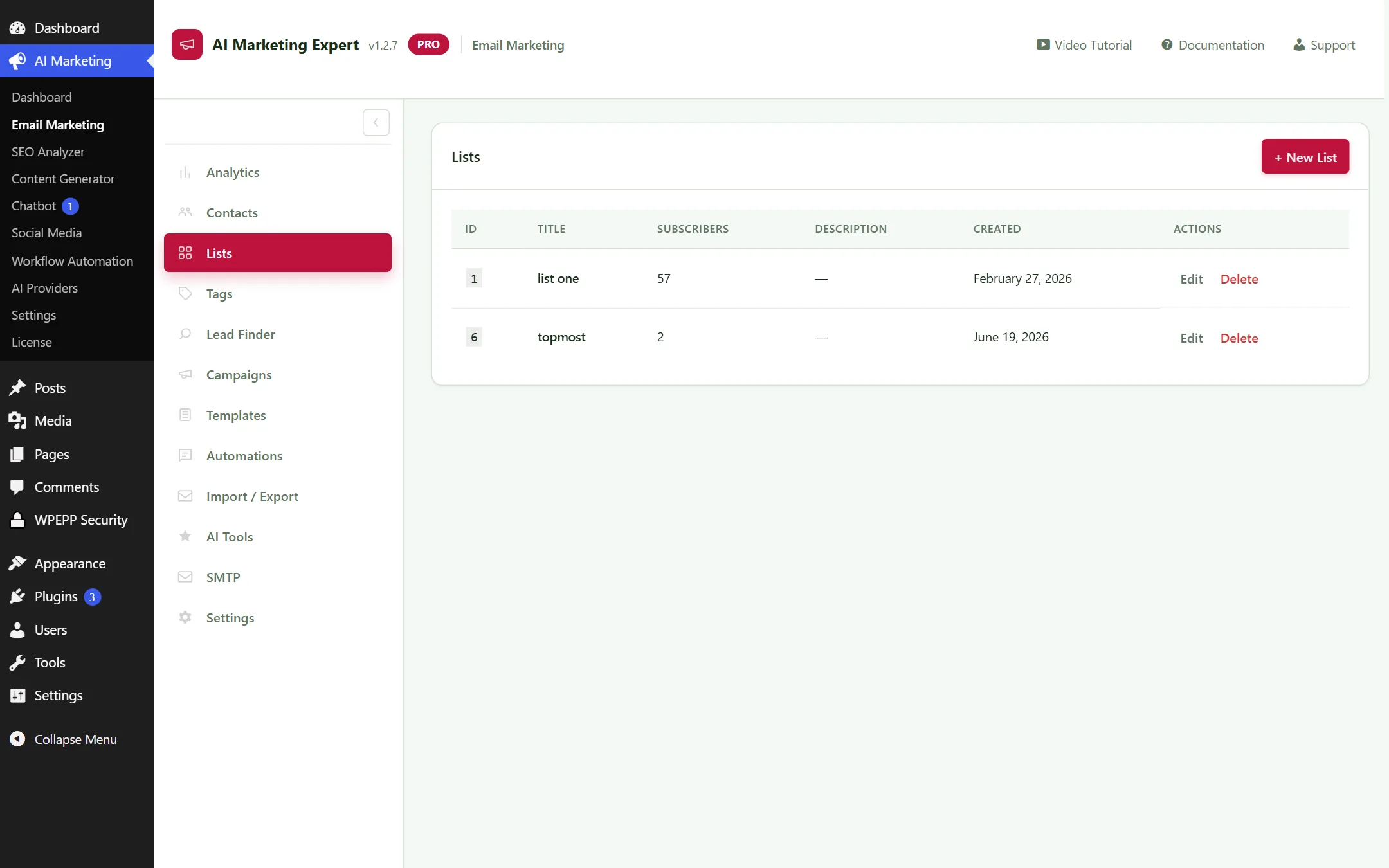
Email Lists Screen
Figure 2.3: List Manager — List segmentation and contact counts

2.4 Tags System

Assign behavioral tags automatically or manually to track customer engagement. For instance, tag customers who click a recovery link as interested-buyer.
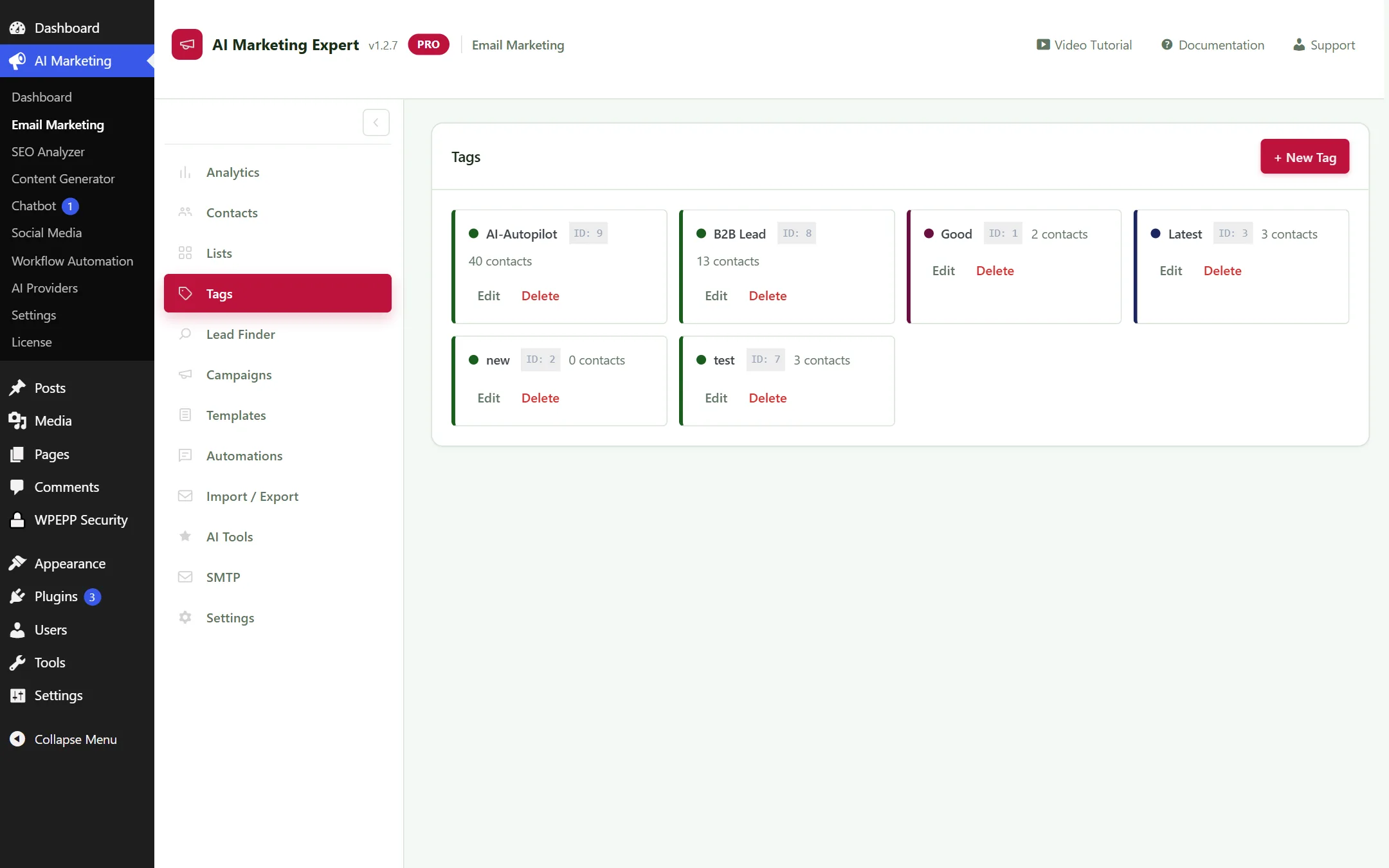
Email Tags Screen
Figure 2.4: Behavioral Tags Interface — Custom color-coding and automated tagging rules

2.5 B2B Lead Finder (Cold Prospecting Engine) Hot Item

Discover verified B2B leads by job title, industry, and location directly within WordPress, without requiring third-party SaaS subscriptions.
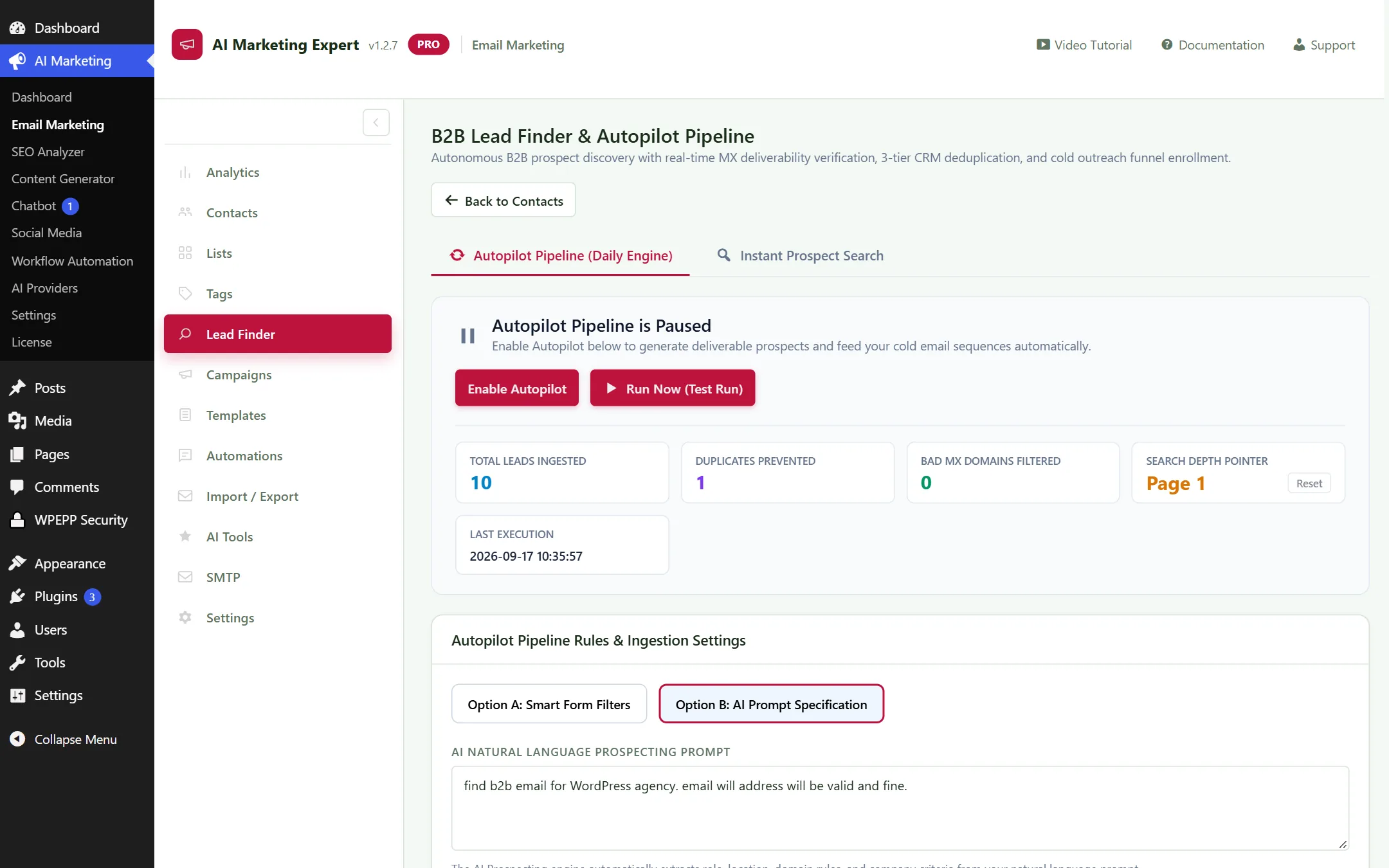
B2B Lead Finder Dashboard
Figure 2.5: B2B Lead Finder — Job title, industry, and geographical location filters

How to Find and Enroll Leads:

  1. Select a Job Role / Title (e.g. CEO, Founder, CMO).
  2. Filter by Industry & Location (e.g. E-commerce, United States).
  3. Click Find Leads to run live prospecting.
  4. Review the verified leads and click Enroll into Cold Sequence.

Real-Time DNS MX Verification:

The engine performs live DNS MX validation on prospect domain records before importing. Disposable and non-deliverable addresses are automatically rejected, protecting your sender reputation.

2.6 Campaigns (Email Broadcasts)

Draft, schedule, and send targeted newsletters and promotional campaigns to specific lists or segments.
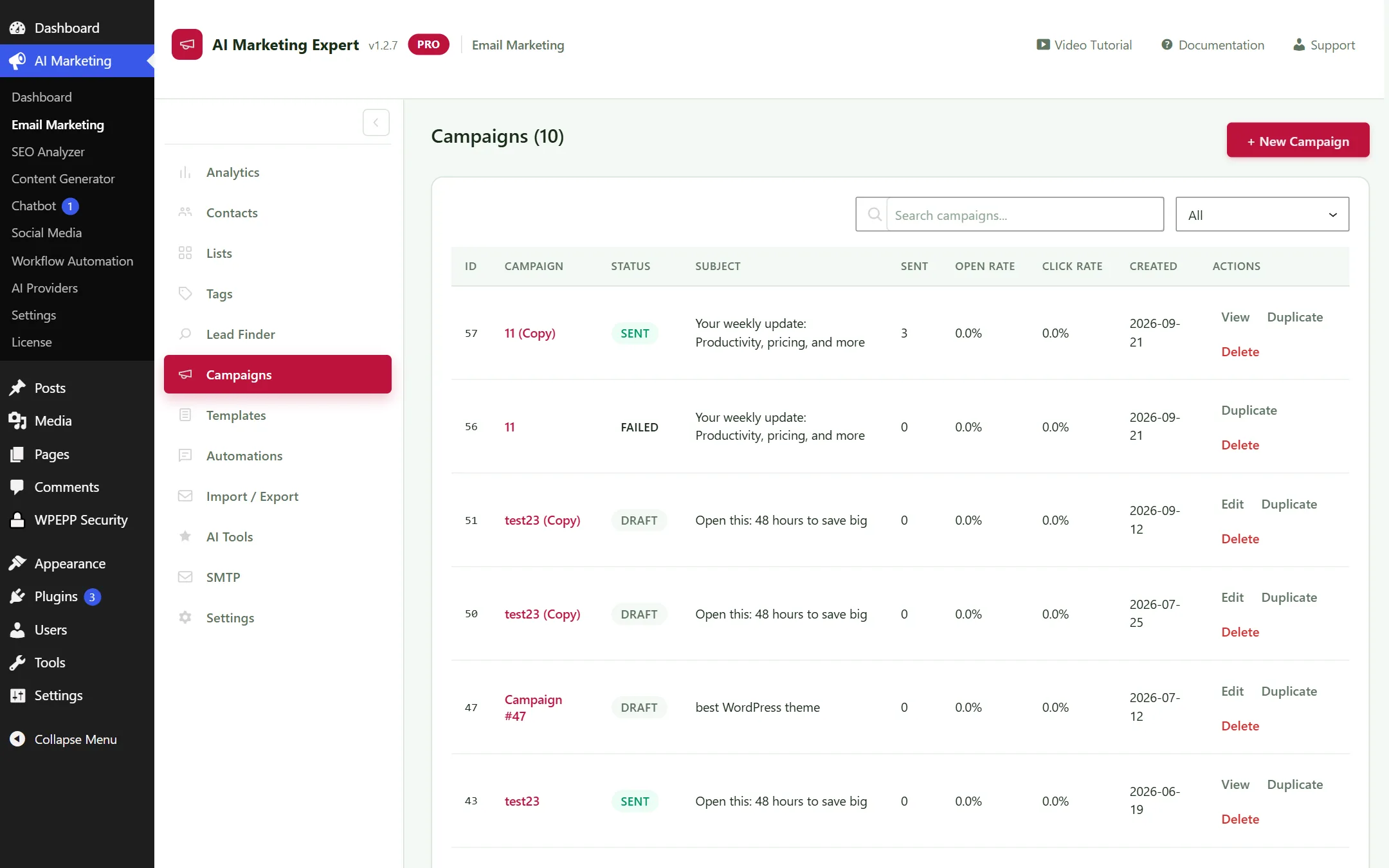
Email Campaigns Management
Figure 2.6: Broadcast Campaigns — Draft, scheduled, and completed sends

2.7 Templates Library & Visual Builder

Library of modern, mobile-responsive email templates with visual block controls for headers, buttons, WooCommerce product grids, and social icons.
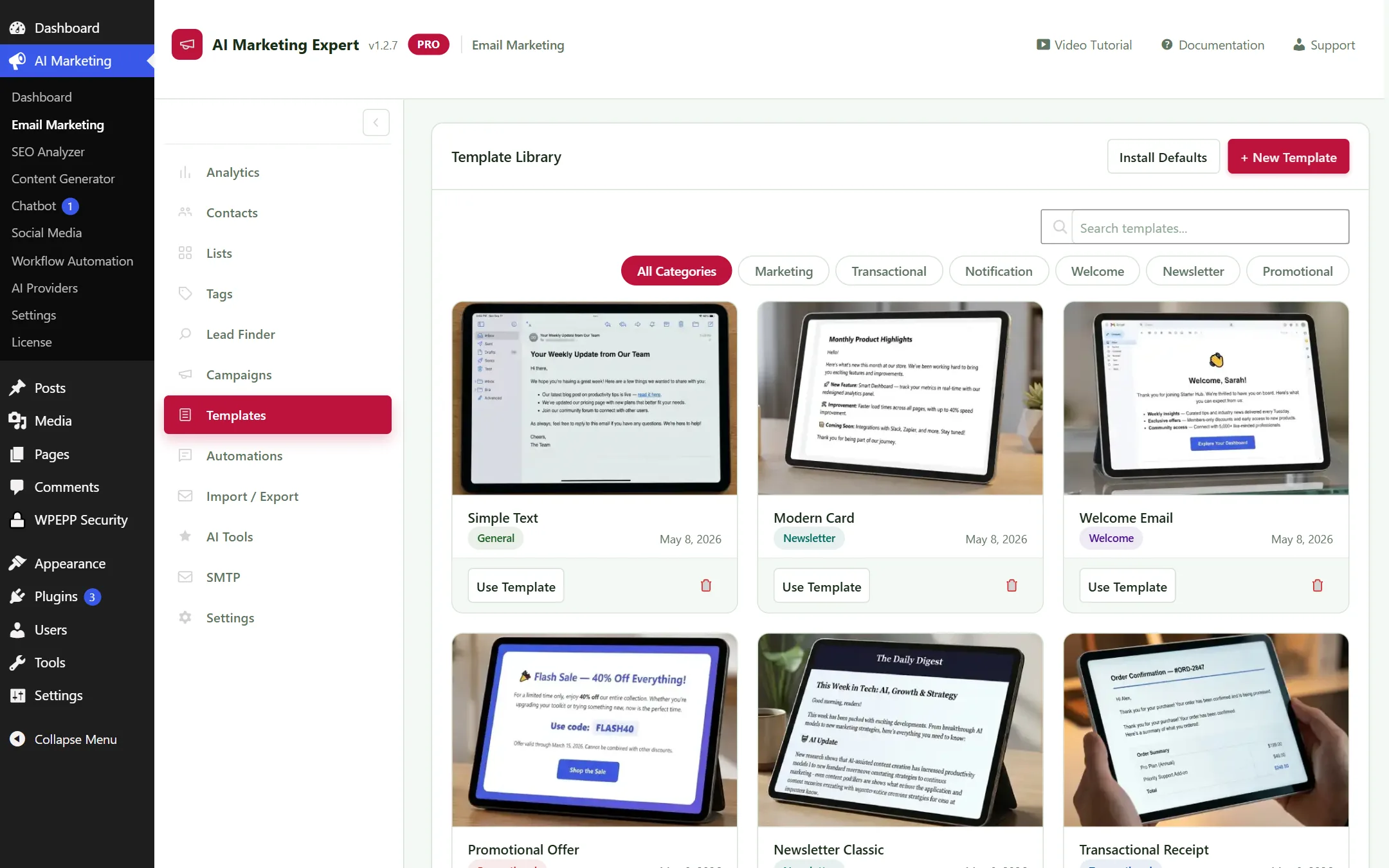
Email Template Library
Figure 2.7: Pre-built responsive email template gallery

2.8 Automations (Linear Email Sequences)

Create linear email drip funnels triggered on user registration, list subscription, or WooCommerce purchases.
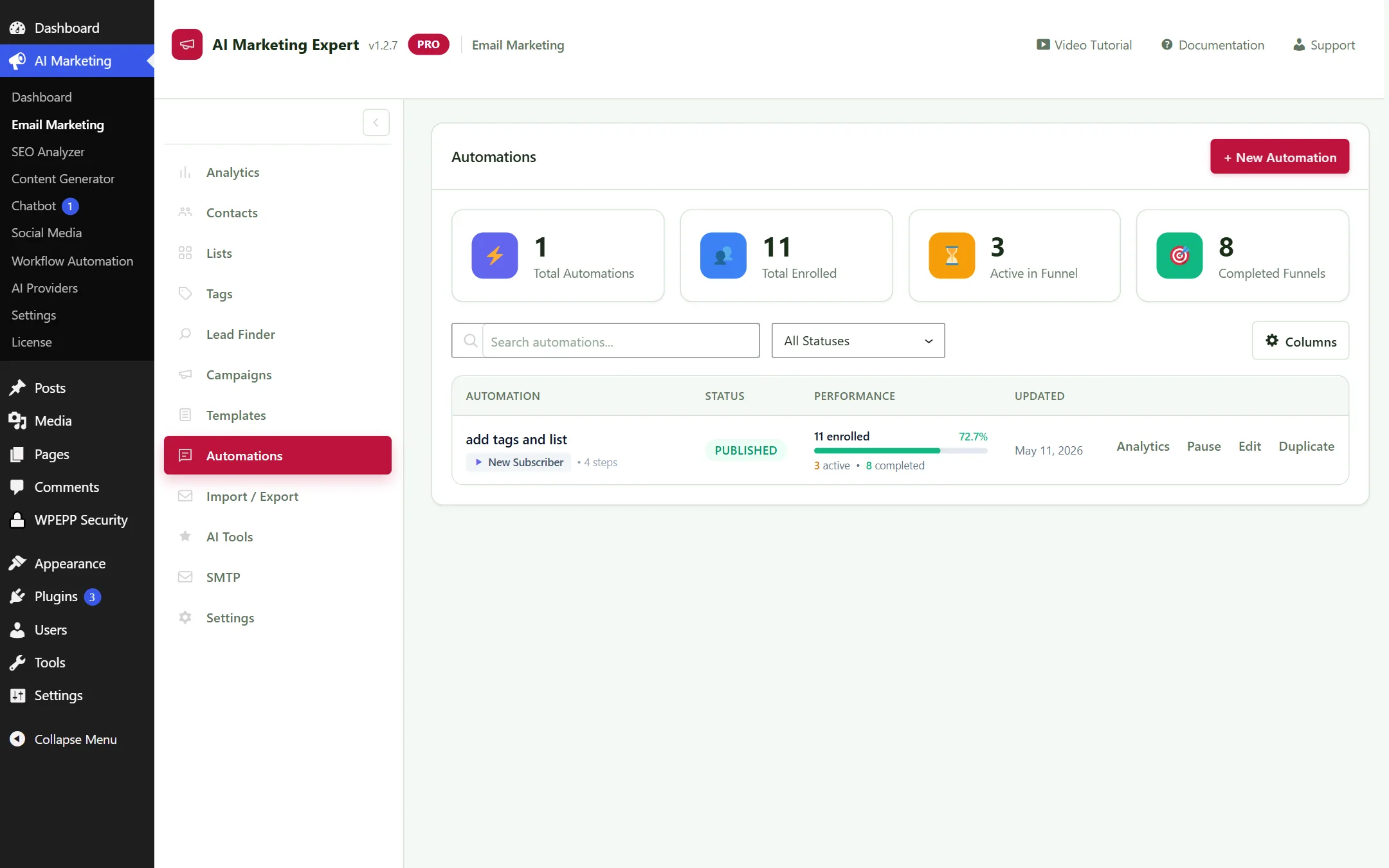
Email Automations Screen
Figure 2.8: Linear Drip Automation Sequences Overview

2.9 Import / Export

Easily migrate your existing contacts from Mailchimp, Klaviyo, or FluentCRM via CSV upload with intuitive field-mapping tools.
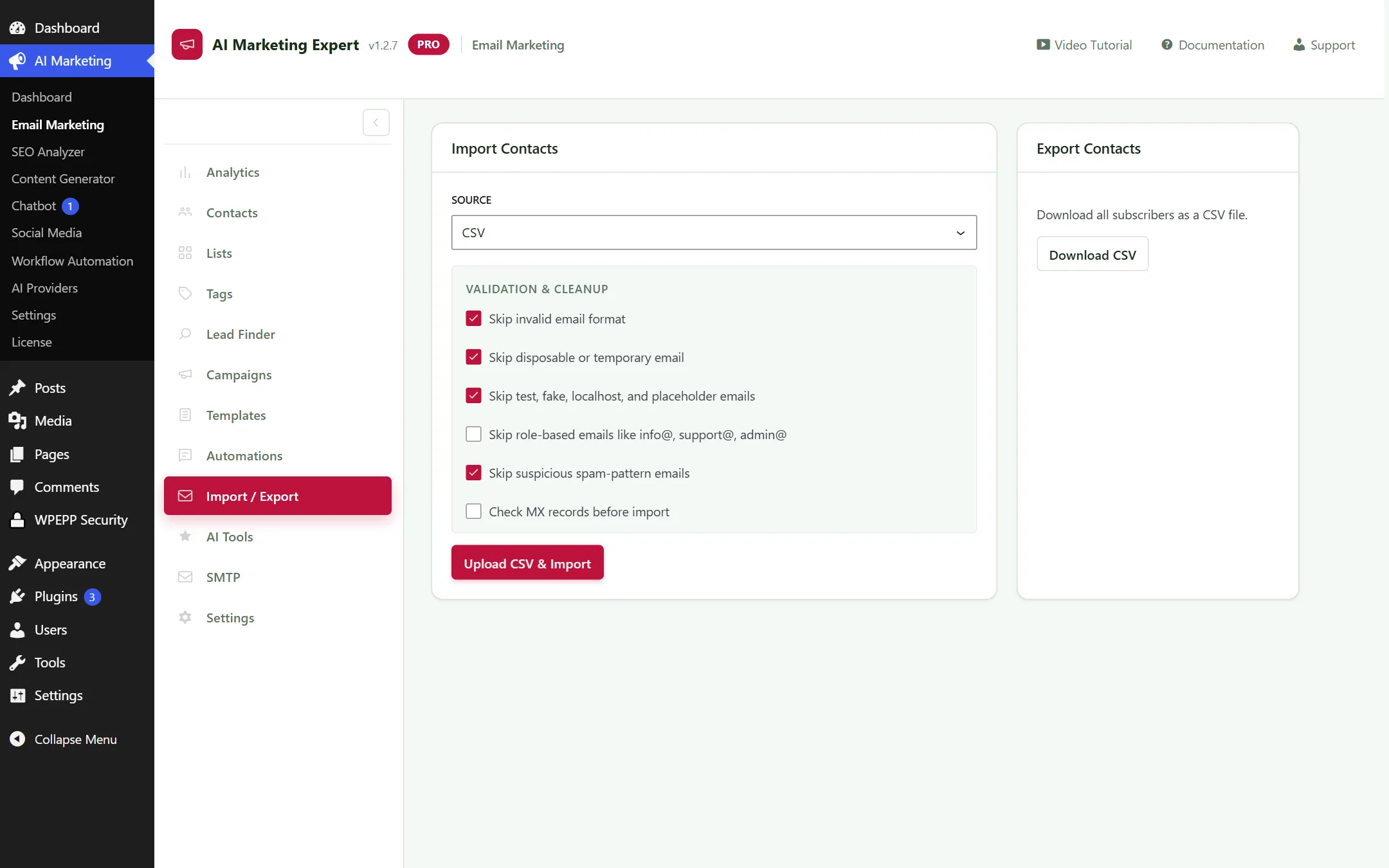
Email Import and Export View
Figure 2.9: Contact Import Tool with CSV column mapper

2.10 AI Copywriting Tools

Generate high-converting subject lines, pre-headers, and persuasive email copy from simple prompts using connected AI models.
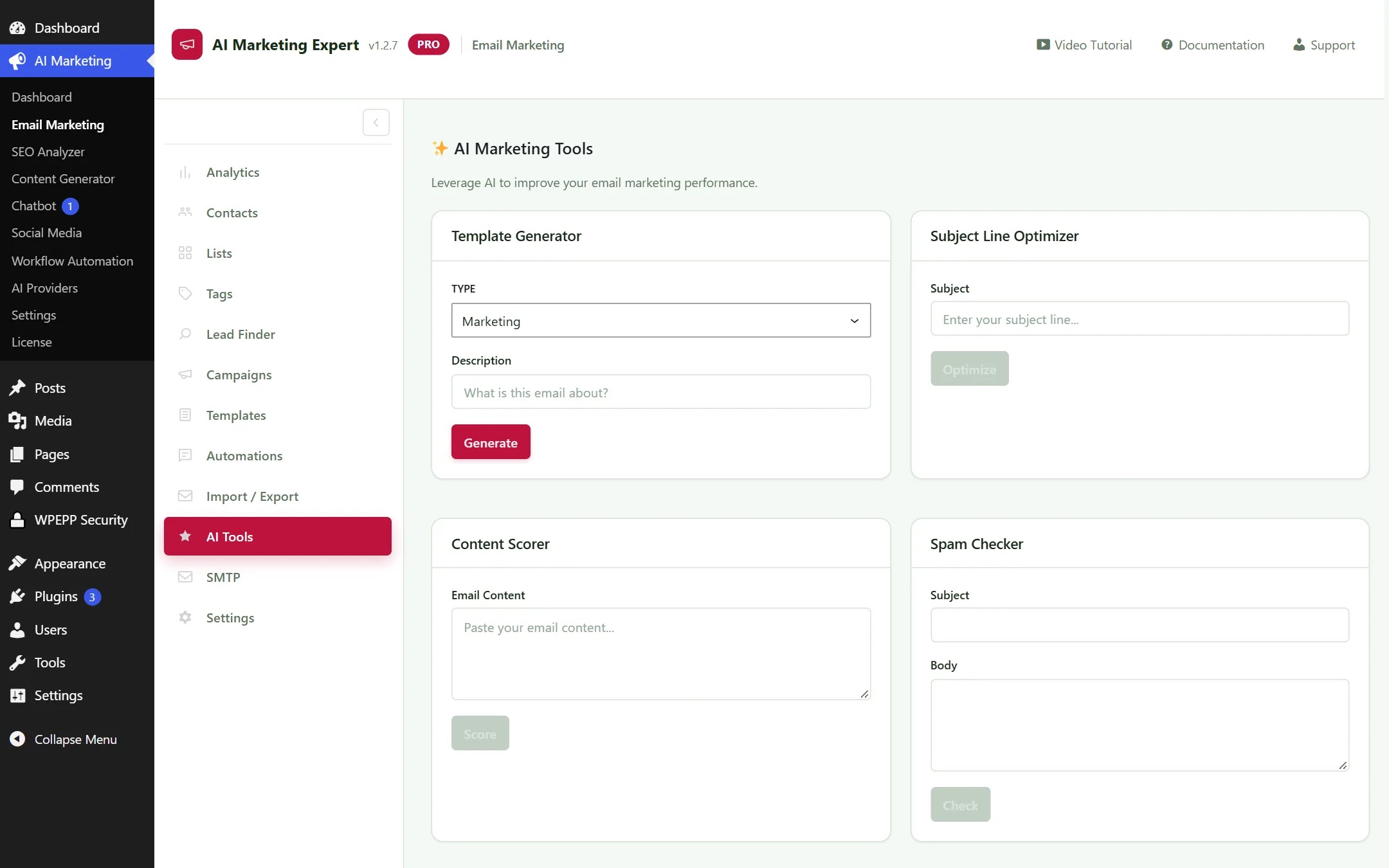
Email Marketing AI Copywriting Tools
Figure 2.10: AI Subject Line Scorer and Content Optimizer

2.11 SMTP Multi-Relay Engine & Real-Time Callbacks

AIME features an enterprise-grade SMTP sending engine designed to deliver millions of transactional and cold marketing emails directly into the primary inbox with zero SaaS subscription fees.
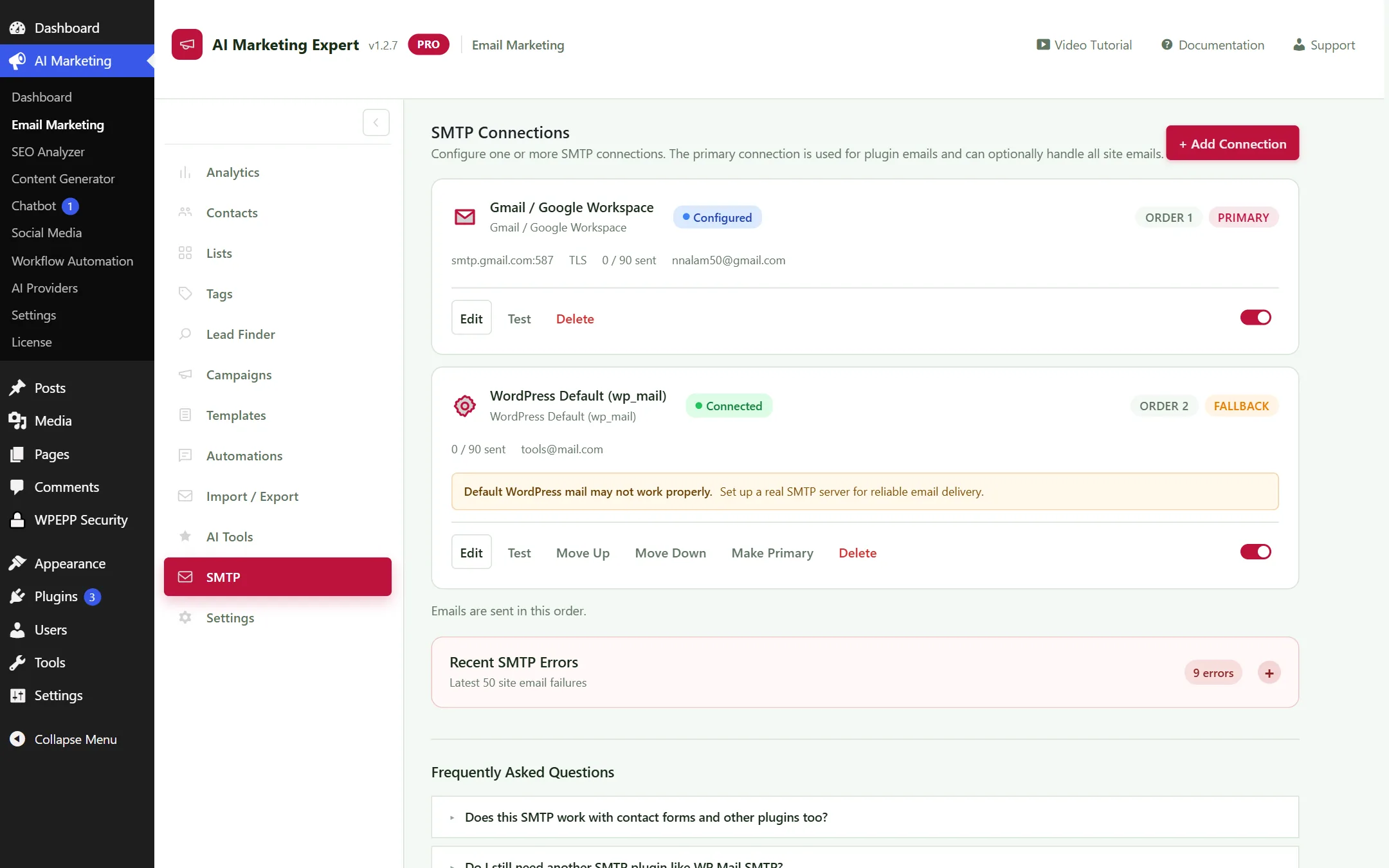
SMTP Configuration Screen
Figure 2.11: SMTP Configuration, Failover Routing, and Live TLS/SSL Handshake Test Tool

Multi-SMTP Relay Rotator (Stacking Free Tiers)

Instead of locking you into a single expensive email provider, AIME allows you to configure multiple SMTP relays with automated round-robin rotation and failover. By stacking reputable free-tier providers, you can send thousands of cold and marketing emails every single day at near-zero cost:

  • Brevo (Sendinblue): 300 free emails/day (9,000 emails/month free).
  • SendGrid: 100 free emails/day (3,000 emails/month free).
  • Google Workspace / Gmail: Up to 2,000 emails/day with standard business accounts (requires Google App Password).
  • Amazon SES: Send 10,000 emails for just $1.00 with dedicated IP capabilities.
  • Custom Private SMTP: Connect any cPanel, Postfix, or VPS relay server with TLS/SSL encryption.

Real-Time Webhook Callbacks & Bounce Hygiene

Maintaining a 99%+ deliverability score requires instant handling of bad addresses. AIME provides a dedicated Webhook Callback URL for your SMTP providers:

https://yourdomain.com/wp-json/aime/v1/smtp/callback?token=YOUR_SECRET_TOKEN
  • Instant Bounce Tracking: When SendGrid, Brevo, or Amazon SES detects a hard bounce (invalid mailbox), the callback triggers immediately. AIME marks the subscriber as BOUNCED, permanently halting future sends.
  • Spam Complaint Suppression: If a recipient clicks "Report Spam", the webhook automatically suppresses the email address from all active funnels.
  • Unsubscribe Sync: One-click native unsubscribe headers (RFC 8058) are synchronized across all lists.

Warm-Up & Sending Throttling: For new sending domains, always configure the Sending Speed Throttler under Module Settings to no more than 20 emails every 5 minutes. Incrementally increase the batch size by 15% daily to build ironclad domain reputation.

2.12 Module Settings

Configure default sender name, sender email, physical mailing address for CAN-SPAM compliance, and custom unsubscribe footer text.
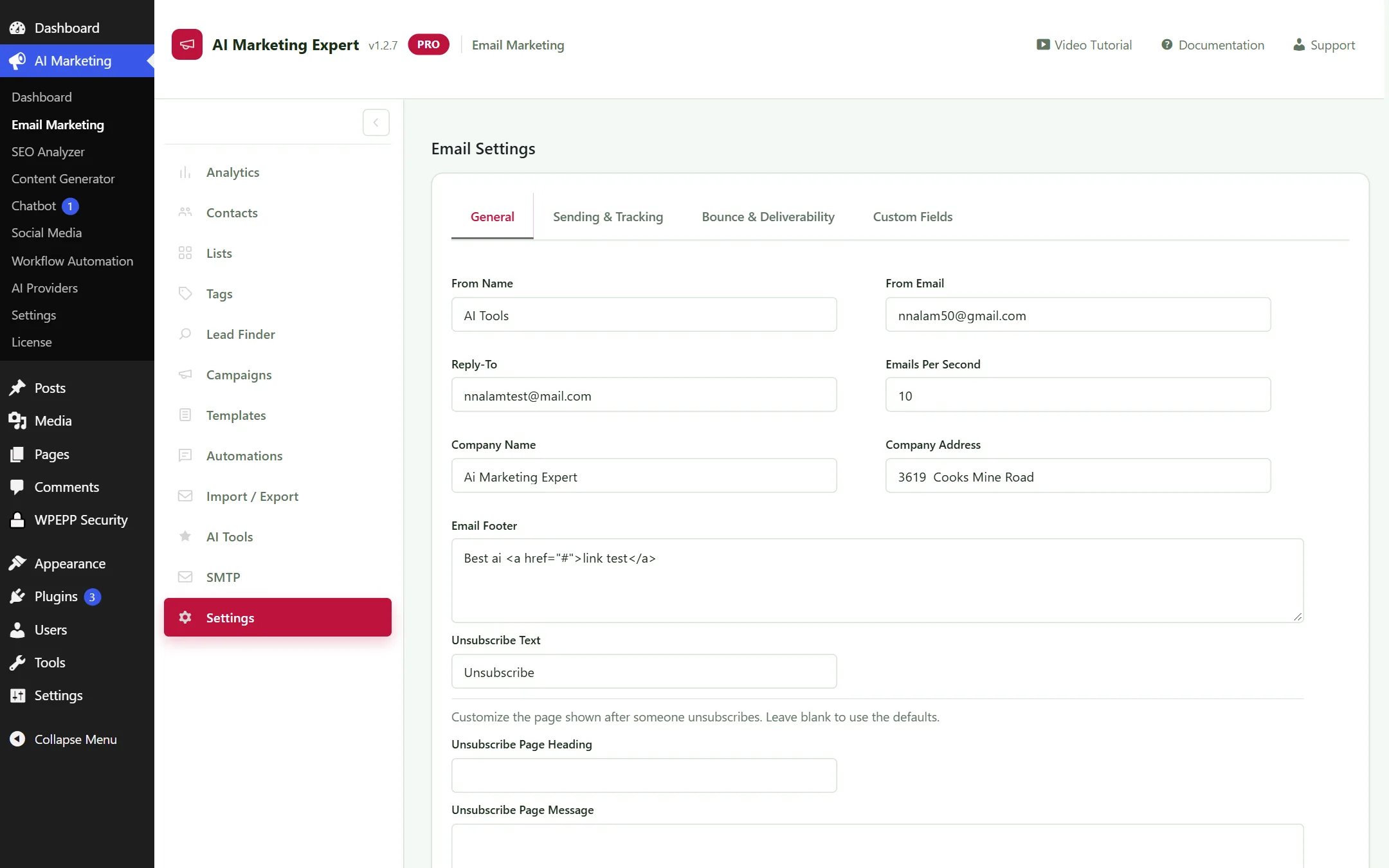
Email Marketing Settings
Figure 2.12: General Email Preferences and Compliance Settings

3. SEO Analyzer & Rank Suite (10 Dedicated Submenus)

A comprehensive organic search toolkit designed to discover low-competition keywords, audit on-page content, and track search rankings:

3.1 SEO Analytics Dashboard

Displays site-wide SEO health scores, indexing status, keyword density trends, and content audit alerts in a consolidated view.
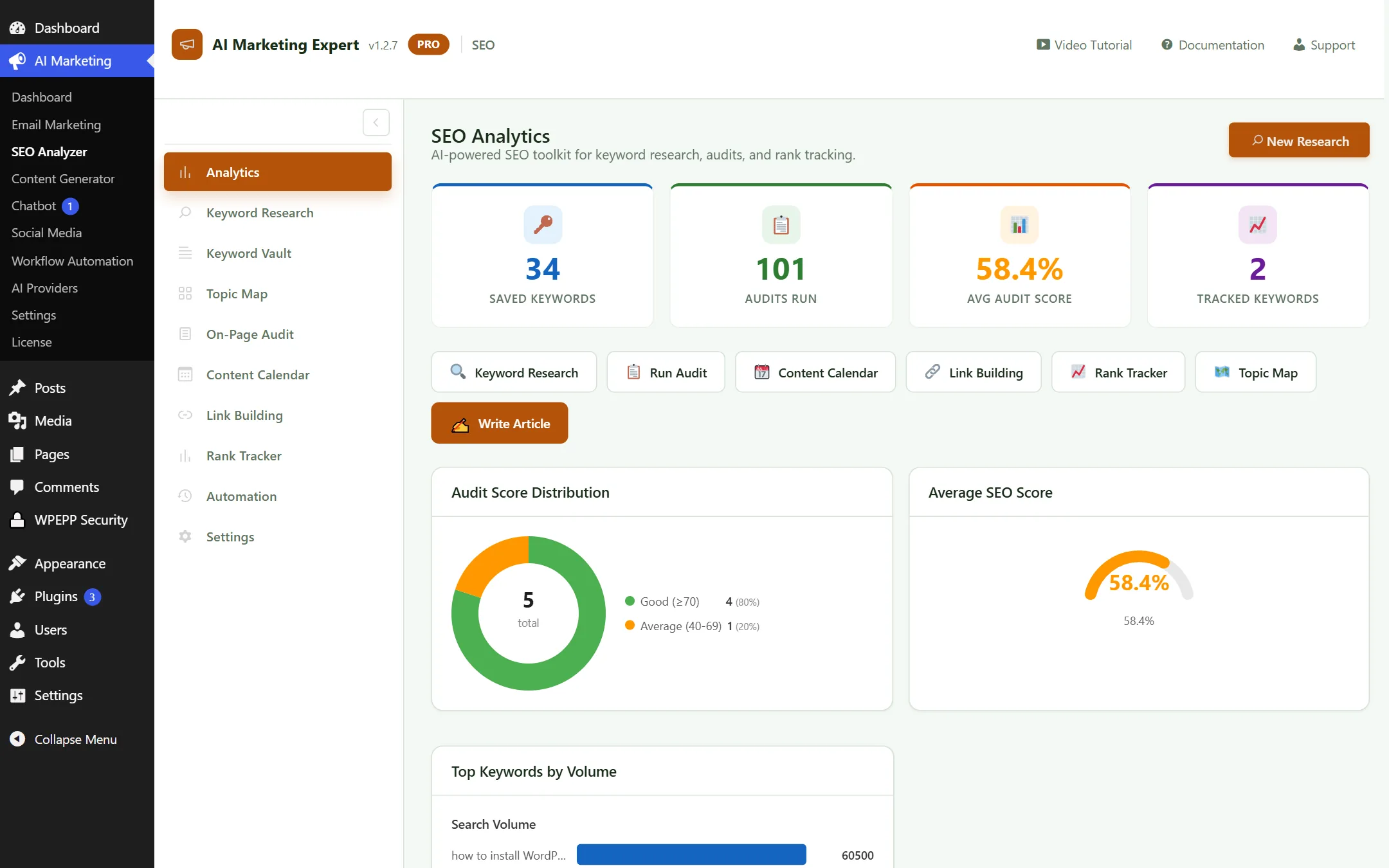
SEO Dashboard Overview
Figure 3.1: SEO Analytics — Site health score and keyword count metrics

3.2 Keyword Research

Input seed keywords to uncover search volume, keyword difficulty (KD), search intent, and relevant long-tail variations.
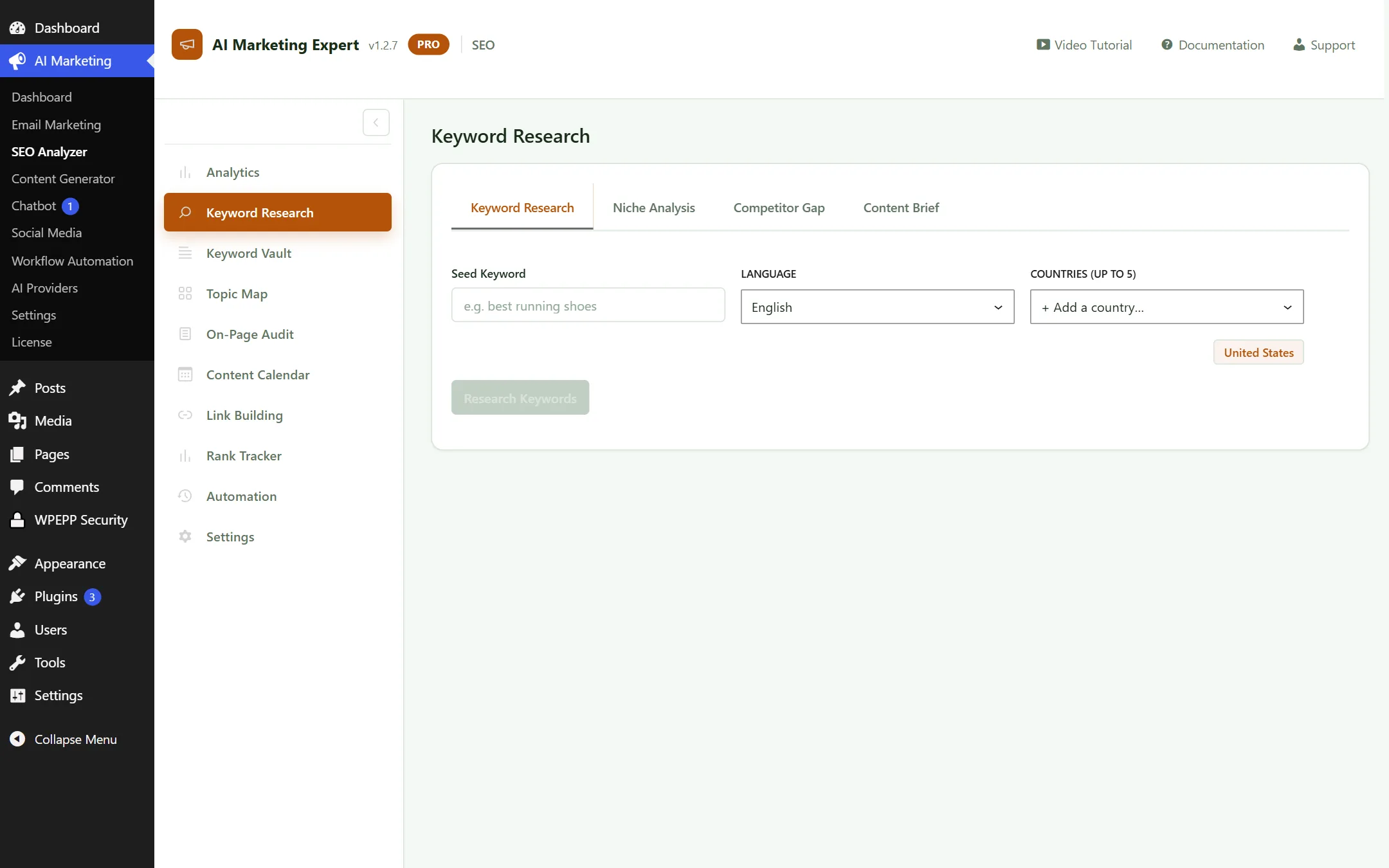
SEO Keyword Research
Figure 3.2: Keyword Research and Search Intent Breakdown

3.3 Keyword Vault

Save prospective keywords to your private vault with priority tagging and launch articles directly in Content Generator with one click.
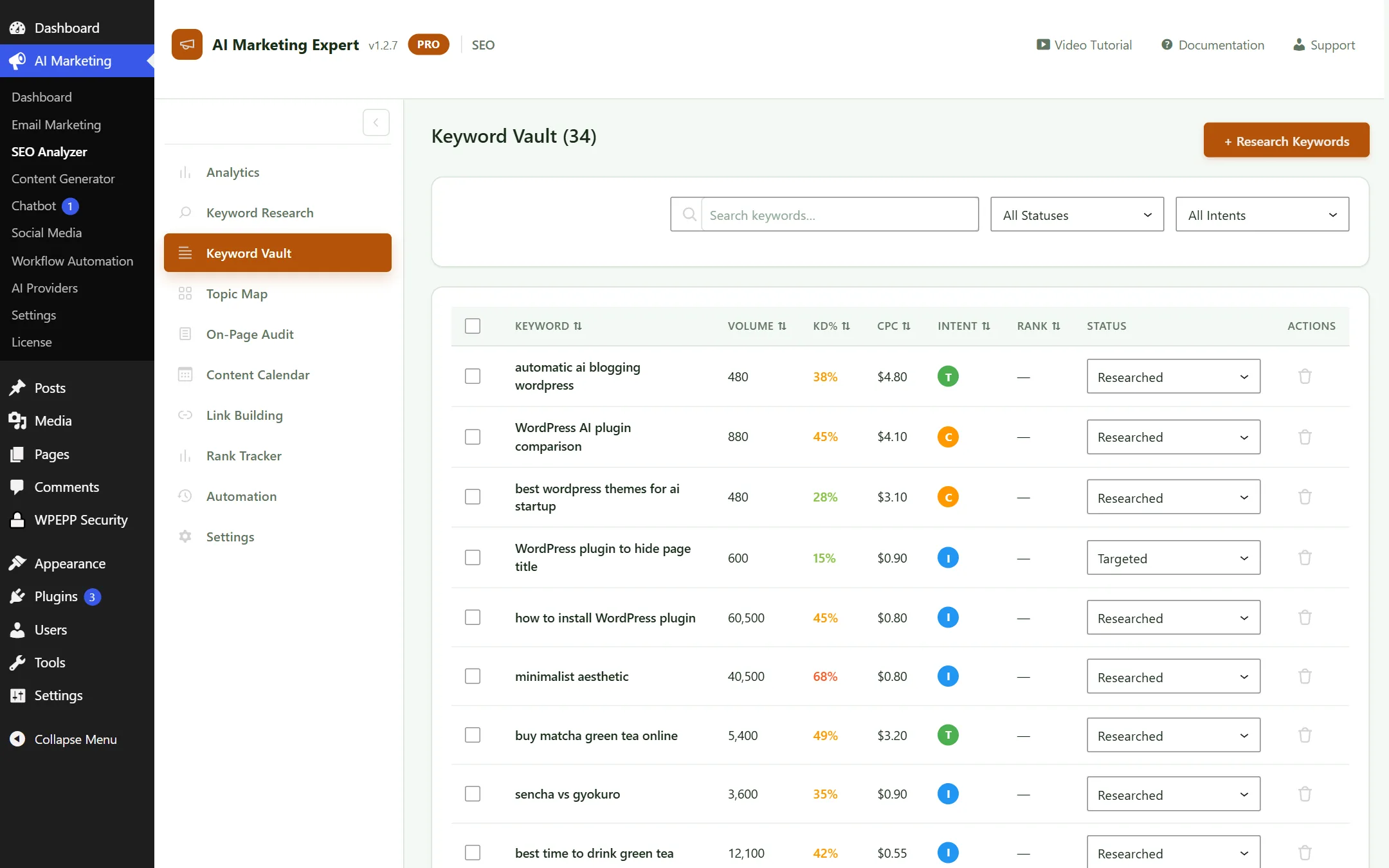
SEO Keyword Vault
Figure 3.3: Keyword Vault — Saved keywords with one-click article generation

3.4 Topic Map (Clustering & Authority)

Automatically organizes pillar content and cluster topics to establish topical authority on Google.
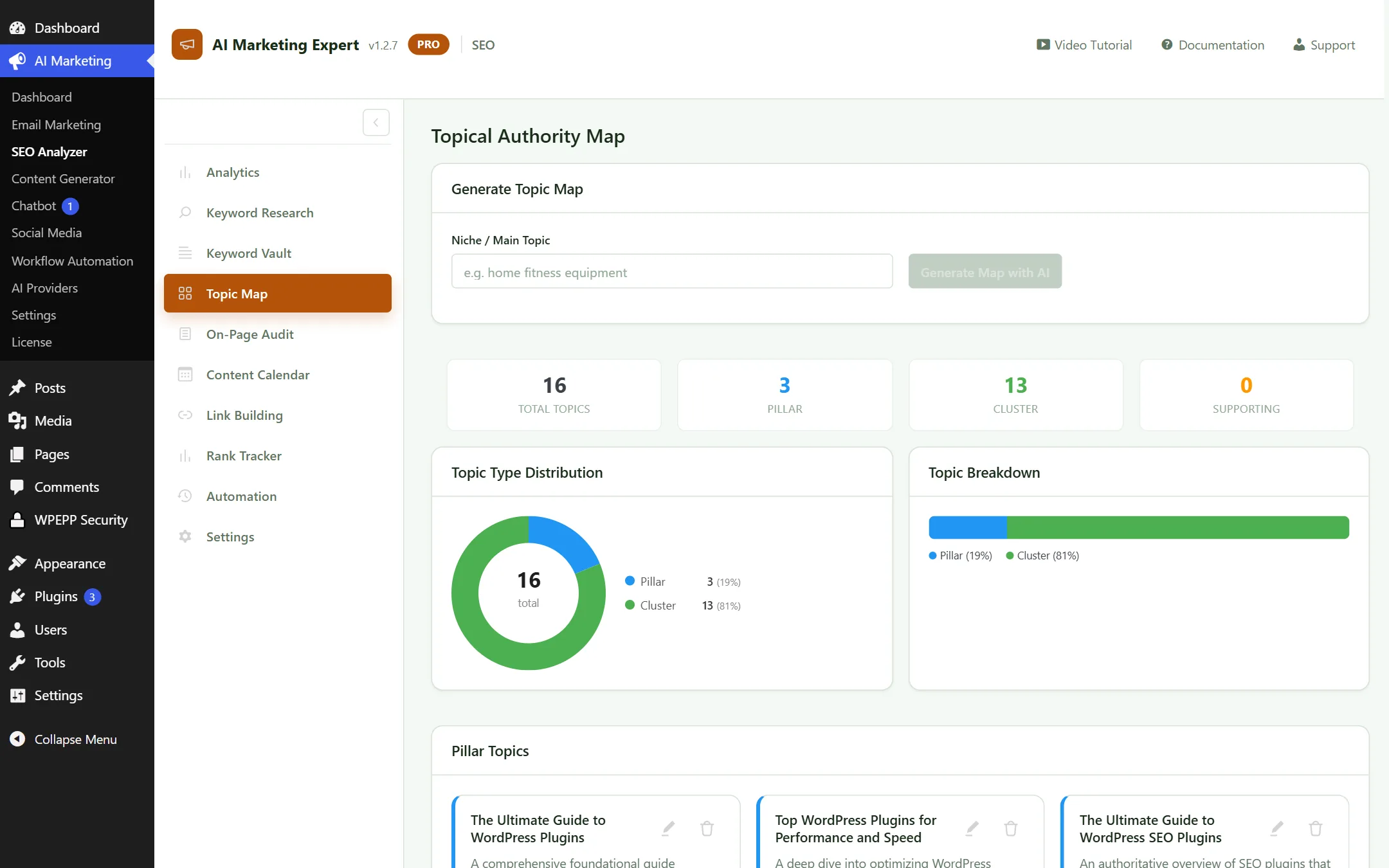
SEO Topic Map Clustering
Figure 3.4: Topic Clusters and Internal Linking Architecture

3.5 On-Page SEO Audit

Audit any published post or page for missing meta tags, heading hierarchies, image alt attributes, and readability scores with AI-powered fix suggestions.
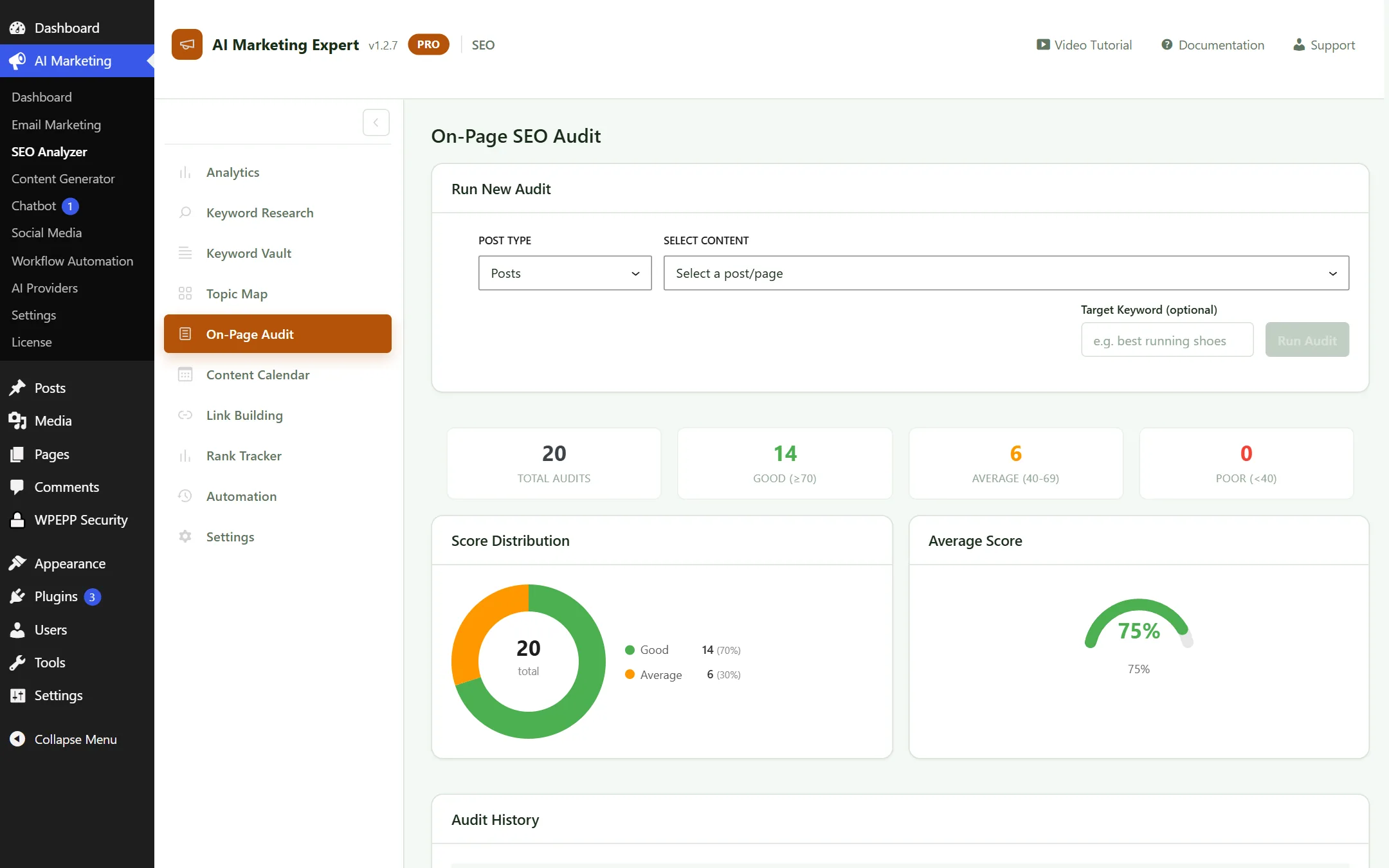
SEO On-Page Audit Tool
Figure 3.5: On-Page Audit Results and Actionable Recommendations

3.6 Content Calendar

Plan, schedule, and visualize your upcoming blog publishing dates on an intuitive drag-and-drop calendar.
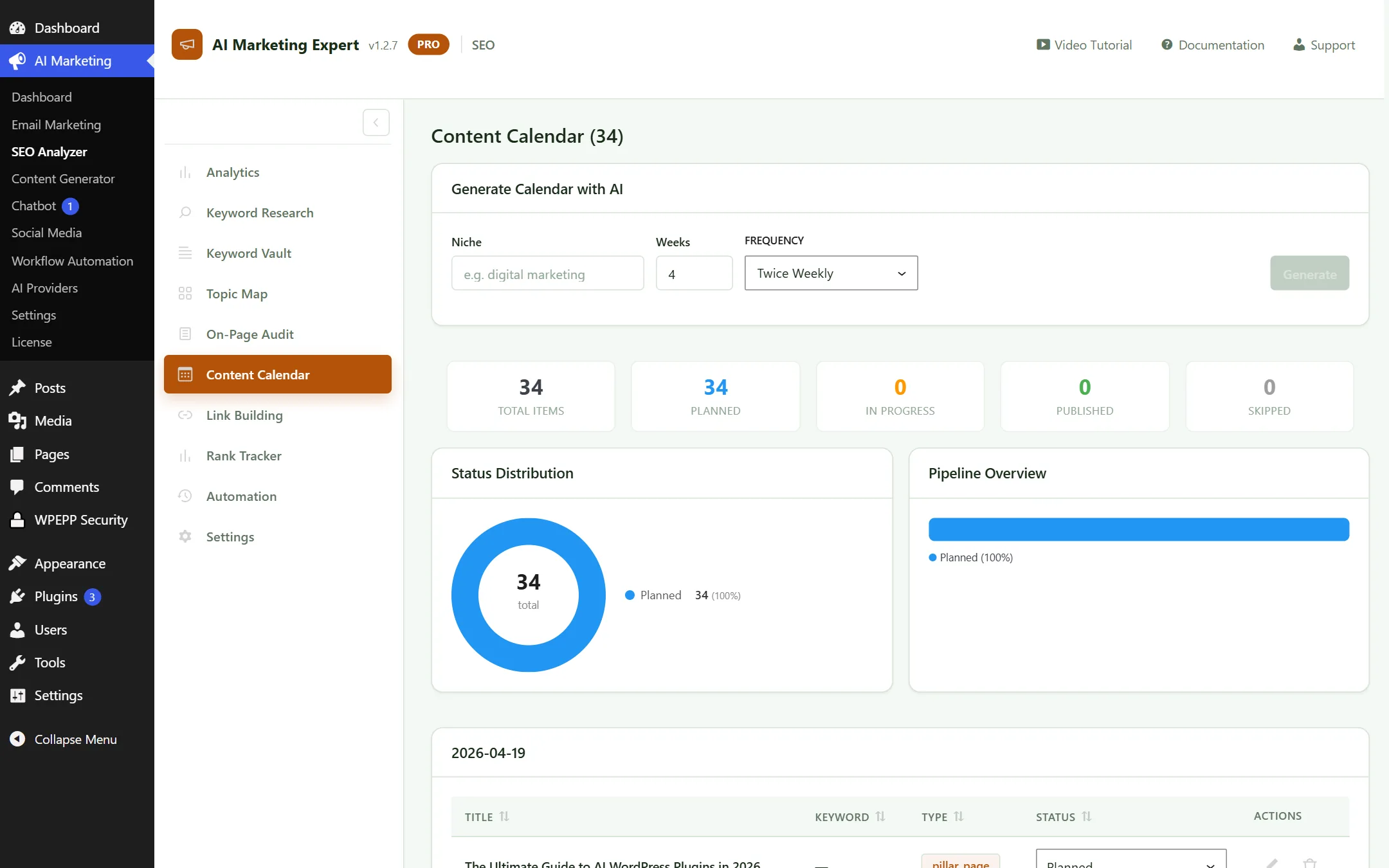
SEO Content Calendar
Figure 3.6: Content Publishing Calendar View

3.8 Rank Tracker

Monitor your daily Google SERP positions across target keywords and view historical ranking trends.
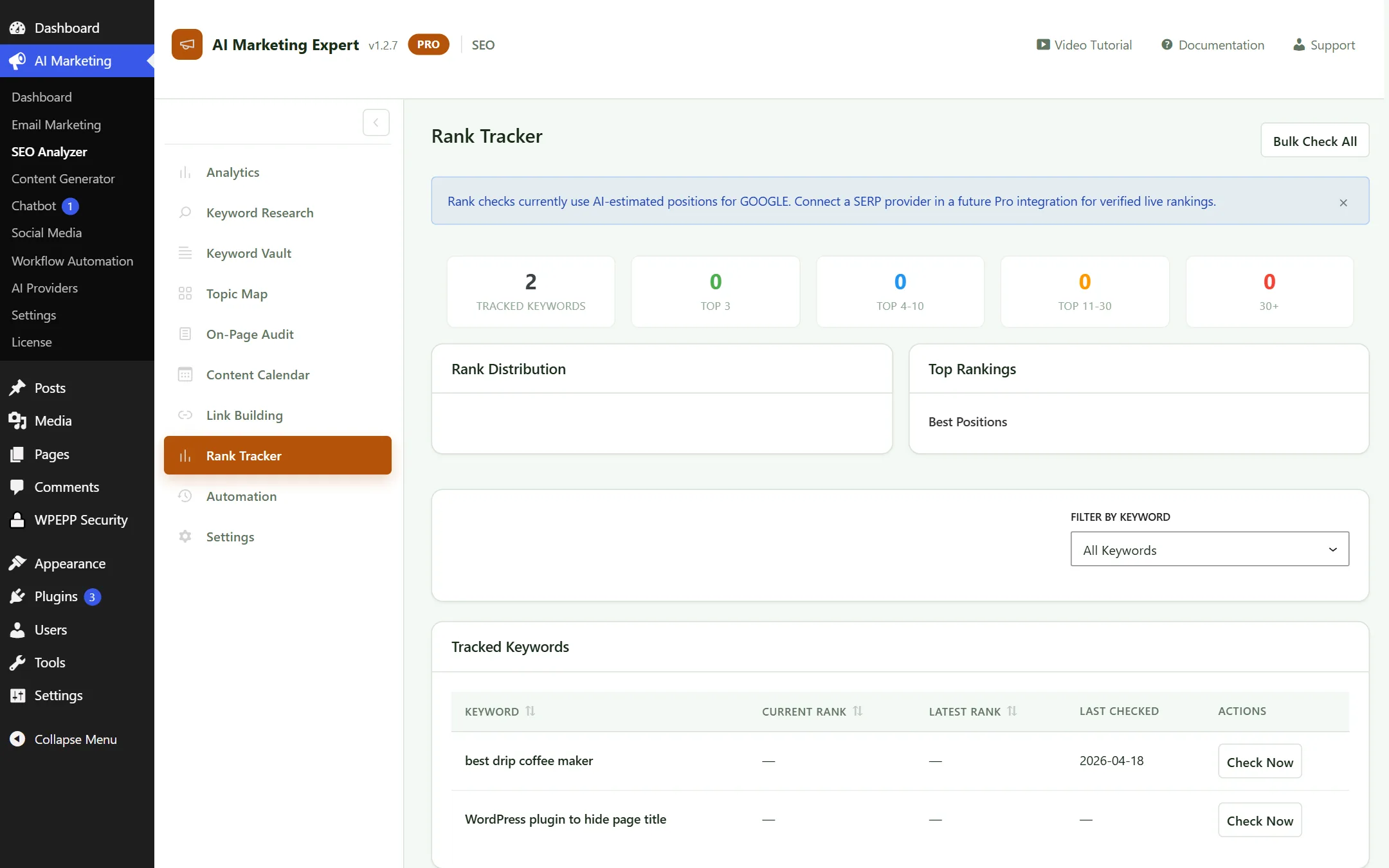
SEO Rank Tracker Tool
Figure 3.8: Keyword Position Tracking and Historical Trend Graph

3.9 Automation Rules

Automate meta description generation, alt tag population, and internal keyword cross-linking.
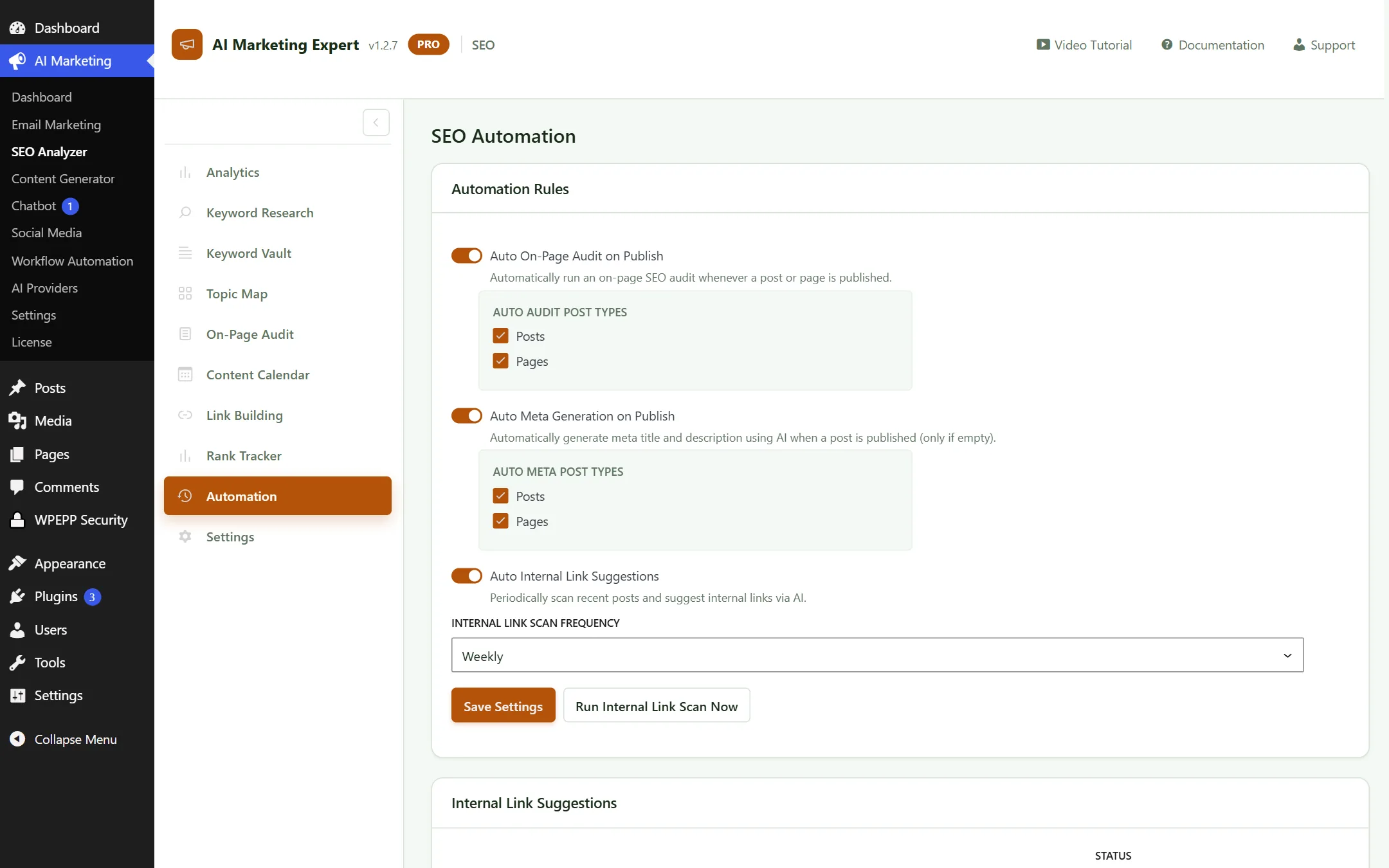
SEO Automation Rules
Figure 3.9: Automated SEO Optimization Rules

3.10 SEO Settings

Define your primary target country, language, search engine locales, and audit sensitivity thresholds.
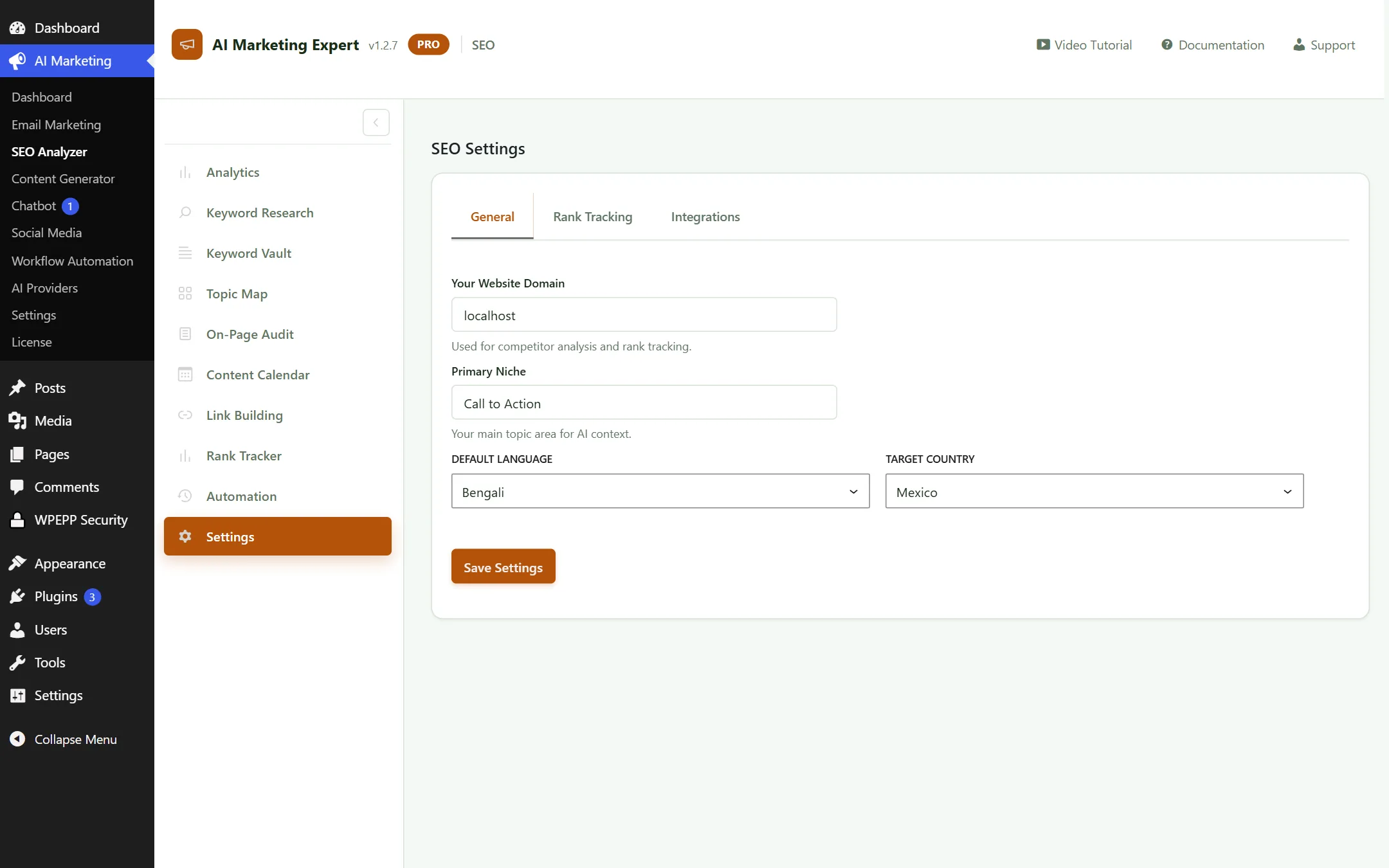
SEO Settings
Figure 3.10: SEO Regional and Crawl Preferences

4. AI Content Generator (6 Dedicated Submenus)

A professional article writing studio that crafts human-like, SEO-optimized blog posts designed to rank on search engines:

4.1 Content Analytics

Track total articles published, average word count, reading levels, and content production velocity.
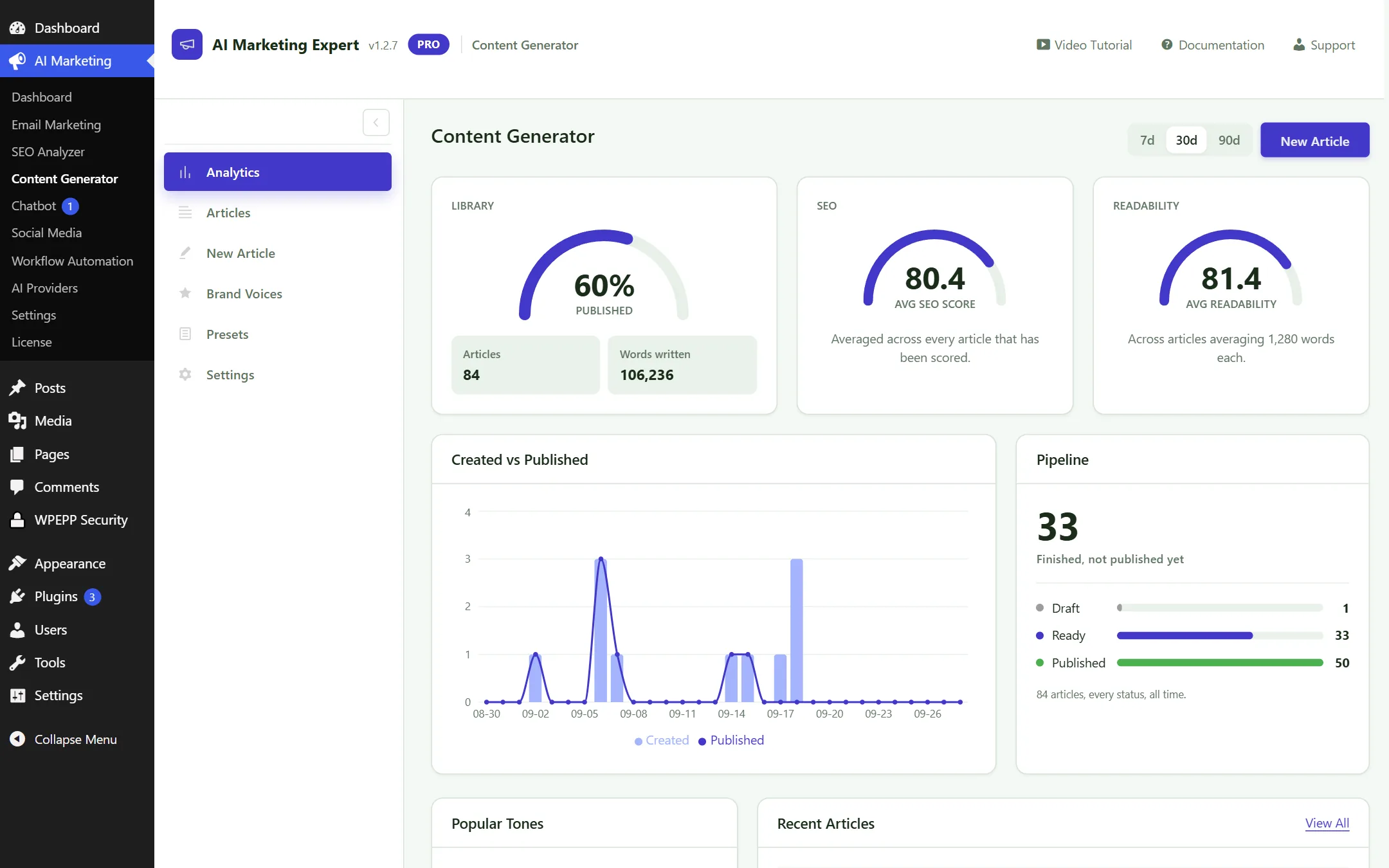
Content Generator Analytics
Figure 4.1: Content Production Analytics

4.2 Articles Library

Access all generated drafts and published articles. Edit, preview, or publish directly to WordPress with one click.
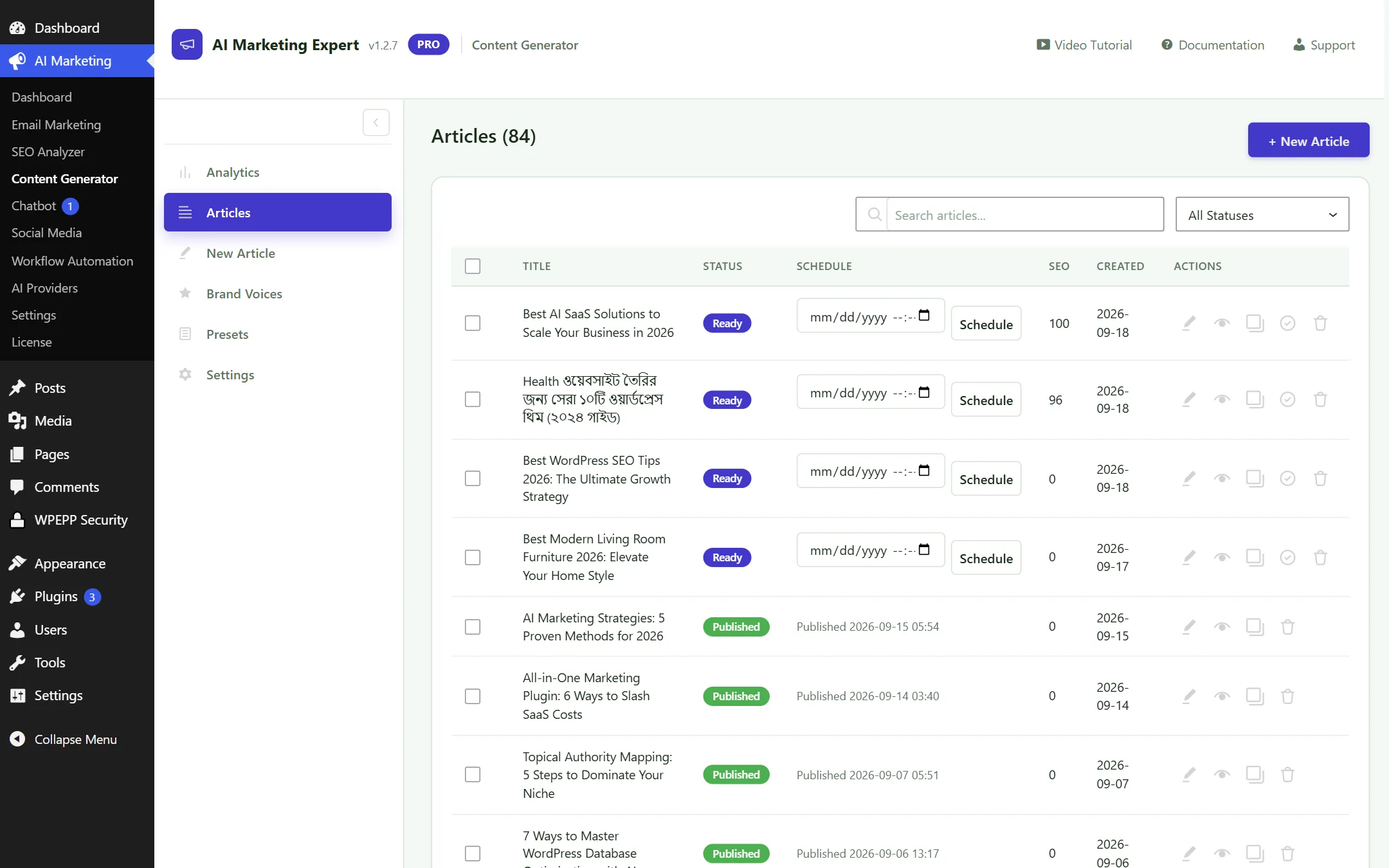
Articles List View
Figure 4.2: Articles Directory and WordPress Post Sync

4.3 New Article Studio (Deep Humanize Mode) Hot Item

Produce comprehensive 2,000+ word articles from a single keyword or title while preserving rich HTML structure.
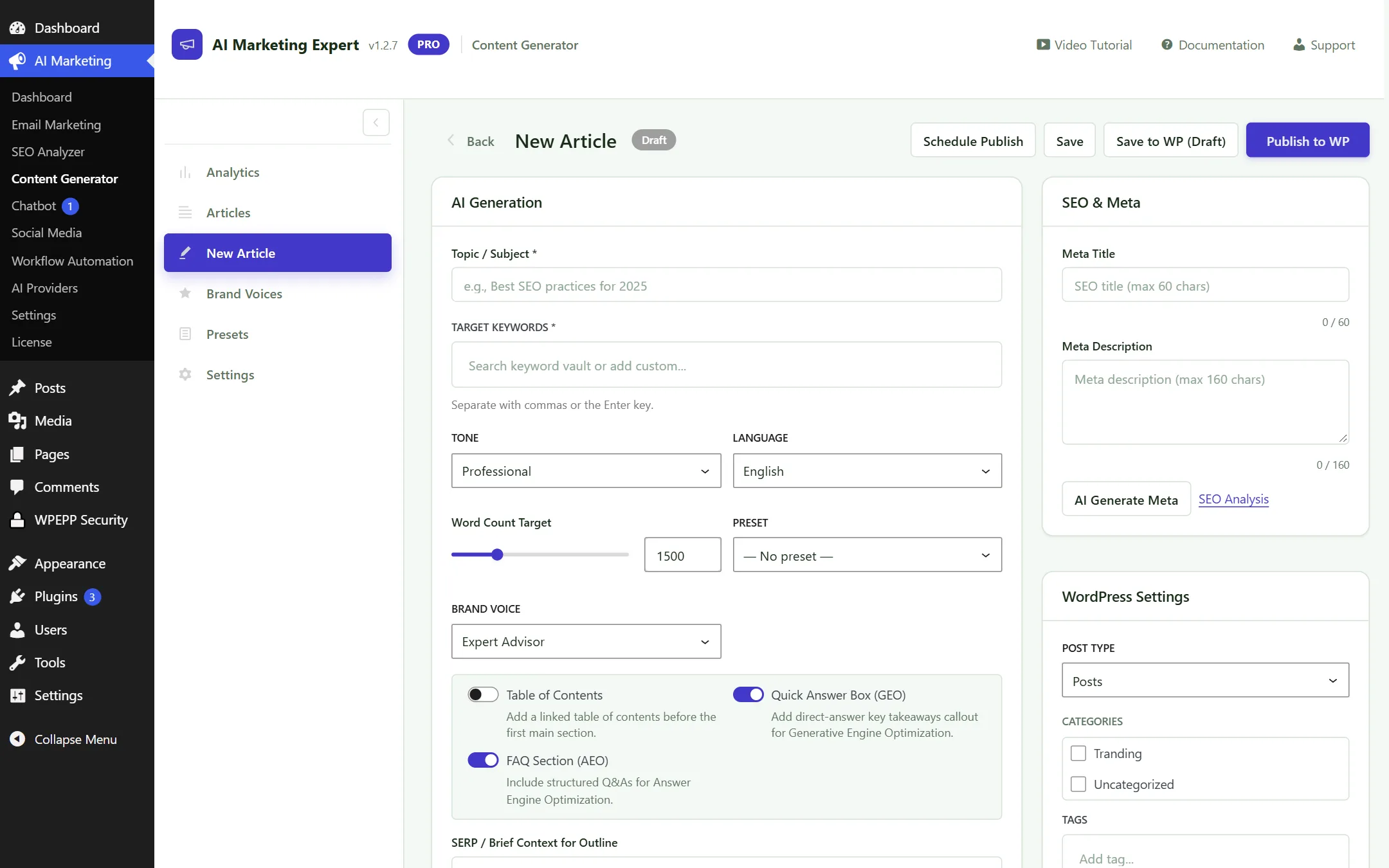
New Article Studio with Deep Humanize
Figure 4.3: New Article Studio — Structure preservation and Deep Humanize mode

Key Studio Controls:

  • Tone & Writing Style: Professional, Conversational, Informative, or Persuasive.
  • Deep Humanize Mode: Bypasses AI detection by introducing authentic sentence cadence, varied syntax, and idiomatic phrasing.
  • Outline Editor: Edit, reorder, or add custom H2/H3 headings before full drafting.

Structure & Formatting Preservation:

Unlike basic AI writers, AIME generates formatted comparison tables, callout blocks, bulleted takeaways, and FAQ schema ready for immediate publication.

4.4 Brand Voices

Train the AI on your brand's unique personality and terminology by submitting existing writing samples.
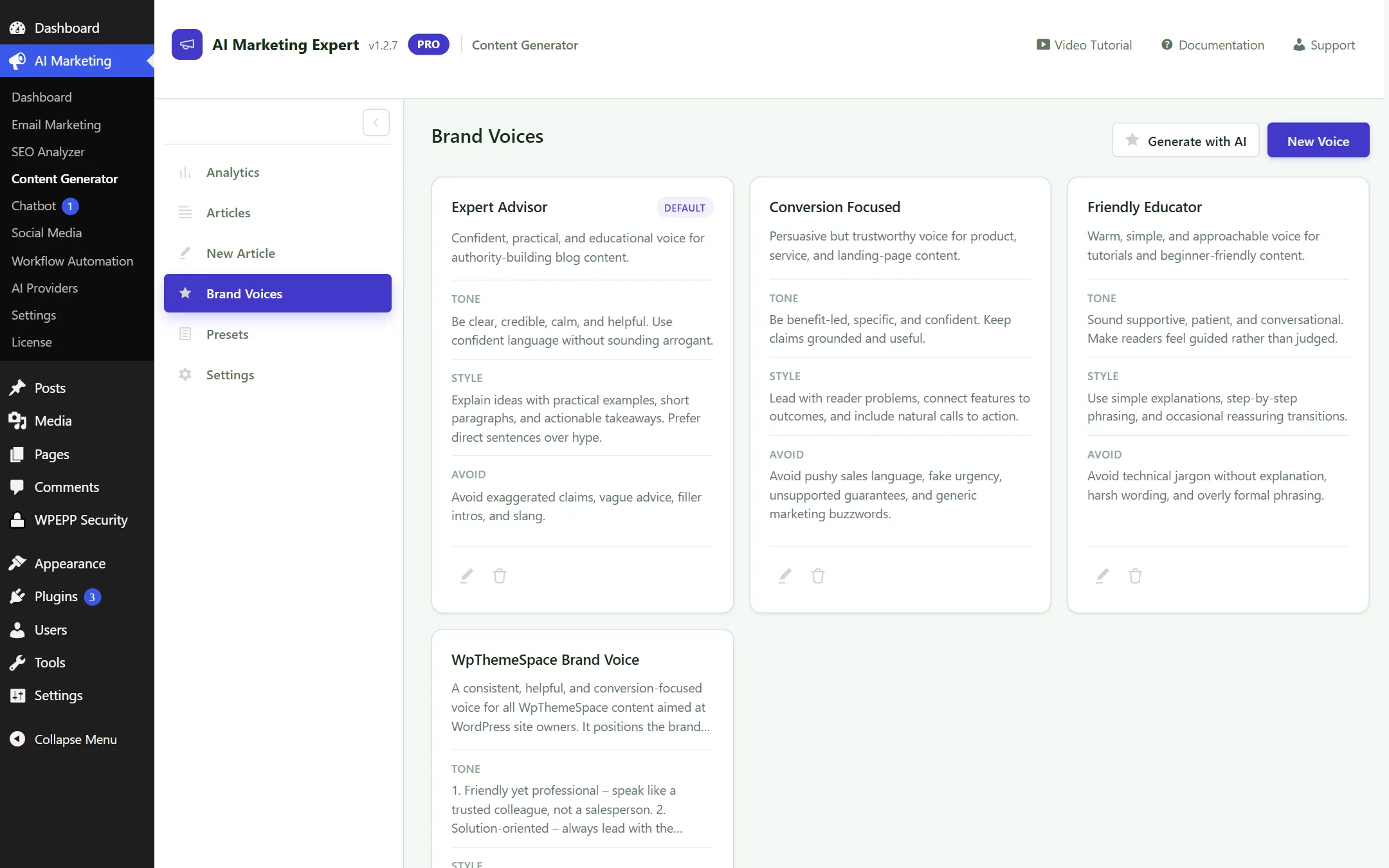
Brand Voices Configuration
Figure 4.4: Brand Voice Profiles and Tone Customization

4.5 Presets

Save reusable prompt structures for specific content types (e.g., "SaaS Product Review", "Step-by-Step How-To Guide").
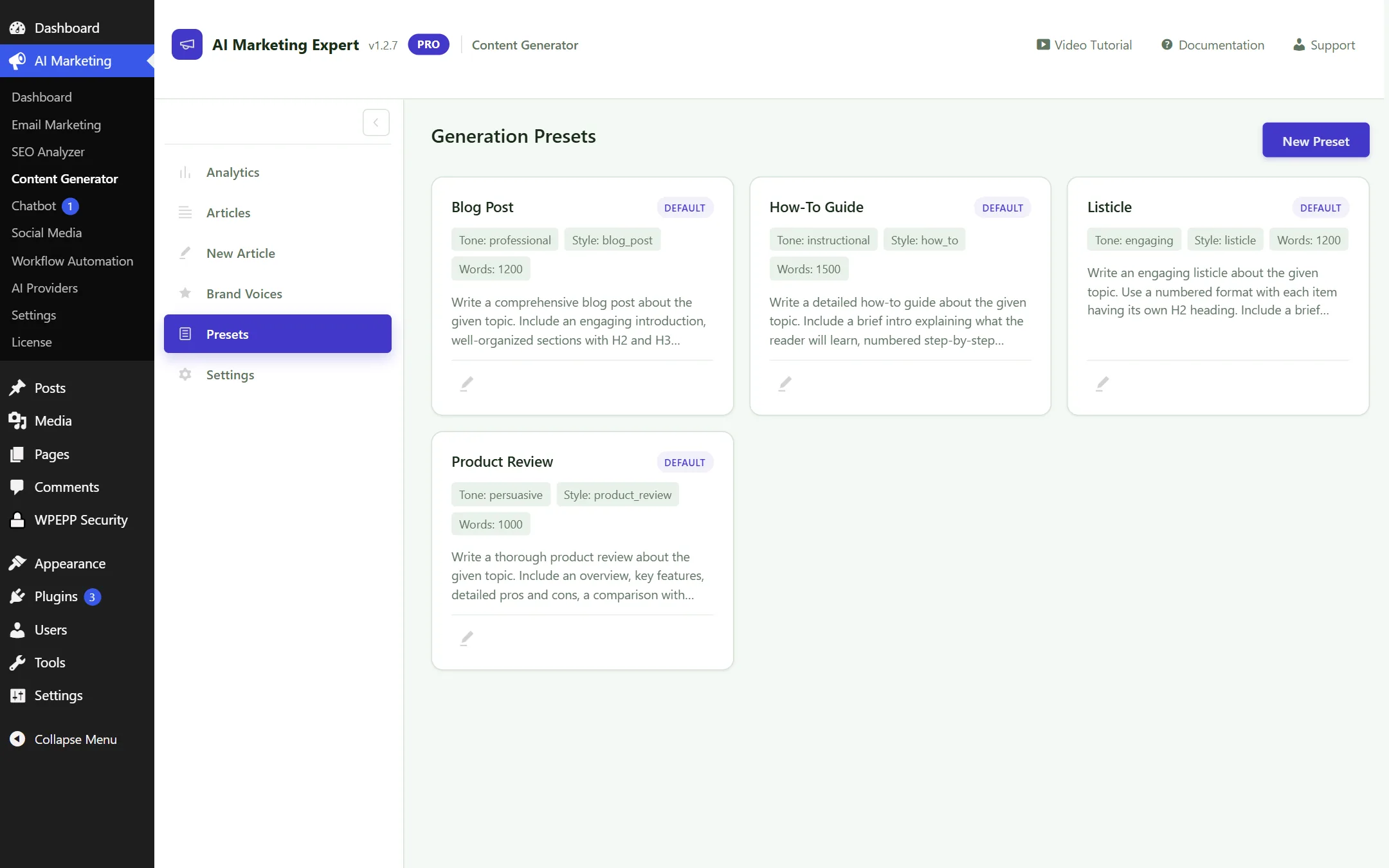
Content Presets Screen
Figure 4.5: Content Templates and Prompt Presets

4.6 Content Settings

Configure default post status (Draft vs Published), default category, featured image generation, and word count targets.
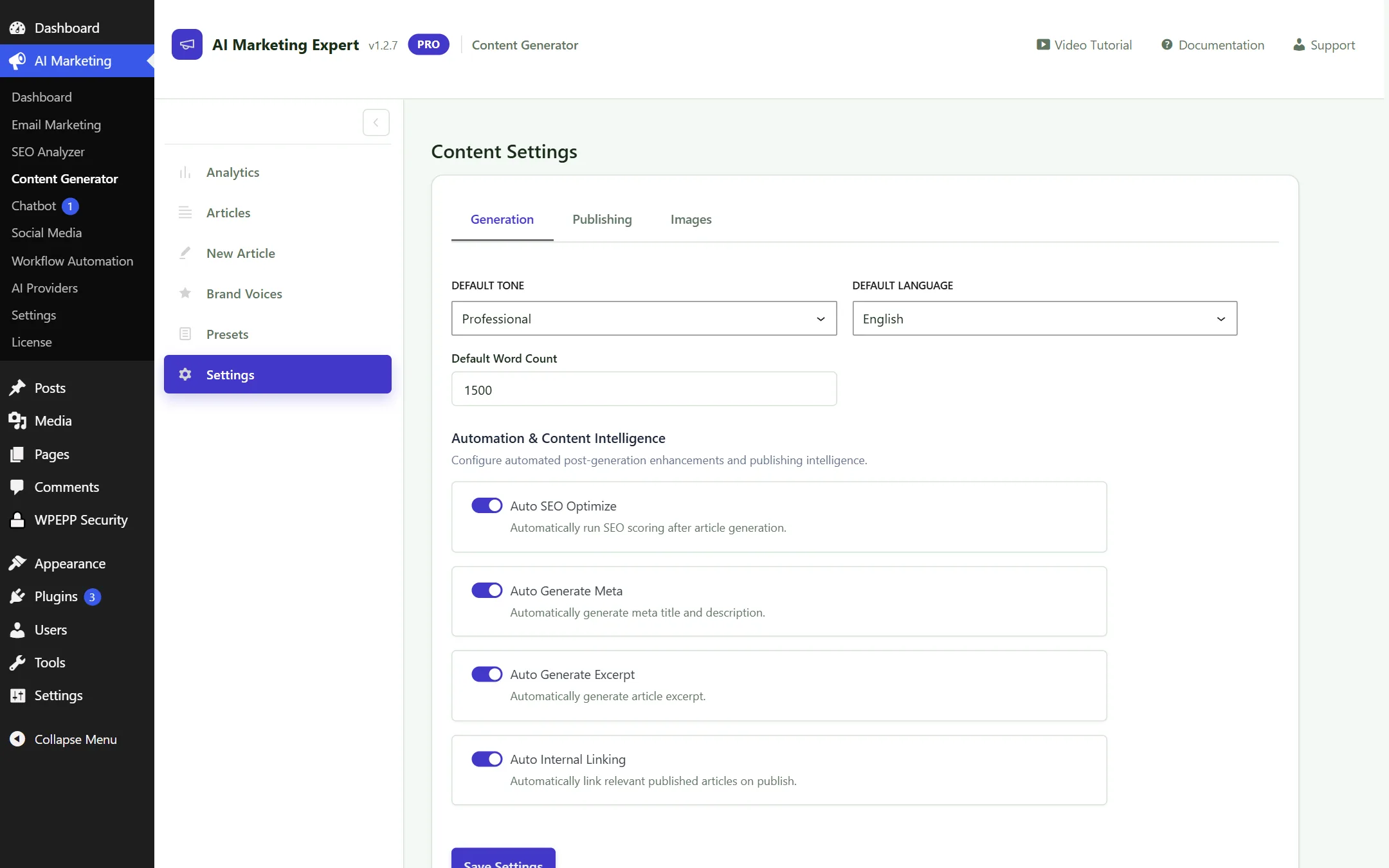
Content Settings Screen
Figure 4.6: Content Generator Global Preferences

5. Social Media Scheduler (7 Dedicated Submenus)

Automate publishing, schedule multi-network campaigns, and repurpose blog articles for Facebook, Instagram, LinkedIn, and Twitter (X):

5.1 Social Analytics

Analyze engagement, click-throughs, and follower interactions across all connected social channels.

Social Media Analytics
Figure 5.1: Social Media Performance Analytics

5.2 Accounts Connection

Connect Facebook Pages, Instagram Business profiles, LinkedIn accounts, and Twitter profiles securely via OAuth 2.0.
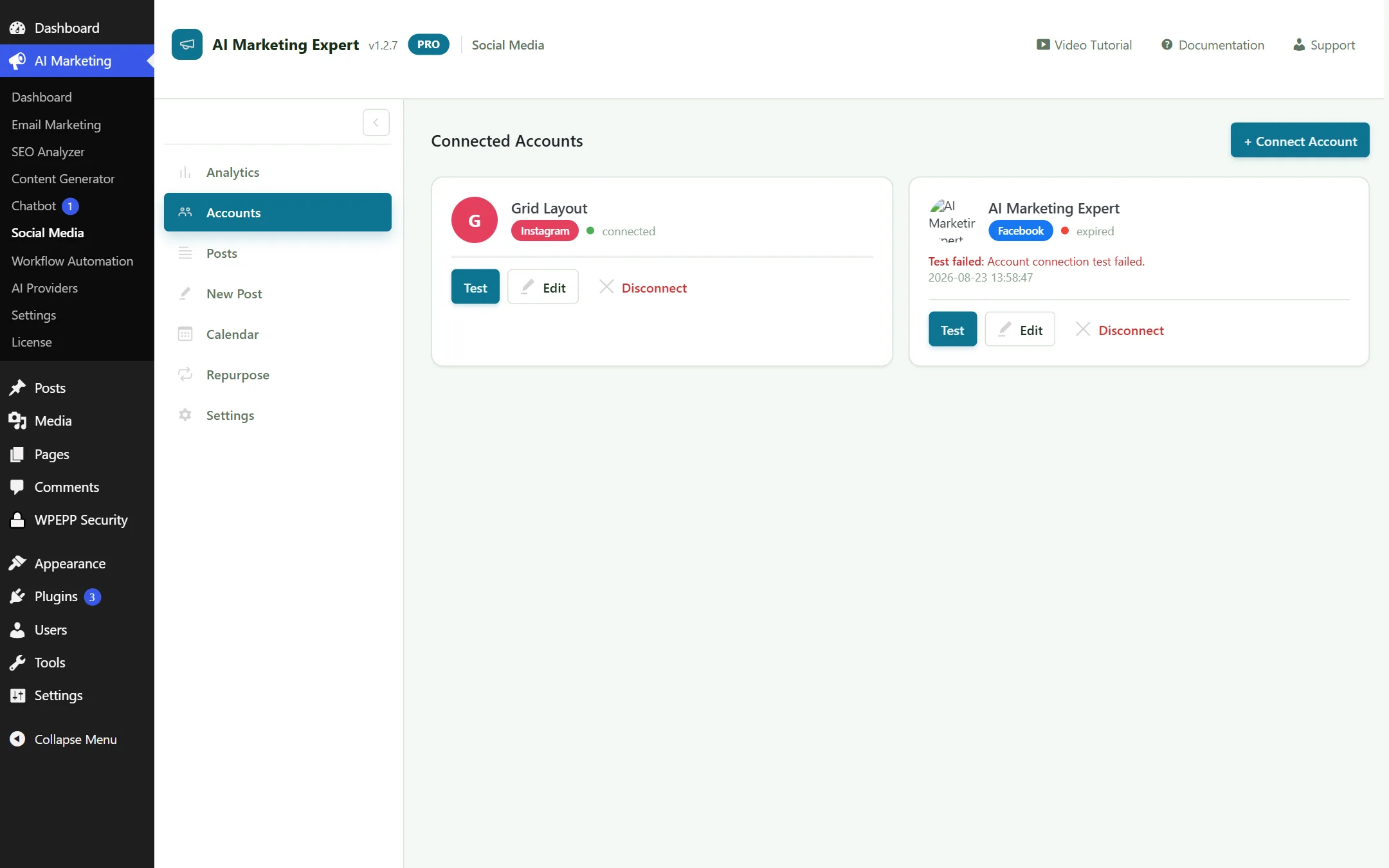
Connected Social Accounts
Figure 5.2: Social Accounts Connection and Authentication Status

5.3 Posts Feed

Manage published posts, monitor scheduled queues, and review draft messages across all connected channels.
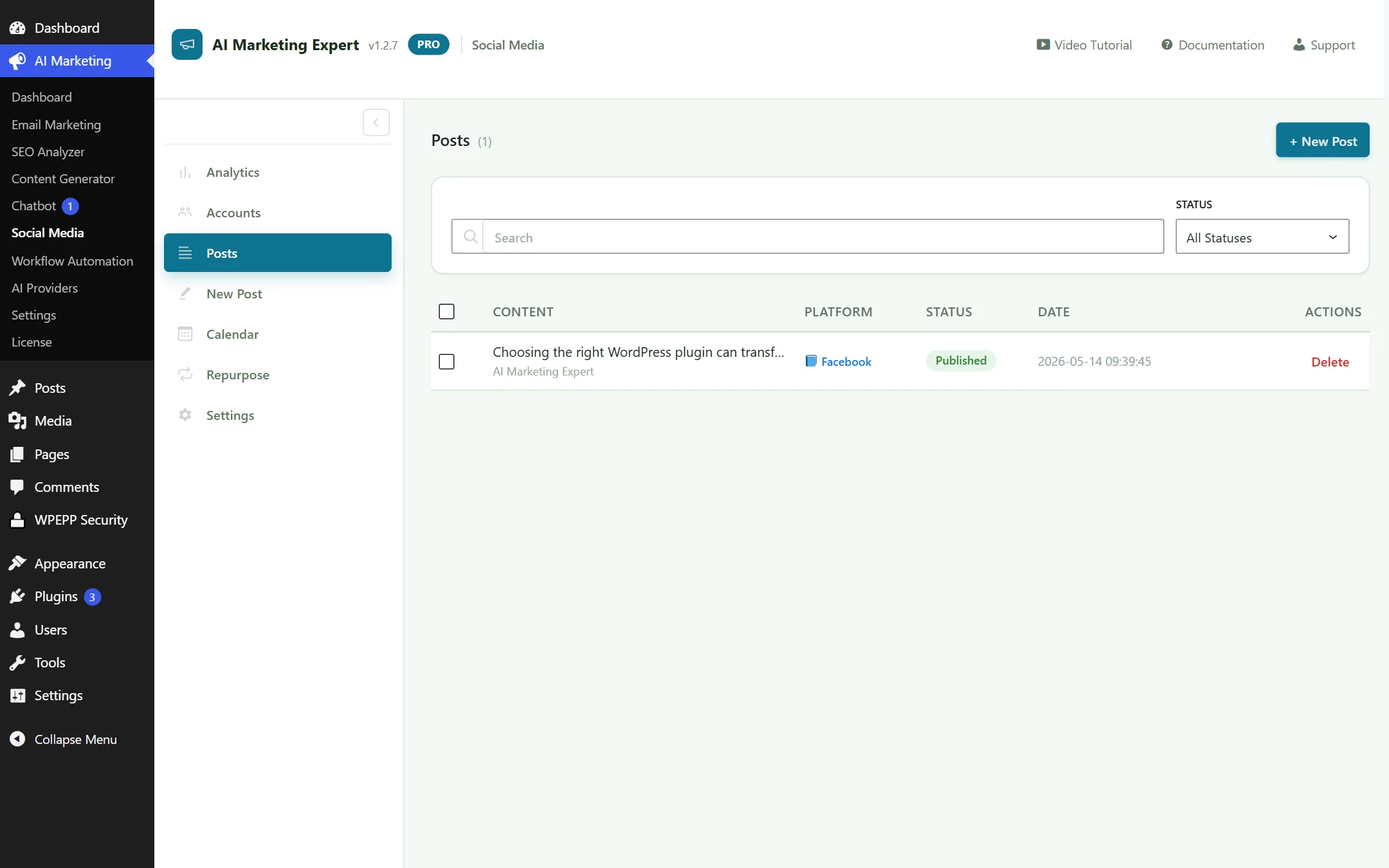
Social Posts Feed
Figure 5.3: Social Media Posts Feed and Queue Manager

5.4 Post Composer

Compose once and let AI tailor hashtags, character limits, and media sizing for each specific social network.
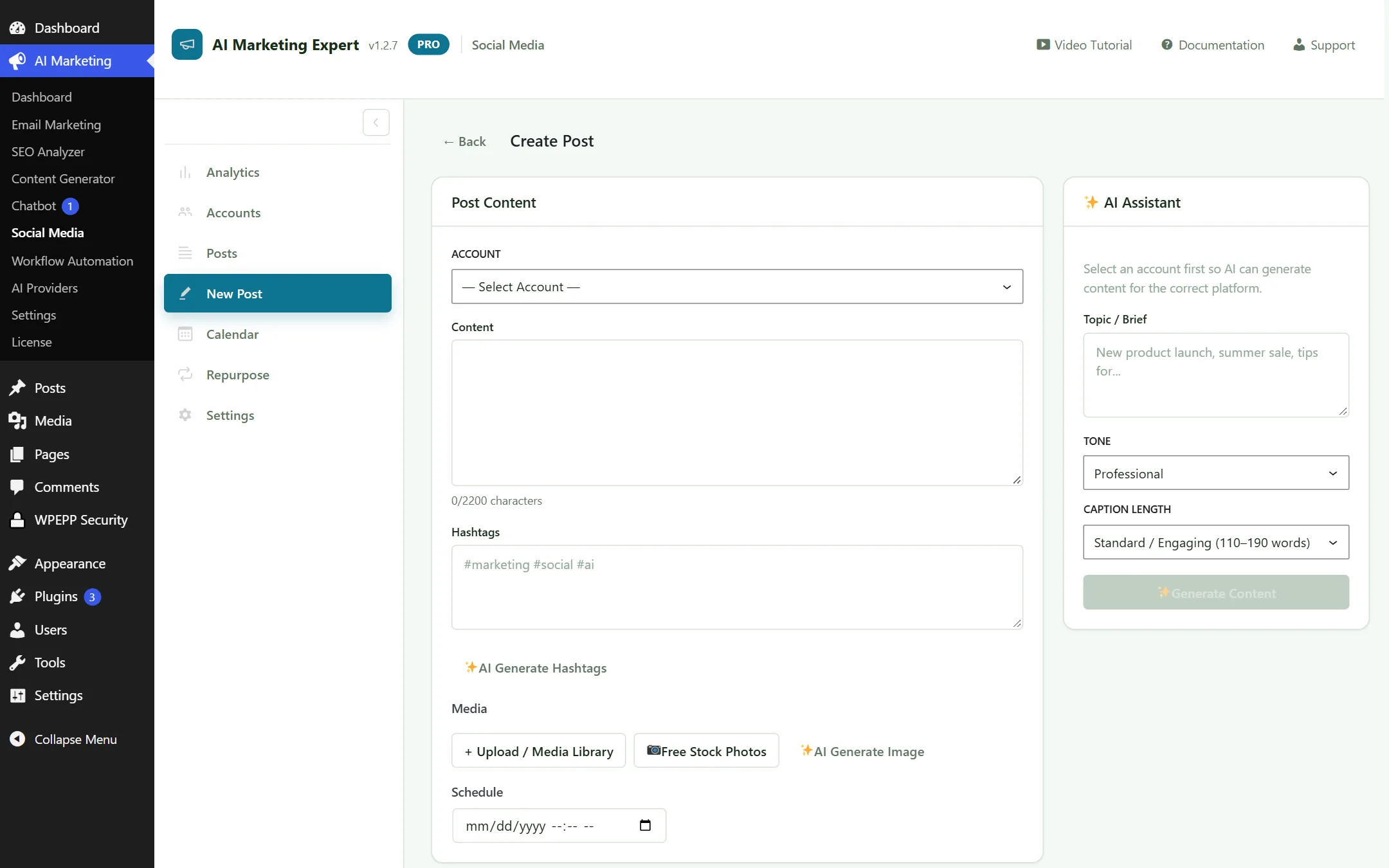
Social Post Composer
Figure 5.4: Multi-Network Composer with live network previews

5.5 Social Calendar

View your monthly social publishing schedule on a drag-and-drop calendar interface.
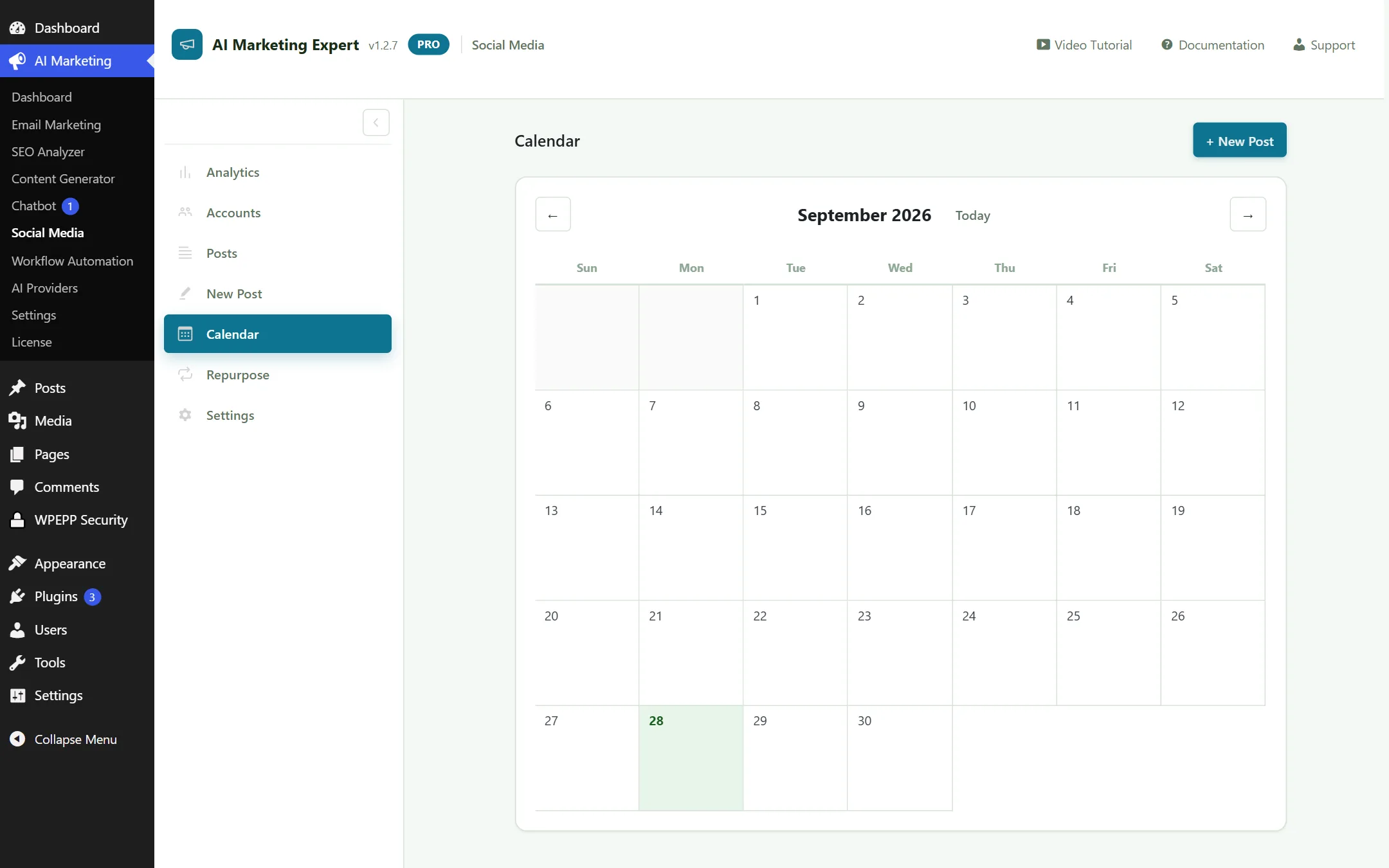
Social Calendar View
Figure 5.5: Visual Social Media Publishing Calendar

5.6 Repurpose Studio

Turn any published WordPress article into 5 LinkedIn posts, 10 Twitter threads, and 3 Facebook updates in seconds.
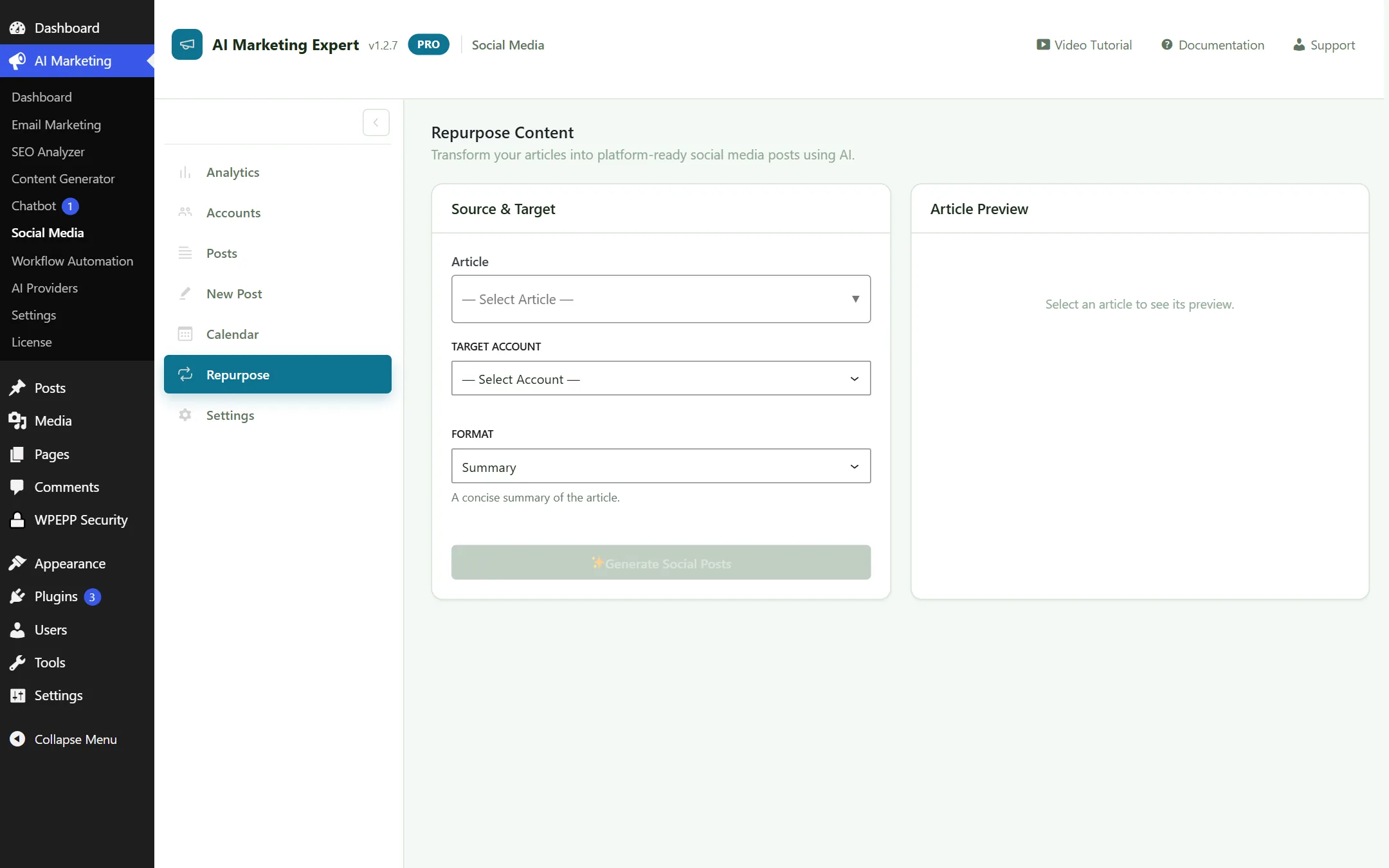
Social Content Repurposing Studio
Figure 5.6: Blog-to-Social Content Repurposing Engine

5.7 Social Settings

Set posting timezones, automated queue intervals, and UTM tracking parameters.
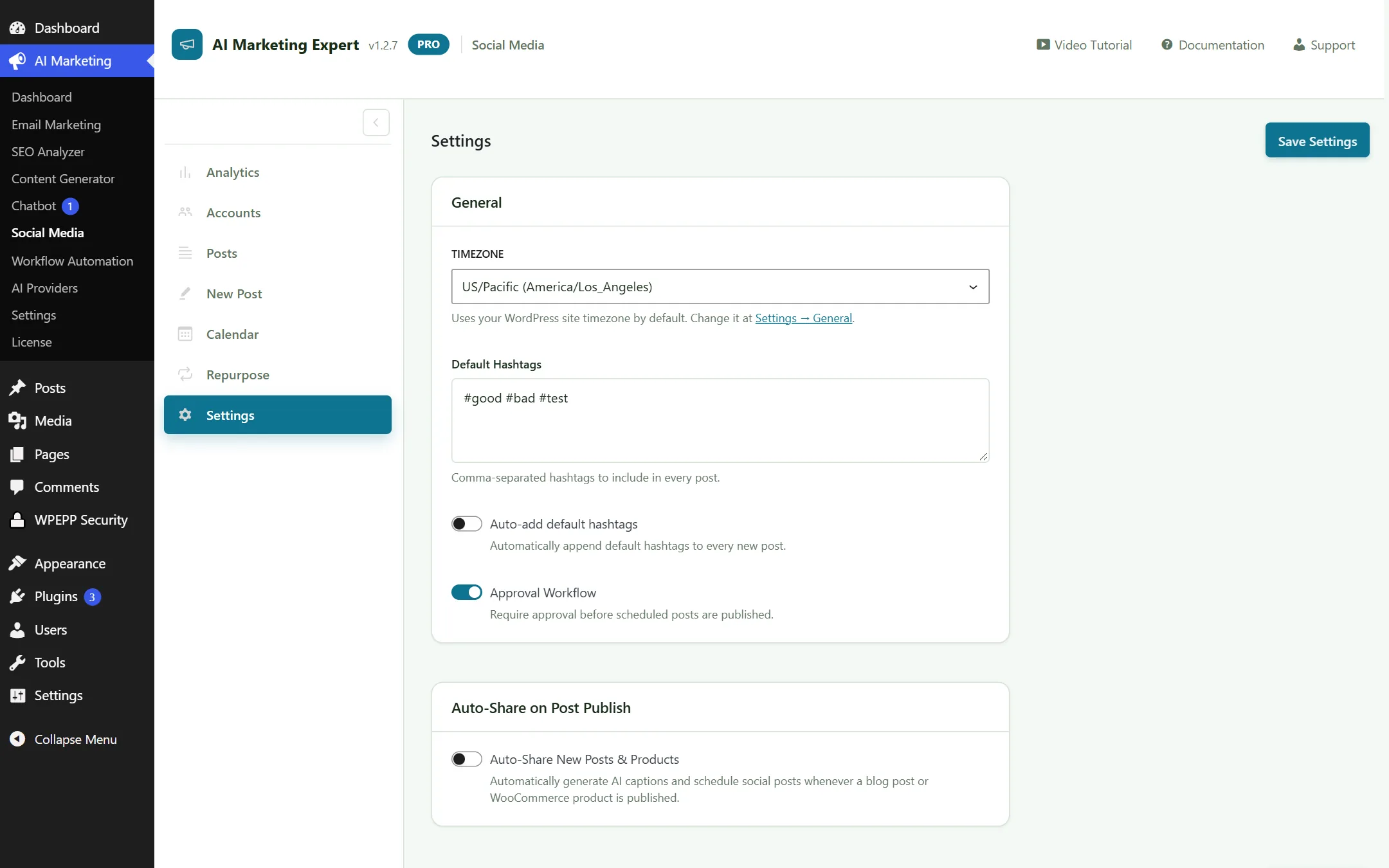
Social Media Settings
Figure 5.7: Social Media Global Preferences

6. AI Chatbot & Knowledge Base (5 Dedicated Submenus)

An intelligent customer support and lead generation chatbot powered by your site's content and WooCommerce catalog:

6.1 Chatbot Analytics

Track conversation volume, conversion rate, customer satisfaction, and frequently asked topics.
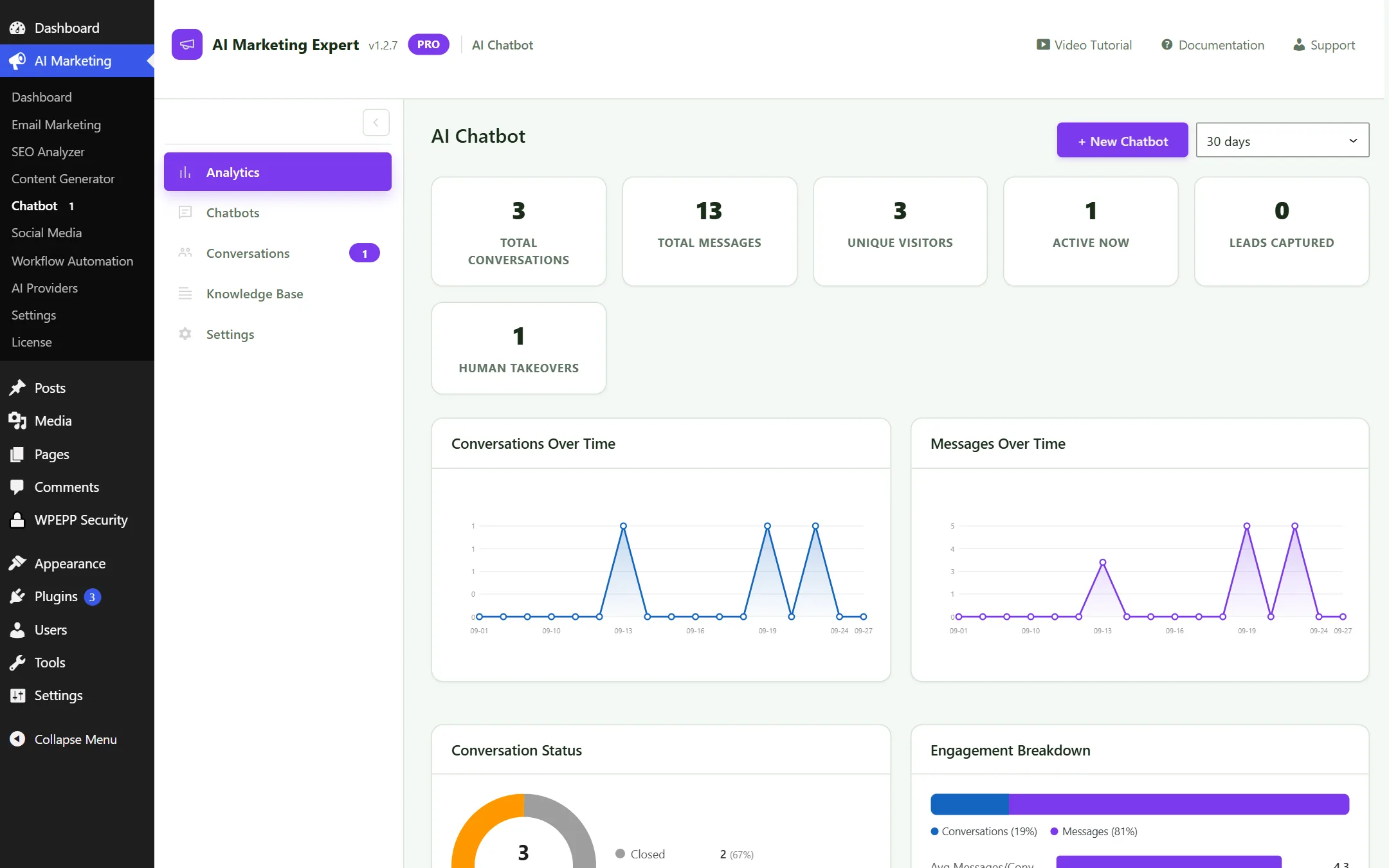
AI Chatbot Analytics
Figure 6.1: Chatbot Conversation and Resolution Metrics

6.2 Chatbots Manager

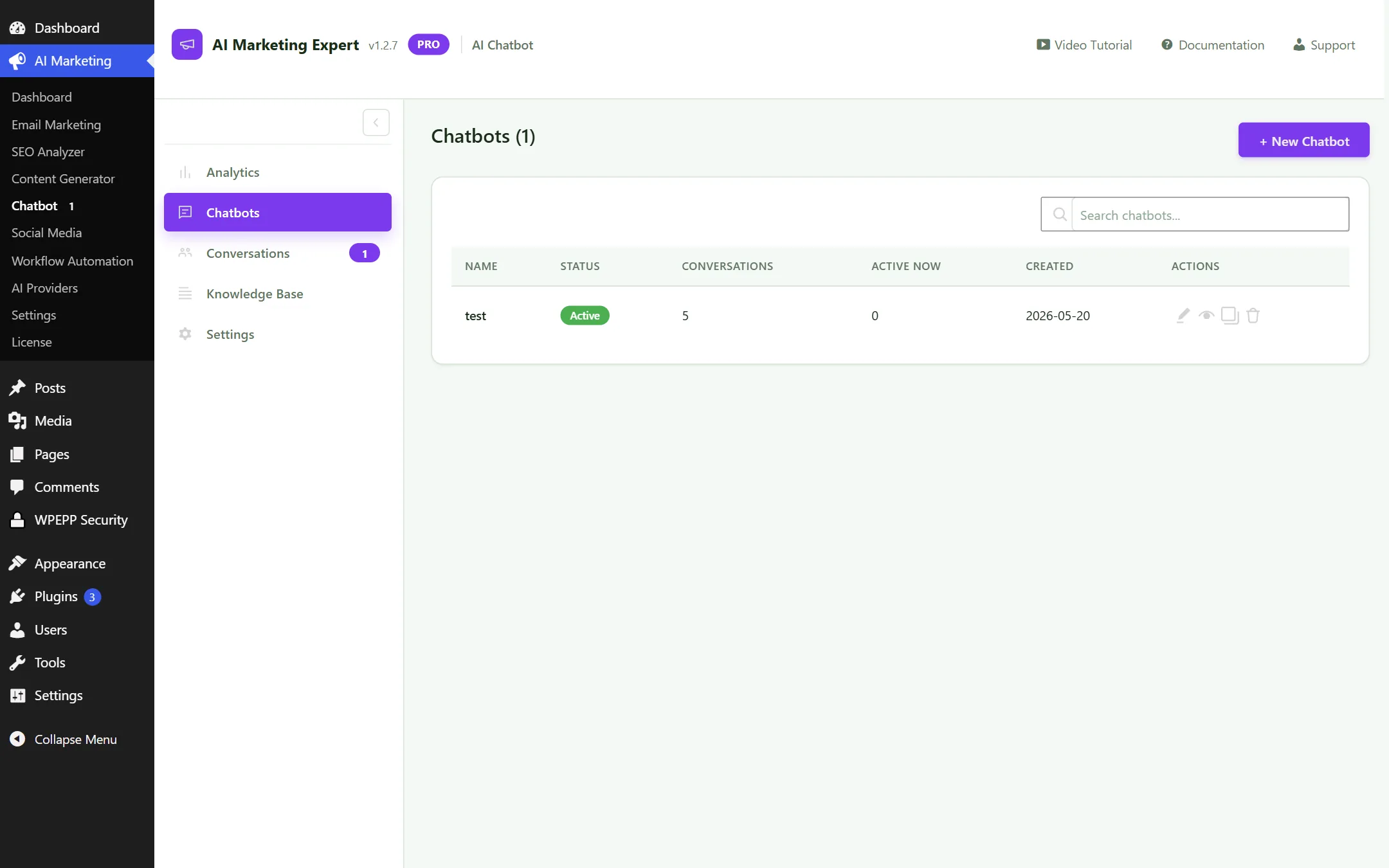
Create and customize multiple chatbots with tailored welcome messages, custom avatar branding, and color themes.
Chatbots Management
Figure 6.2: Bot Configuration and Visual Styling

6.3 Conversations & Live Takeover

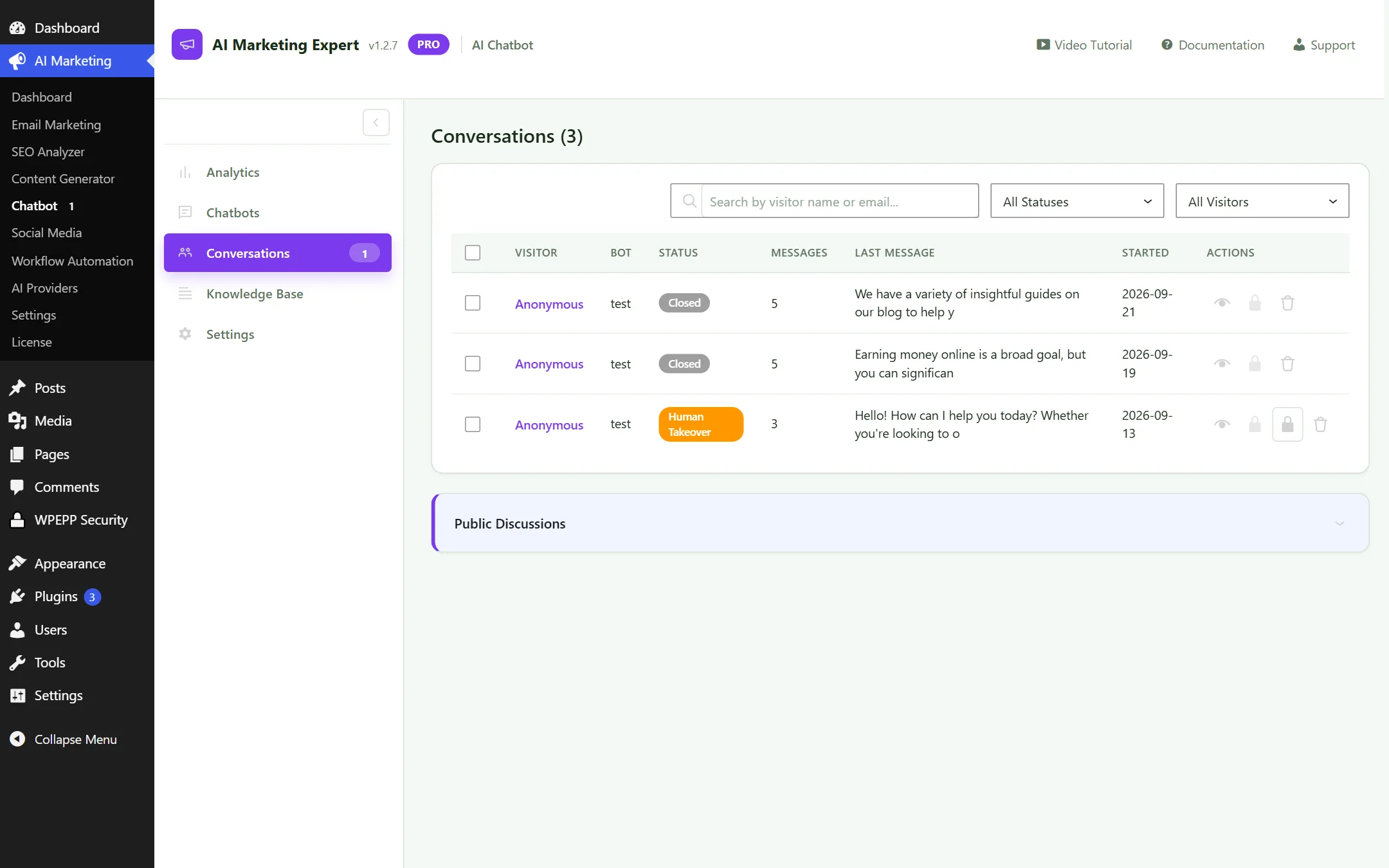
Monitor live visitor chats in real time. Take over conversations manually whenever a customer requires human intervention.
Chatbot Conversations and Live Takeover
Figure 6.3: Live Conversation Feed and 1-Click Human Takeover

6.4 Knowledge Base Training

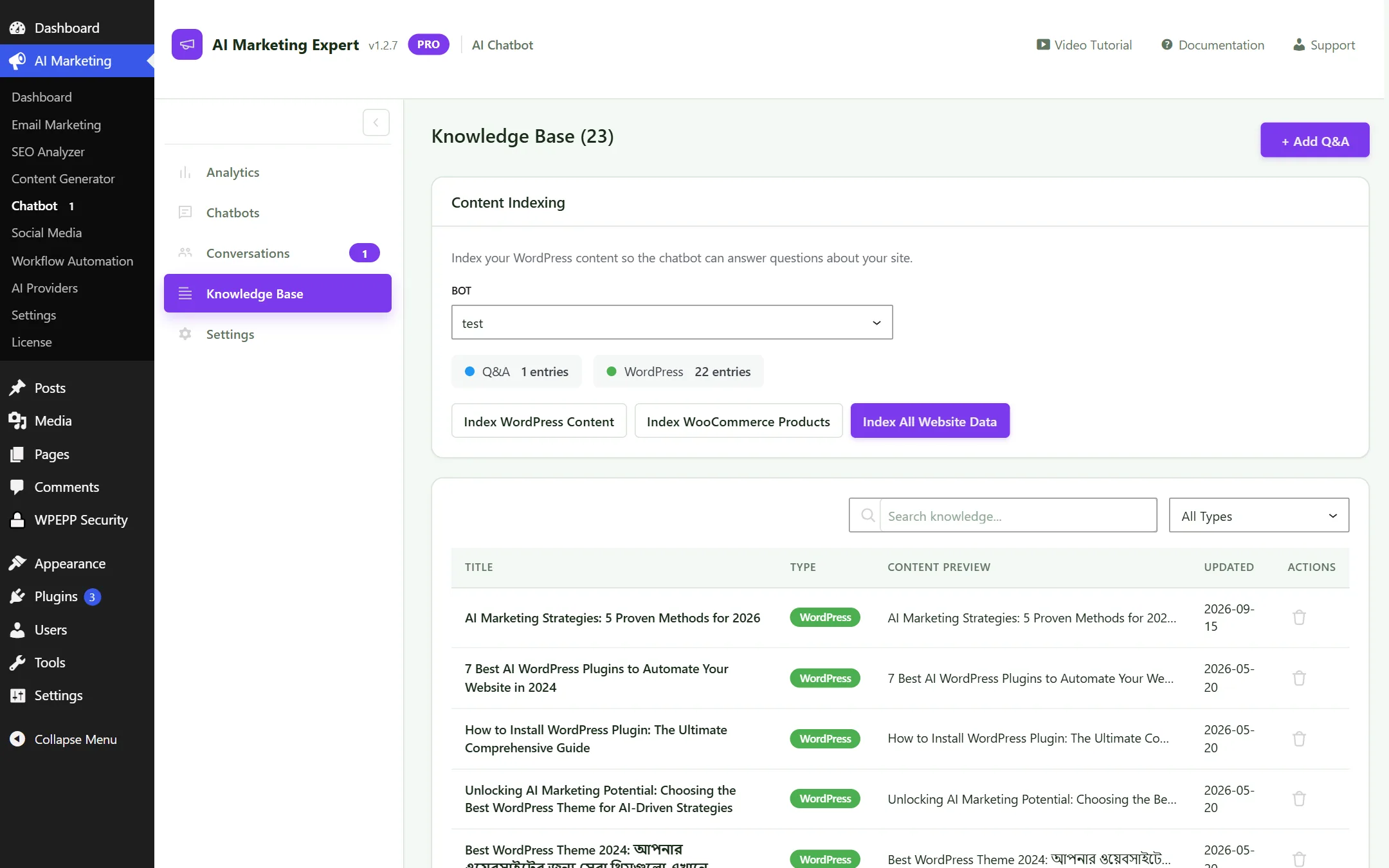
Train your chatbot on custom FAQs, website URLs, and your complete WooCommerce product catalog with one click.
Chatbot Knowledge Base Training
Figure 6.4: Knowledge Base Sync — URL scraping and WooCommerce product indexing

WooCommerce Catalog Sync: When product prices, stock status, or descriptions change, the chatbot automatically updates its knowledge to provide accurate answers to shoppers.

6.5 Chatbot Settings

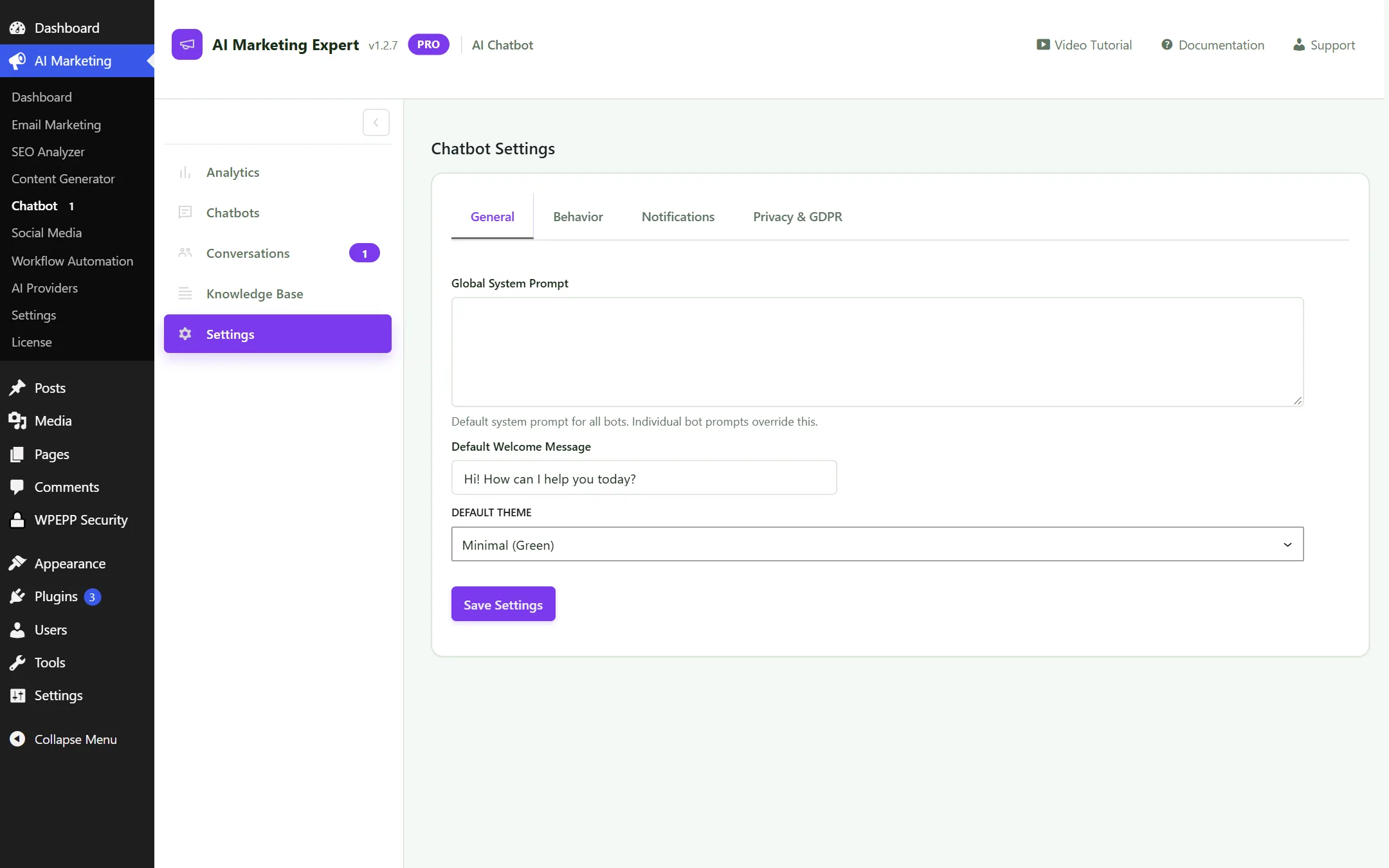
Adjust widget positioning (bottom-right vs bottom-left), mobile visibility, and assign specific AI models (e.g. Gemini 1.5 Flash).
Chatbot Settings
Figure 6.5: Chatbot Display and Behavioral Settings

7. Workflow Automation V2 (Canvas & Cart Recovery)

A powerful node-based automation engine that connects triggers, conditions, delays, and marketing actions on a visual canvas:

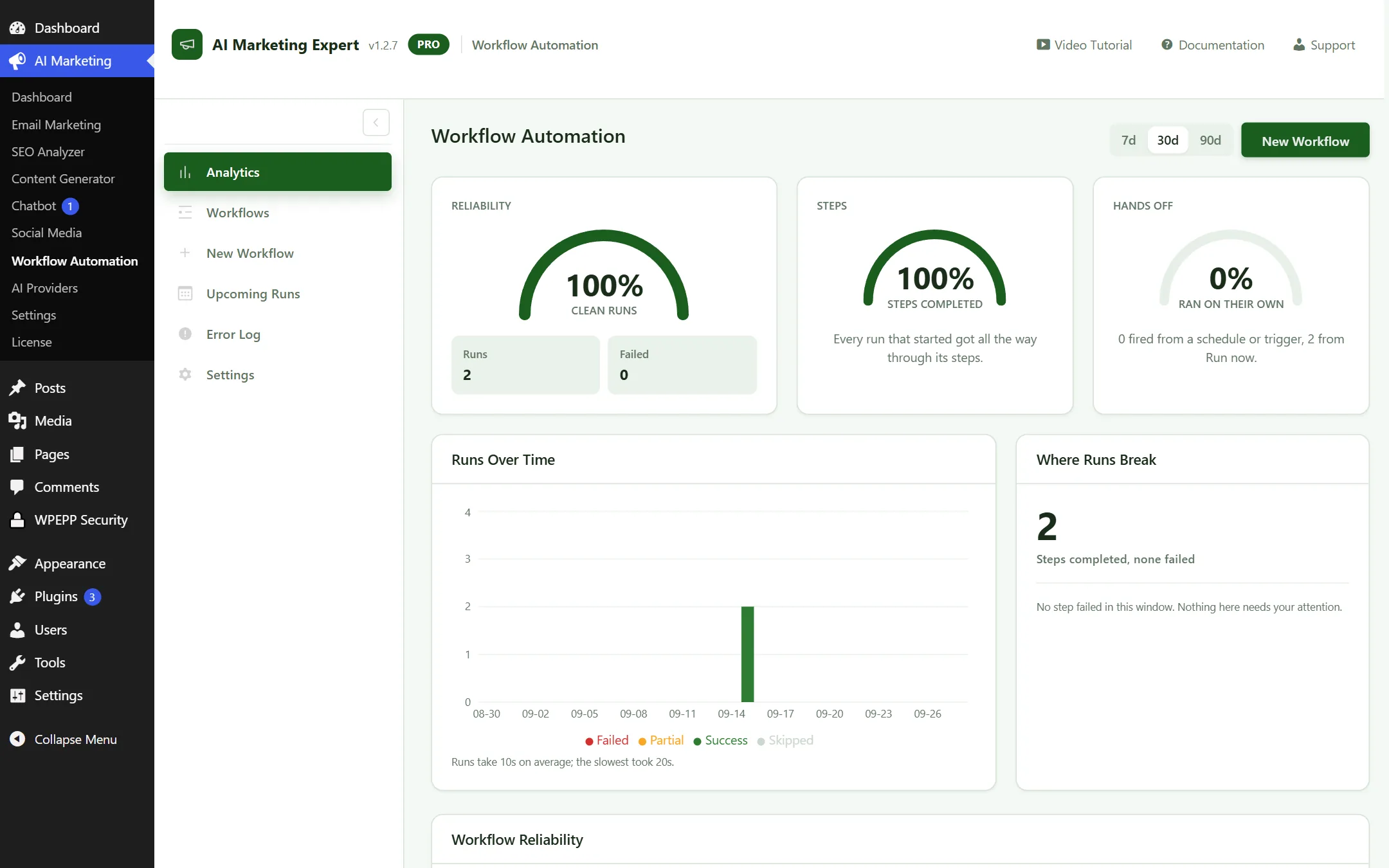
7.1 Workflow Analytics

Monitor execution counts, completion rates, and recovered revenue generated by automated customer journeys.
Workflow Analytics Overview
Figure 7.1: Automation Execution and Revenue Recovery Metrics

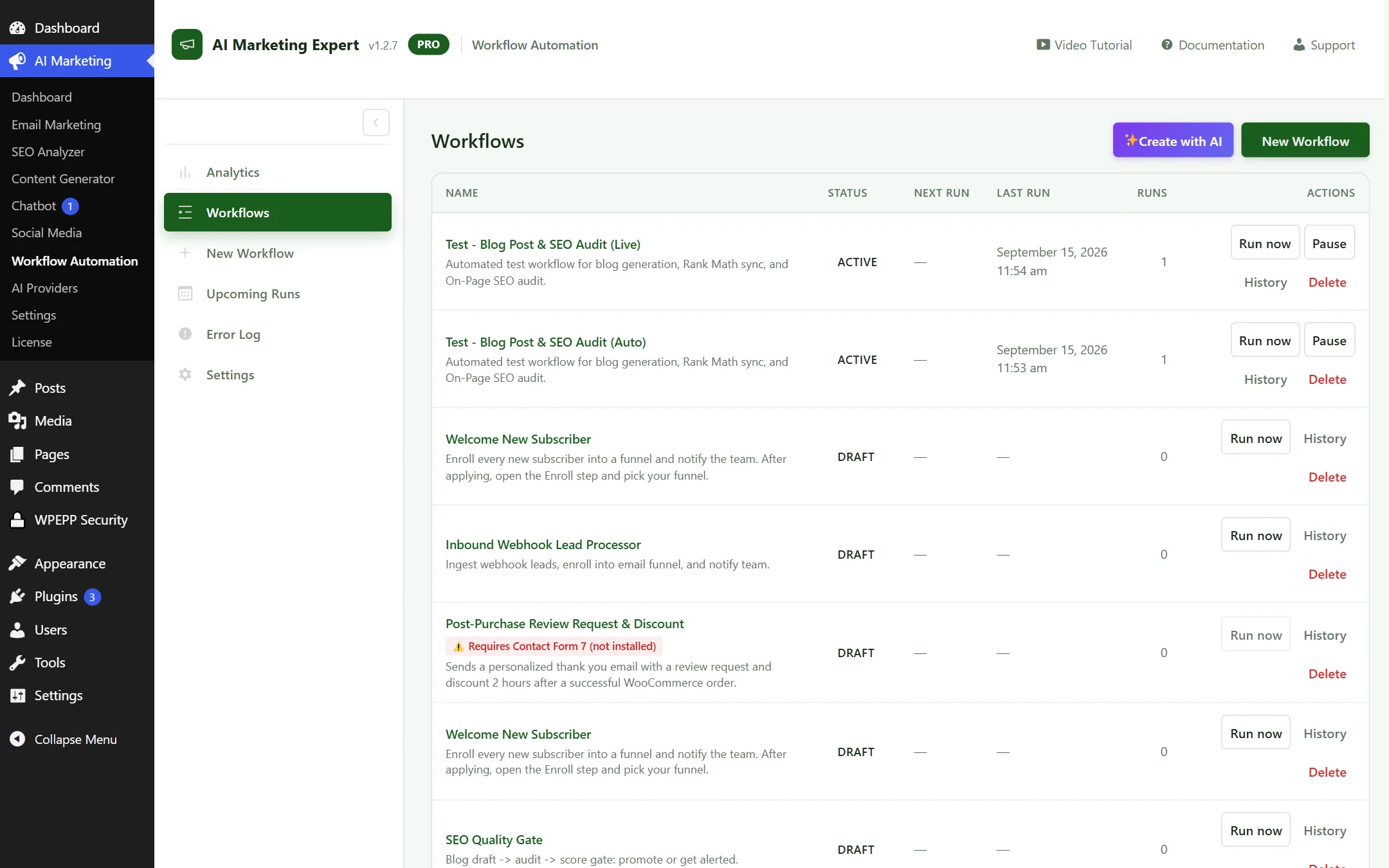
7.2 Workflows Directory

Manage all active, paused, and draft workflows with simple toggle controls and quick-edit access.
Workflows List View
Figure 7.2: Workflows Directory and Status Switches

7.3 Visual Canvas Builder Core Engine

Drag, drop, and connect triggers, conditions, timers, and actions on an interactive React Flow canvas.
Visual Canvas Workflow Builder
Figure 7.3: Visual Canvas Builder — Triggers, If/Else conditions, Wait timers, and Email actions

Available Node Types:

  • Triggers: WooCommerce Cart Abandoned, Order Completed, New Subscriber, Lead Finder Prospect Enrolled.
  • Actions: Send Email, Add/Remove Tags, Outgoing Webhook, Notify Administrator.
  • Timing: Wait / Delay Node (pause execution for a specified number of hours or days).
  • Logic: If/Else Condition (e.g. check if previous email was opened or order total exceeds $100).

Connecting Nodes:

Drag from the output handle of one node to the input handle of another. To delete a node or connection, click it and press the Delete key.

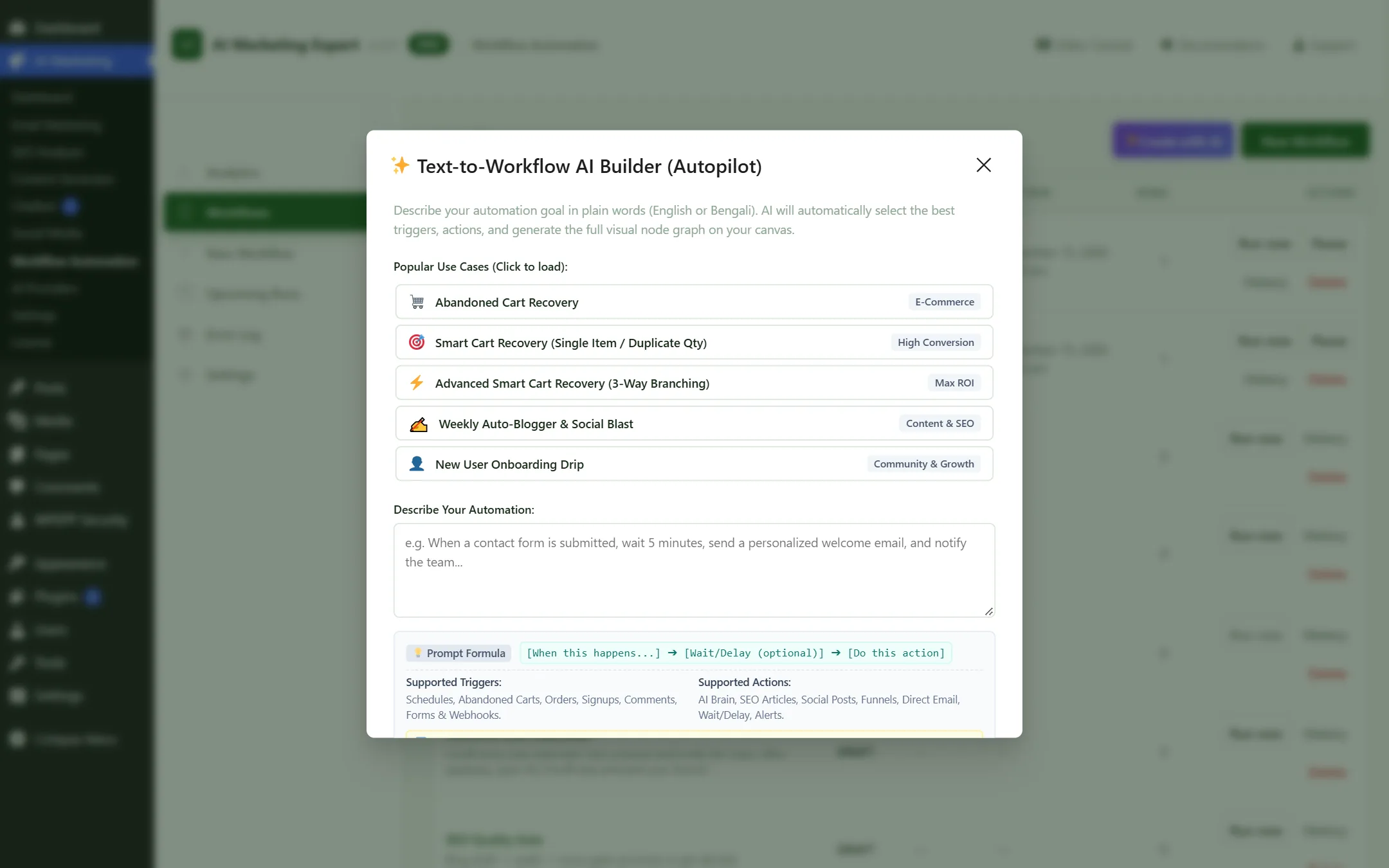
7.4 Text-to-Workflow AI Generator Hot Item

Generate complete multi-step automation graphs from natural language prompts without manual node wiring.
Text-to-Workflow AI Modal
Figure 7.4: Text-to-Workflow AI Modal — Generates connected nodes from prompt

Sample Prompt:

"When a shopper abandons their WooCommerce cart, wait 1 hour and send a recovery email offering 10% off. If they do not purchase within 24 hours, send a final reminder." — The AI constructs the entire graph automatically.

7.5 WooCommerce Abandoned Cart Recovery Hot Item

Monitors WooCommerce checkout fields in real time. When a guest shopper inputs their email but leaves without completing the purchase, the session is tracked as an abandoned cart.

1-Click Deep Recovery Links:

Include the {{recovery_url}} merge tag in your recovery emails. When shoppers click the link, their abandoned cart items and applied coupon codes are restored immediately at checkout.

Single-Quantity Safety Protection:

If a customer clicks the recovery email multiple times, the plugin prevents cart quantities from multiplying (e.g., doubling from 1 to 2), ensuring a frictionless checkout experience.

7.6 Template Picker

Choose from pre-built marketing funnels: Abandoned Cart Recovery, Welcome Drip Series, Post-Purchase Review Request, and Win-Back Campaigns.
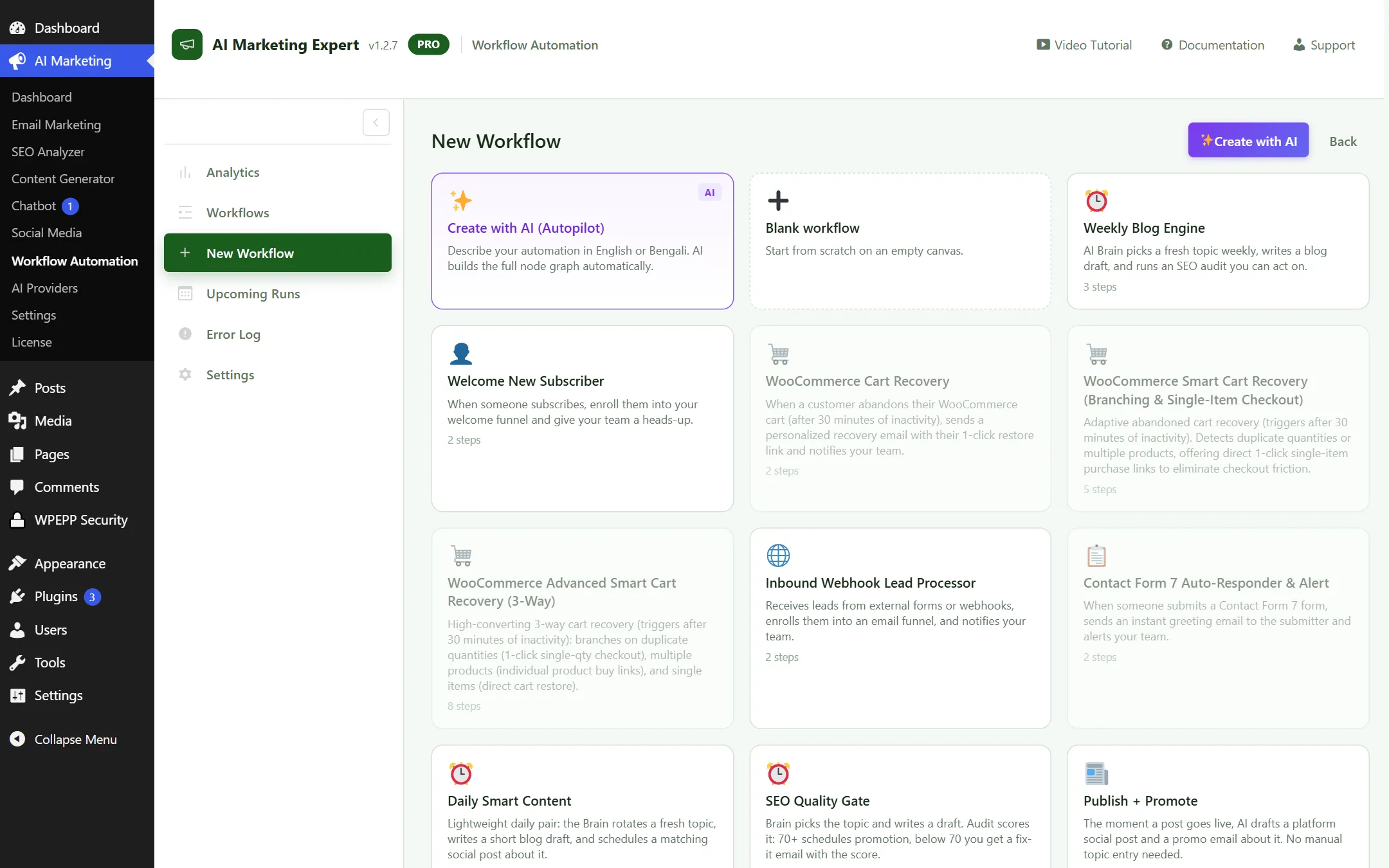
Workflow Automation Templates
Figure 7.5: Pre-built Workflow Templates Gallery

7.7 Upcoming Runs Queue

Monitor subscribers currently paused at a Wait/Delay step and view pending emails scheduled to send over the next 24 to 48 hours.
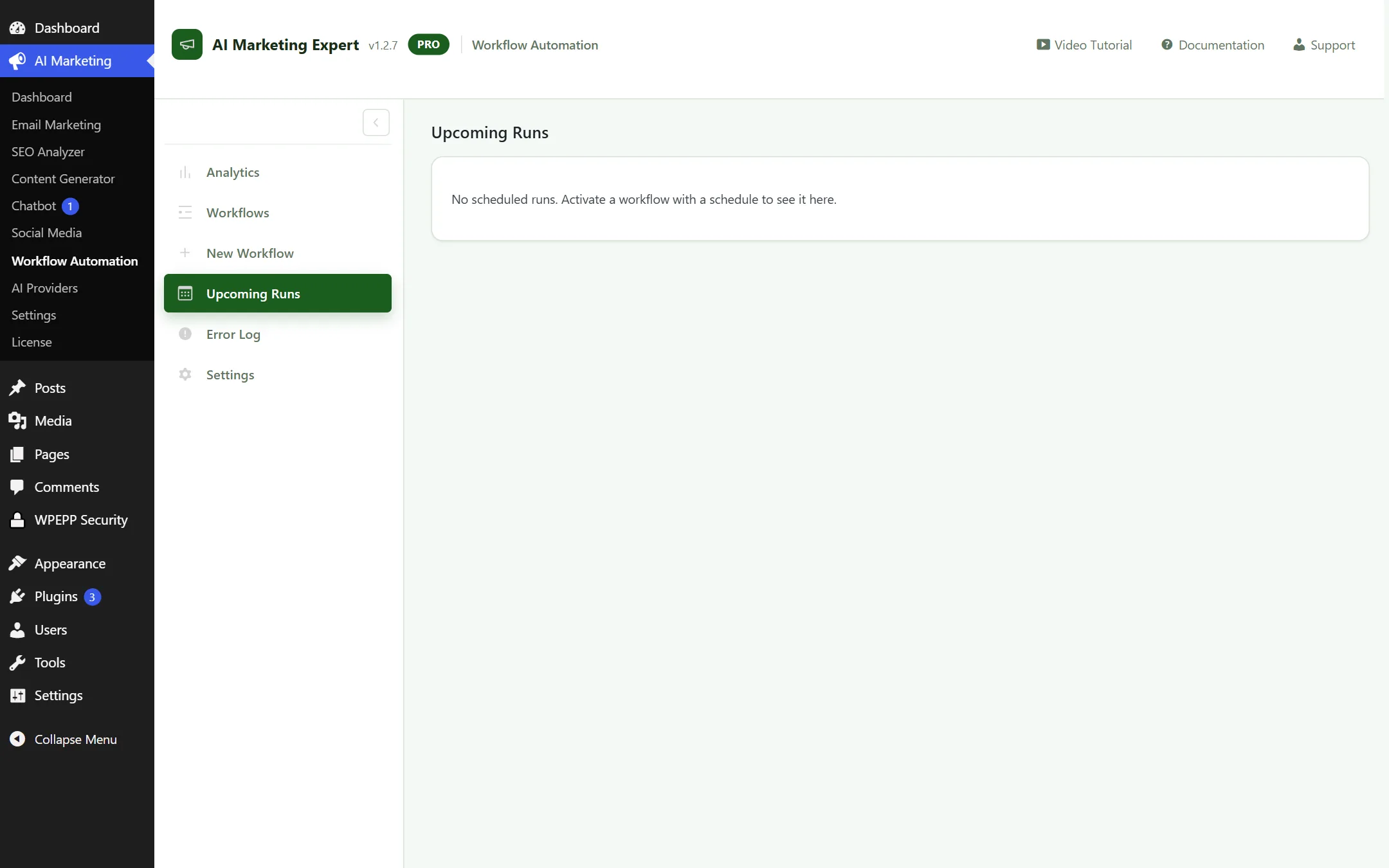
Upcoming Workflow Executions
Figure 7.6: Upcoming Scheduled Execution Queue

7.8 Error Log & Diagnostics

Detailed execution logs and error stack traces to troubleshoot failed steps, expired webhooks, or delivery errors.
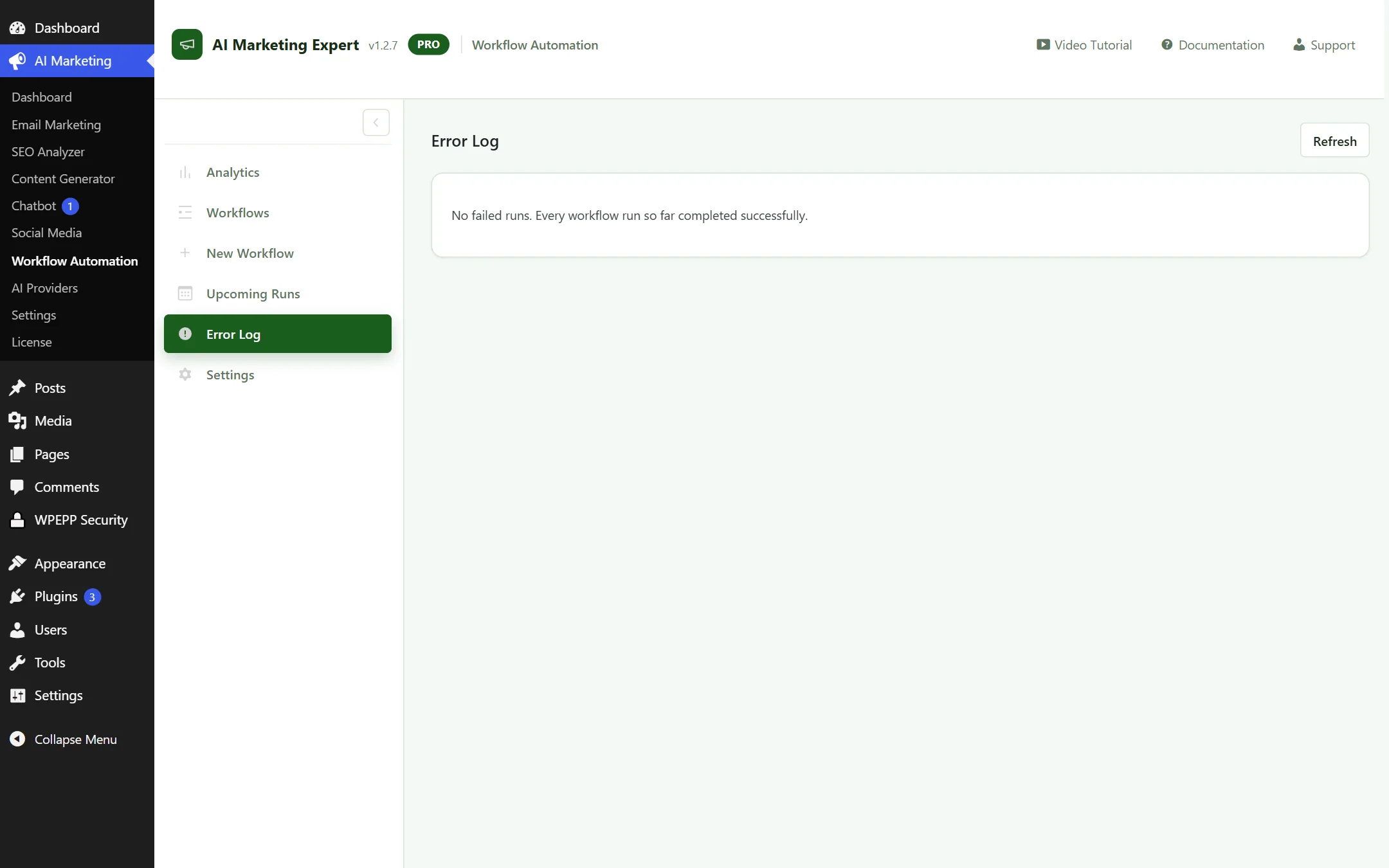
Workflow Error and Execution Log
Figure 7.7: Diagnostics Log and Error Inspector

7.9 Workflow Settings

Enable automated administrator notifications when any workflow execution encounters a critical error.
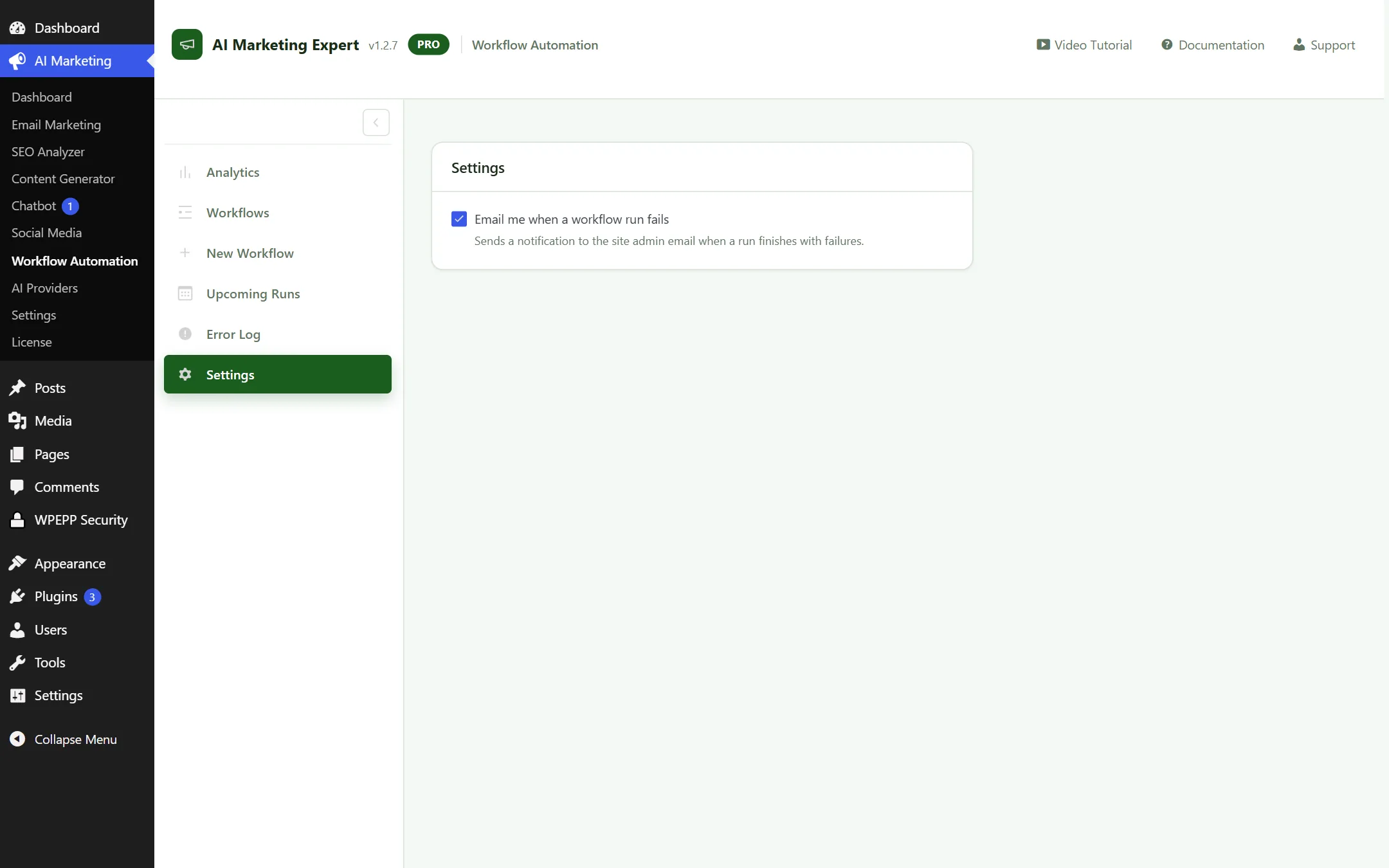
Workflow Settings
Figure 7.8: Workflow Failure Alert Preferences

8. AI Providers Setup (Model Routing & Smart Fallbacks)

AIME features an intelligent, multi-engine AI routing layer. Instead of vendor lock-in, you bring your own API keys, encrypt them with AES-256-GCM, and configure multi-tiered failover chains so your marketing automation runs uninterrupted 24/7/365.
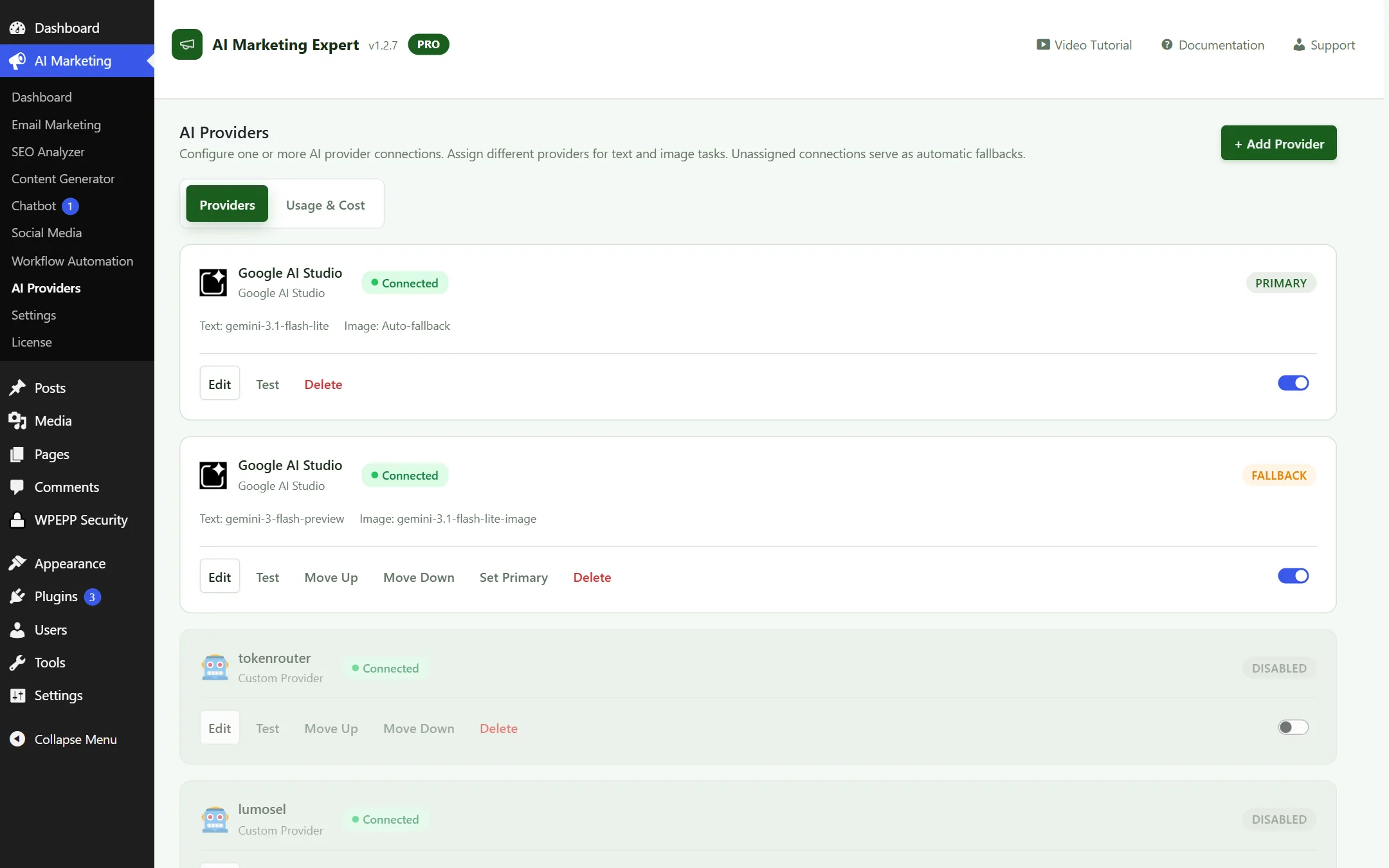
AI Providers Configuration Screen
Figure 8.1: AI Providers Management — Google Gemini, OpenRouter, OpenAI, and Anthropic Claude Routing Hub

Supported AI Engines & Setup Guides

  • Google Gemini (100% Free Forever): Get a free API key from Google AI Studio. The default gemini-1.5-flash provides up to 15 Requests Per Minute (RPM) and a 1-million token context window completely free without entering a credit card.
  • OpenRouter (DeepSeek & Open Source): Connect a single OpenRouter key to access breakthrough cost-effective models like DeepSeek R1, Llama 3.3 70B, and Qwen 2.5 for pennies per million tokens.
  • OpenAI: Direct connection for gpt-4o and gpt-4o-mini, plus text embeddings for Vector Knowledge Base scraping.
  • Anthropic Claude: Connect claude-3-5-sonnet for human-grade editorial voice in the Article Studio.

Smart Multi-Model Fallback & Failover Chaining

What happens if your primary AI provider hits a rate limit or has an outage during a viral campaign? AIME solves this with automated fallback cascades:

  • Primary Tier: Google Gemini 1.5 Flash (Free tier for zero-cost operation).
  • Fallback Tier 1: DeepSeek R1 via OpenRouter ($0.14 / 1M tokens).
  • Fallback Tier 2: OpenAI GPT-4o-mini.
  • Automatic Handshake: If Gemini returns a 429 Too Many Requests or 503 gateway error, AIME re-routes the prompt to Fallback 1 in under 300 milliseconds. Your live chatbots, article generators, and workflows never crash.

Task-Based Model Routing

Assign specialized models to specific plugins modules according to speed, cost, and creative depth:

  • Customer Support Chatbot: Route to gemini-1.5-flash for instantaneous sub-second response times.
  • Long-Form Article Studio: Route to claude-3-5-sonnet or deepseek-r1 for complex research and humanized prose.
  • SEO Meta & Keyword Clustring: Route to gpt-4o-mini for structured JSON outputs.

Latency Ping & Token Safeguards

Every provider card includes a real-time Test Connection button that sends a handshake ping to measure latency (e.g., Gemini: 182ms [Active]). You can also set a hard monthly token cap to eliminate the risk of unexpected API bills.

9. General Settings & Data Hygiene

Configure site-wide parameters, user role access permissions, and automated database cleanup:
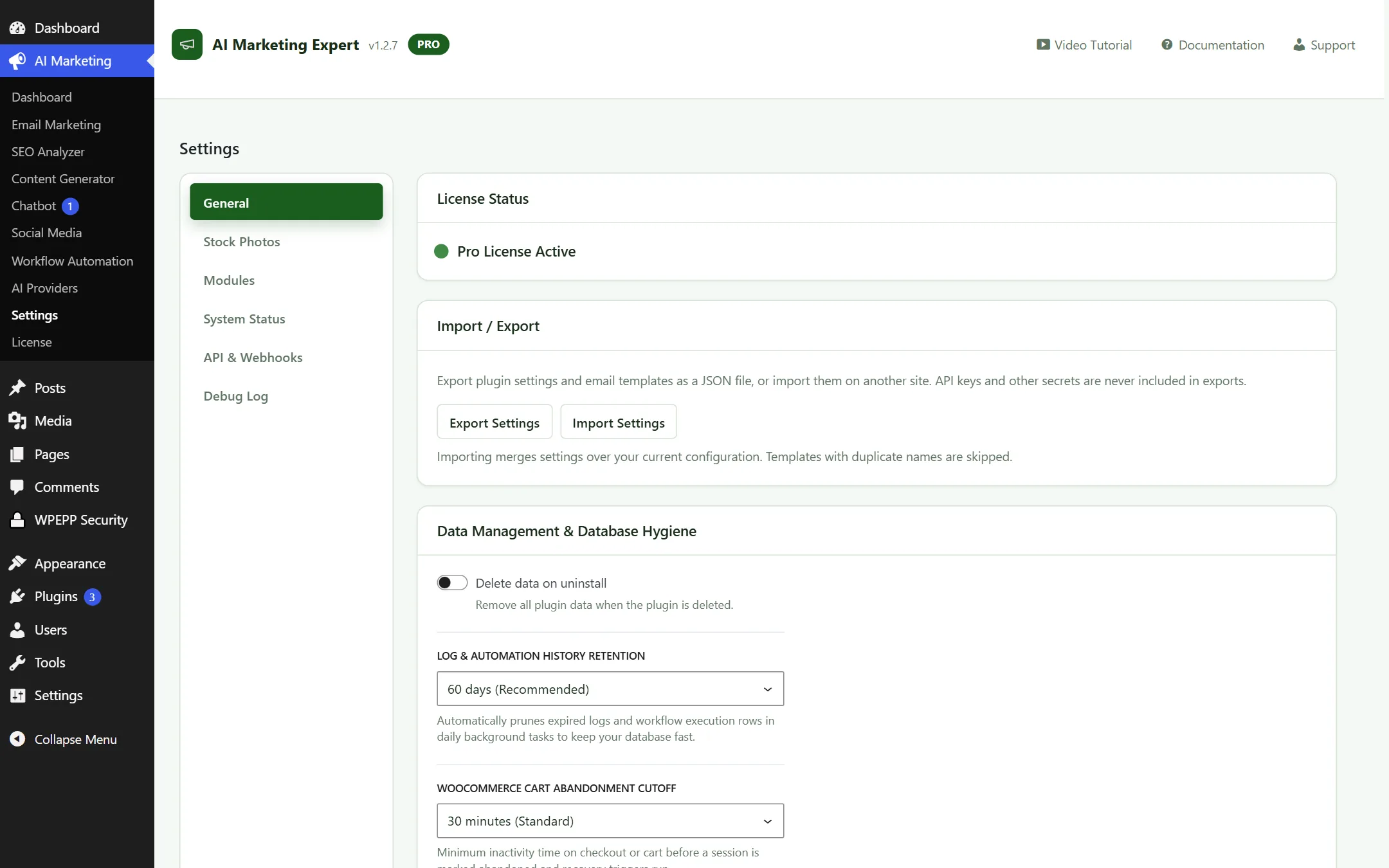
General Settings Screen
Figure 9.1: General Settings — Cart tracking limits, role permissions, and database hygiene

Core Configuration Options:

  • Cart Retention Window: Number of days abandoned cart data remains in the database (Default: 30 days).
  • Role-Based Access: Define which WordPress user roles (e.g. Editor, Shop Manager) can access marketing modules.
  • Uninstall Clean-up: Toggle whether plugin tables and options are purged upon complete uninstallation.

Database Optimization & Hygiene:

Enable automatic weekly purging of expired guest carts and transient logs. This keeps your WordPress database fast, lightweight, and clutter-free.

External Server Cron Setup (Zero-Delay Email Dispatch)

WordPress default cron (wp-cron.php) only triggers when someone visits your website. On low-traffic sites, this can cause abandoned cart recovery emails or scheduled campaigns to fire hours late. Configuring an external server cron eliminates delays completely.

Canonical External Cron Webhook URL:

Use your site's dedicated cron webhook with your secret token to trigger execution from any server:

https://yourdomain.com/wp-json/aime/v1/cron/execute?secret_token=YOUR_CRON_SECRET

Method 1: cPanel / Server Crontab (Every 5 Minutes)

Under cPanel Cron Jobs, create an entry running every 5 minutes:

*/5 * * * * curl -s -k "https://yourdomain.com/wp-json/aime/v1/cron/execute?secret_token=YOUR_SECRET" >/dev/null 2>&1

Method 2: Free cron-job.org Service

  1. Create a free account at cron-job.org.
  2. Click Create Cronjob and paste your full webhook URL.
  3. Set execution schedule to Every 5 minutes and save.

Troubleshooting & Real-World Pitfalls

1. Cart Recovery Emails Not Sending

Cause: WP-Cron is sleeping, or an aggressive page caching plugin is caching checkout scripts.

Fix: Configure an external server cron (see above) and add /checkout/ and /cart/ to the "Never Cache" exclusion rules in WP Rocket or LiteSpeed Cache.

2. Emails Landing in the Spam Folder

Cause: Sending via standard unauthenticated PHP mail() or missing domain SPF/DKIM records.

Fix: Configure a dedicated SMTP provider under Email Marketing → SMTP (Gmail App Password, Brevo, or SendGrid) and verify your domain's SPF, DKIM, and DMARC DNS records.

3. AI "Rate Limit Exceeded" Errors

Cause: Exceeding the 15 requests/minute quota on free Google AI Studio accounts during large batches.

Fix: In Settings → General, decrease background batch size to 5, or connect an OpenAI or OpenRouter fallback key.

4. Chatbot Widget Not Appearing

Cause: Theme script conflicts or JavaScript errors in the front-end console.

Fix: Verify the chatbot toggle is active under Chatbot → Settings, clear your browser and site cache, and ensure no other plugins are blocking REST API endpoints.

Perguntas Frequentes (FAQ)

Are there any recurring monthly subscription fees?

No! The plugin operates on your own WordPress hosting. If you connect Google AI Studio's free tier, you pay $0 for AI usage as well. You maintain 100% ownership of your data without per-subscriber penalties.

Can I migrate contacts from Mailchimp or FluentCRM?

Yes. Export your subscribers as a CSV file from your previous platform and use Email Marketing → Import / Export to map fields and import contacts with tags in minutes.

Will this plugin slow down my website speed?

Not at all. The front-end tracking script is under 5KB and loads asynchronously. All heavy AI generation and email batching runs in isolated background processes managed by cron.

Is customer data sent to third-party AI providers?

No. Customer email addresses and contact information are never sent to AI providers. AI models are only invoked for copywriting, content drafting, and chatbot responses.

1-2 Minute Micro-Videos (🎬 7 Video Lessons & Scripts)

Bite-sized, practical video walkthroughs designed to get you up and running without wasting time:

▶
Lesson 1: Free AI Setup
1:45 min

1. Five-Minute Free Gemini AI Connection

Step-by-step walkthrough generating a free Gemini API key and verifying connection.

  • [00:00 - 00:25] Creating an API key in Google AI Studio
  • [00:25 - 01:10] Saving credentials in AIME AI Providers
  • [01:10 - 01:45] Running connection test & model selection
▶
Lesson 2: B2B Lead Finder
2:10 min

2. Prospecting Verified Leads & Cold Outreach

Filtering targeted niches and enrolling verified leads into email nurture sequences.

  • [00:00 - 00:35] Setting role, industry, and location filters
  • [00:35 - 01:25] Real-time DNS MX verification checks
  • [01:25 - 02:10] One-click cold email sequence enrollment
▶
Lesson 3: Cart Recovery
1:55 min

3. WooCommerce Abandoned Cart Recovery

Setting up guest email capture and generating 1-click single-quantity recovery links.

  • [00:00 - 00:30] Activating checkout field listener
  • [00:30 - 01:15] Embedding {{recovery_url}} in email templates
  • [01:15 - 01:55] Testing duplicate-proof cart restoration
▶
Lesson 4: AI Canvas
1:30 min

4. Text-to-Workflow AI Canvas Generation

Generating complex multi-branch marketing funnels from natural language prompts.

  • [00:00 - 00:20] Opening 'Create with AI' prompt builder
  • [00:20 - 00:55] Writing automation requirements
  • [00:55 - 01:30] Reviewing and activating canvas nodes
▶
Lesson 5: SEO to Article
2:15 min

5. Keyword Research to Long-Form Blog Post

Discovering low-KD keywords and producing 2,000+ word structured articles.

  • [00:00 - 00:40] Researching keywords & saving to Vault
  • [00:40 - 01:35] Generating in Deep Humanize Studio
  • [01:35 - 02:15] Publishing directly to WordPress
▶
Lesson 6: Chatbot Sync
1:40 min

6. Training Chatbots on WooCommerce Products

Syncing product catalogs to build an automated 24/7 sales representative.

  • [00:00 - 00:25] Navigating to Chatbot Knowledge Base
  • [00:25 - 01:05] Clicking 'Sync WooCommerce Products'
  • [01:05 - 01:40] Testing front-end recommendations
▶
Lesson 7: Server Cron
1:50 min

7. Free Server Cron Setup (Zero Email Delay)

Eliminating WP-Cron delays with cron-job.org or cPanel scheduler.

  • [00:00 - 00:30] Copying secret cron webhook token
  • [00:30 - 01:15] Setting up 5-minute cron on cron-job.org
  • [01:15 - 01:50] Verifying green status on AIME dashboard

Changelog & Release Notes (v1.2.7)

Version 1.2.7 (Latest Stable)

  • New: B2B Lead Finder engine integrated directly inside Email Marketing submenu.
  • New: WooCommerce 1-click abandoned cart recovery URLs with single-quantity duplicate protection.
  • Enhanced: Workflow Automation V2 featuring React Flow visual canvas and Text-to-Workflow AI generator.
  • Enhanced: Deep Humanize mode in Content Generator that preserves tables, headings, and lists while bypassing AI detectors.
  • Enhanced: Canonical external server cron webhook support to eliminate WP-Cron scheduling delays.